
Summary of Twittering Laser Tripwire with Webcam Capture using Arduino
This article details a beginner-friendly Arduino project creating a laser tripwire that triggers Twitter updates, captures webcam images, and executes bash commands. The setup requires an Arduino board, laser pointer, light-dependent resistor (LDR), and a 100Kohm resistor. It utilizes GNU/Linux or Mac operating systems with Arduino IDE, Processing IDE, and Curl software. Optional hardware includes a webcam and breadboard, while essential tools involve soldering equipment, hot glue, and basic crafting items like pens or straws to shield the sensor from ambient light.
Parts used in the Twittering Laser Tripwire:
- Arduino Board
- Laser pointer/pen
- Light Dependant Resistor
- 100Kohm Resistor
- Webcam
- Breadboard
- Mirror
- Solder and Soldering Iron
- Wire
- Hot Glue Gun
- Hacksaw/Knife
- Straw or Ballpoint Pen
This instructable will show you how to construct a laser tripwire that can twitter and grab an image from a webcam, as well as execute any command you can put in a bash script.
This instructable is actually quite simple and is even suitable as a beginner arduino project. It requires a GNU/linux (or possibly Mac) operating system with the arduino IDE and Processing IDE working properly. This project could also be implemented in Windows if you created a more complex processing application.
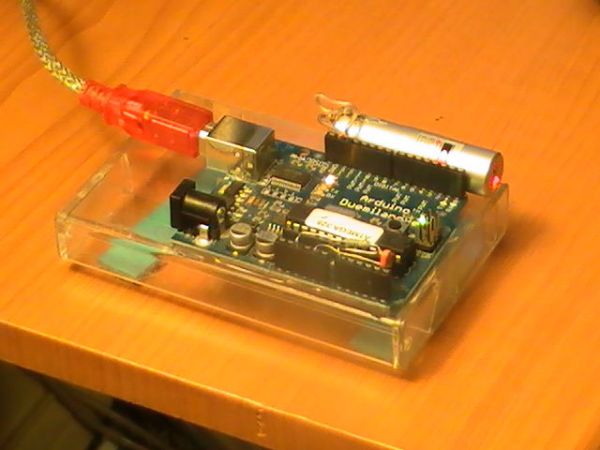
Hardware Requirements
Arduino Board
Laser pointer/pen
Light Dependant Resistor
100Kohm Resistor
Optional:
Webcam
Breadboard
Software Requirements
Arduino IDE
Processing IDE
Linux OS (I’m using Arch Linux for this project)
Curl
Webcam (part of xawtv)
Other Stuff:
Mirror
Solder and Soldering Iron
Wire
Hot Glue Gun
Hacksaw/Knife
Straw or Ballpoint Pen
 arduino.pde359 bytesprocessing.pde688 bytestwitter.trip270 bytes
I cut the end off of a ballpoint pen so that I could slip it over the LDR to prevent ambient light from affecting the reading, you could also use a straw.
Laser pointer/pen
Light Dependant Resistor
100Kohm Resistor
- What functions does the laser tripwire perform?
The device can tweet, grab an image from a webcam, and execute any command found in a bash script. - Can this project be built by beginners?
Yes, the instructable states it is quite simple and suitable as a beginner Arduino project. - Which operating systems are required for this project?
A GNU/Linux or possibly Mac operating system is required, though Windows could work with a complex Processing application. - How do you prevent ambient light from affecting the reading?
You can cut the end off a ballpoint pen or use a straw to slip over the LDR. - Is a breadboard mandatory for connecting the components?
No, the author connected the LDR and resistor directly to the Arduino without a breadboard, but you can do it however you like. - What software is needed besides the Arduino IDE?
Processing IDE, Linux OS, and Curl are required for this specific implementation. - Does the project support Windows?
It could be implemented in Windows if a more complex Processing application is created. - What file types are included in the project code?
The project includes arduino.pde, processing.pde, and twitter.trip files.
