
Summary of Home Security Smart Clock IoT Emergency App Notification
This article describes a DIY Home Security Smart Clock featuring real-time display of time, date, temperature, and humidity. It enables two-way communication via the Blynk app for sending messages from anywhere and includes a panic button to instantly send emergency notifications. The project works offline for basic functions and uses a custom 3D-printed case designed in Tinkercad.
Parts used in the Home Security Smart Clock:
- NodeMCU
- DHT-22 sensor
- DS3231 RTC Module
- MAX 7219 LED Matrix Display
- Buzzer
- Mini Push Button Switch (5-6mm)
- Resistor 10k Ohm
I made a Clock that not only display Time,Date, Temp & Hum but you can send message to the clock via Mobile App (Blynk) from anywhere in the World as long as you are connected to internet. And you can also alert by Pressing Panic Button in Clock a Notification Alert will be sent to Mobile instantly through internet. Good for Home Security if you have kid or elderly person in home alone. In Emergency they can alert you by just pressing the button at the back of the Clock. It also work offline showing current time ,temp humidity. Two way communication. The case is designed in Tinkercad where all components will fit in easily.
Step 1: Components Needed
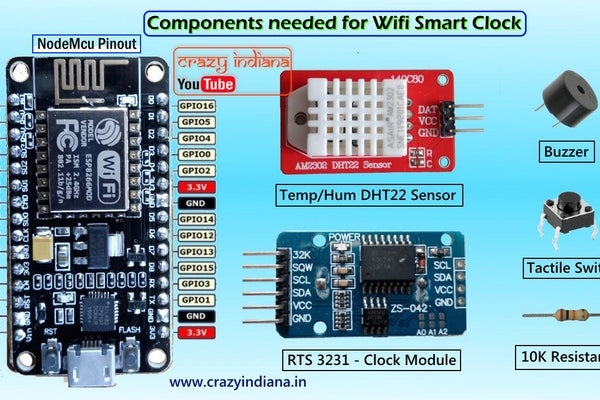
- NodeMCU
- DHT-22 sensor
- DS3231 RTC Module
- MAX 7219 LED Matrix Display
- Buzzer
- Mini Push Button Switch – 5-6mm
- Resistor 10k Ohm
Step 2: Circuit Design & Blynk App
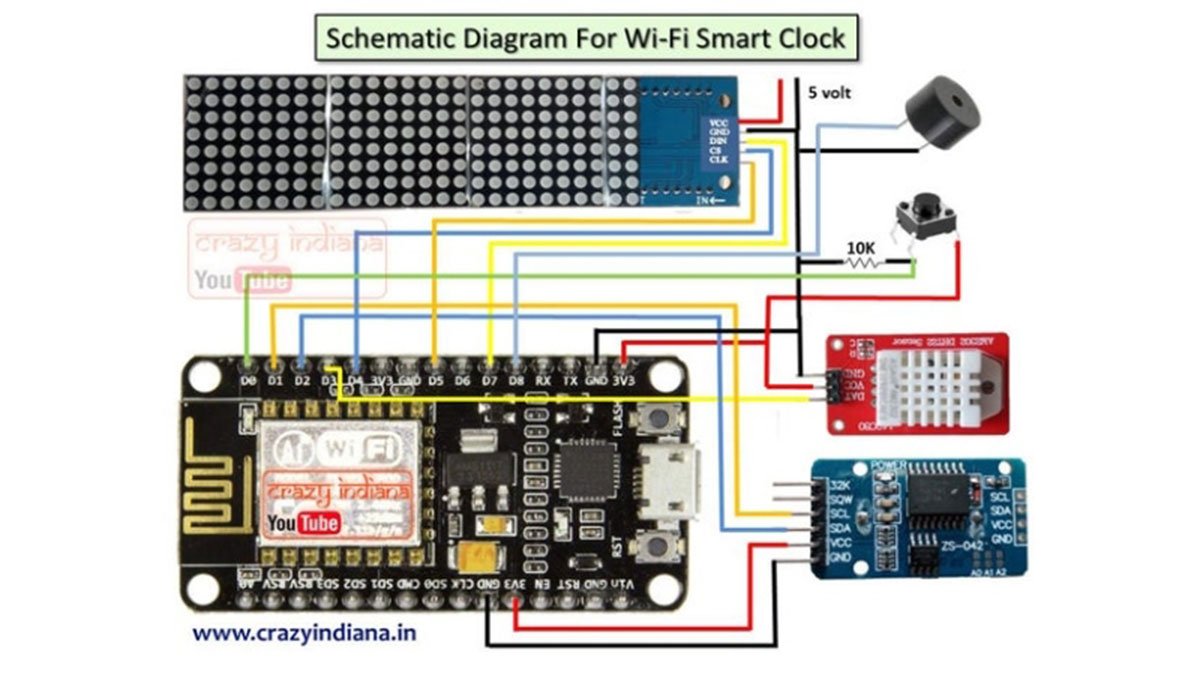
You can make this circuit with Breadboard or make a PCB which will be easier to use.
Step 3: 3D Printing & Assembling
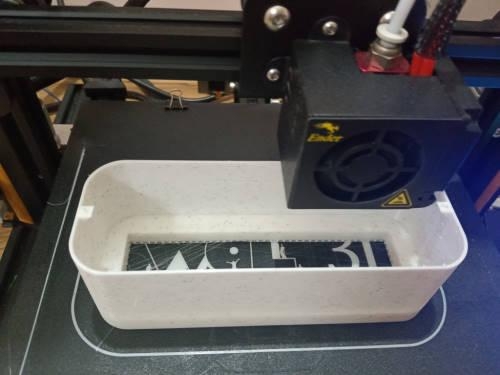
You can download the 3D (stl) file designed in Tinkercad & Print the case 3D printer. Now you can fit it inside the case.Check video for details instruction.
Step 4: Making the Blynk App
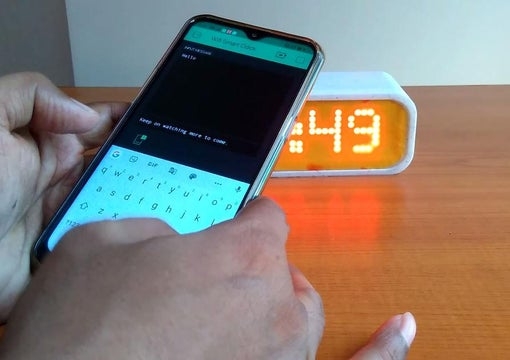
Now install Blynk App and create a new project for the Smart Clock.Check video for detail instruction & you are ready to use.
Step 5: Detail Instruction & Download Code
Check the video for detail Instruction.
Download Code Below
Source: Home Security Smart Clock IoT Emergency App Notification
-
What information does the clock display?
The clock displays Time, Date, Temperature, and Humidity. -
Can I send messages to the clock from anywhere?
Yes, you can send messages via the Mobile App as long as you are connected to the internet. -
How does the panic button work?
Pressing the Panic Button on the back of the clock sends an instant Notification Alert to your mobile through the internet. -
Does the clock function without an internet connection?
Yes, it works offline to show current time, temperature, and humidity. -
Which software is used to control the clock?
The Blynk App is used to send messages and manage the clock. -
How was the clock case created?
The case was designed in Tinkercad and printed using a 3D printer. -
Is this device suitable for home security?
Yes, it is good for home security if you have a kid or elderly person at home alone. -
Where can I find the code and 3D files?
You can download the 3D STL files and code from the provided links in the article.
