
Summary of Sending Message Using Alpha-Numeric Keypad with GSM and Arduino
This project demonstrates sending SMS messages using an Arduino microcontroller, a GSM module, and an alphanumeric keypad. Users input recipient numbers and message text via the keypad, then press the * button to transmit the data. The system utilizes a 16x2 LCD display to show status updates and confirms successful delivery on the receiving mobile phone.
Parts used in Sending Message Using Alpha-Numeric Keypad with GSM and Arduino:
- GSM Module
- Arduino Microcontroller
- 16x2 LCD Display
- Numeric Keypad
- Push Buttons
- Cell Phone
GSM is quite a common Device which is used in major Projects and Real Time Operations. There are many applications which are using features of GSM Module like the feature sending Messages, making a Voice Call, Reading Messages, attempting Call etc. Many at times you may have sent Messages using your Cell Phone and also by way of Hyper Terminal of your computer via GSM, and by sending Commands to GSM using Microcontroller.
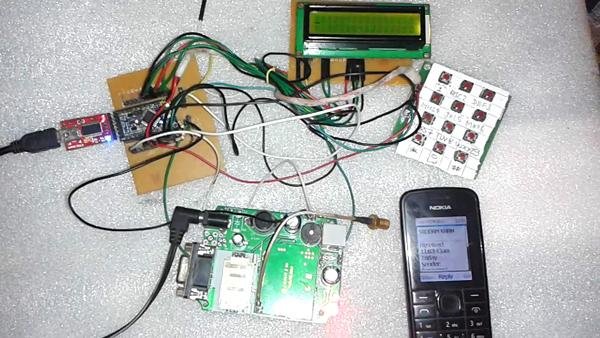 In this project we are going to see how to send a Message using Alpha / Numeric Keypad and GSM. The Programming of this project is little complicated but do not worry, I am sure with careful attention you can build it without any problems.
As shown in the image above I have used 16×2 LCD Display which is connected to the numeric keypad. This numeric keypad has been built ingeniously by using keypad circuit having push buttons. For your convenience I have made the cut-out of the typical numeric keypad. So as you can see I have pressed * Button for sending messages
As you can see in the image above after pressing the * Button for sending message the 16X2 LCD displays the message as sent, and the GSM cell phone receives the message displaying the Time with other details in the following image
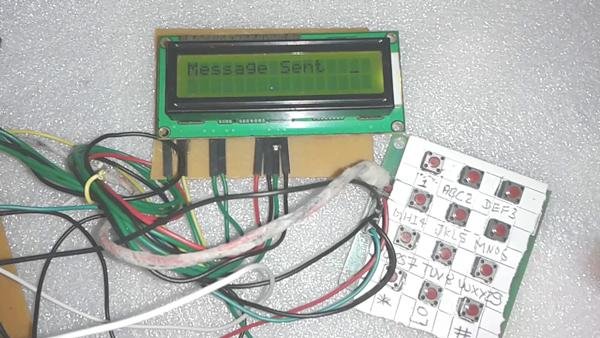 The step by step working of this project is simple. To start working on the project you have to simple enter a message by using Keypad and then Press Send Button (*) we can enter the recipients number, and then by again pressing the Send Button, you can send the entered message with quite an ease.
For more detail: Sending Message Using Alpha-Numeric Keypad with GSM and Arduino
- How do I send a message in this project?
Enter the message using the keypad, input the recipient number, and press the Send Button (*) to transmit. - What component displays the sent message status?
A 16x2 LCD Display shows the message as sent after pressing the Send Button. - Which button is used to send the message?
The * Button on the numeric keypad is pressed to send the message. - Can I make voice calls with this setup?
While the article mentions GSM features like making voice calls, this specific project focuses on sending messages. - How does the system handle message entry?
Users enter the message and recipient number using the keypad before initiating transmission. - Does the receiving phone show details of the message?
Yes, the GSM cell phone receives the message and displays the time along with other details. - Is the programming for this project difficult?
The programming is described as little complicated but manageable with careful attention.
