
Summary of How to Build a Simple DIY Home Automation System
This tutorial guides users in building a simple DIY home automation system using a NodeMCU board. The project enables remote control of devices like lights and monitoring of energy usage via the Blynk mobile app. It covers hardware assembly, PCB design options, software setup, and code implementation to create a customizable smart home solution compatible with various IoT applications.
Parts used in the DIY Home Automation System:
- NodeMCU Board
- ESP8266 12-E Chip
- 4 Channel Relay
- LED
- Breadboard
- Custom PCB designed with EasyEDA
- Blynk Mobile App
- Arduino IDE
- Blynk Library
Home automation is a term used to describe the process of automating certain tasks and devices around the home. This can include tasks such as turning on the lights when you enter a room, or setting the thermostat to a certain temperature. Home automation systems can be as simple or as complex as you like, and there are many different products on the market to suit different needs. In this tutorial, we will show you how to build a simple DIY home automation system using a NODEMCU and a few other components. you can monitor and control your home’s energy usage, security system, and much more.
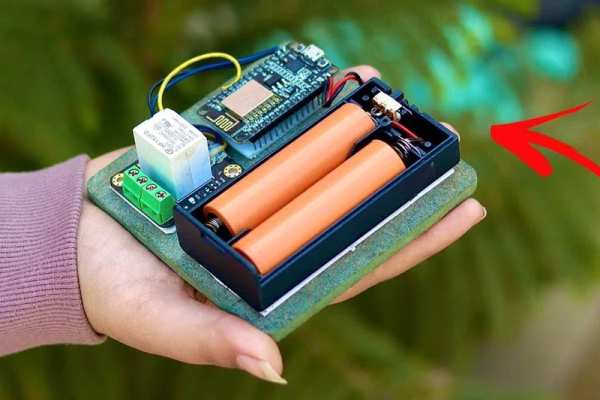
Thank You NextPCB:
This project is successfully completed because of the help and support from NextPCB. Guys if you have a PCB project, please visit their website and get exciting discounts and coupons.
Only 0$ for 5-10pcs PCB Prototypes:https://www.nextpcb.com
Free shipping 0$ PCB Prototype:https://www.nextpcb.com/?code=Roker
4-layer PCB price reduction up to 40%: nextpcb.com/40%off
The NodeMCU system is easy to install and use, and it’s compatible with a variety of home automation devices and appliances.
Step 1: Introduction
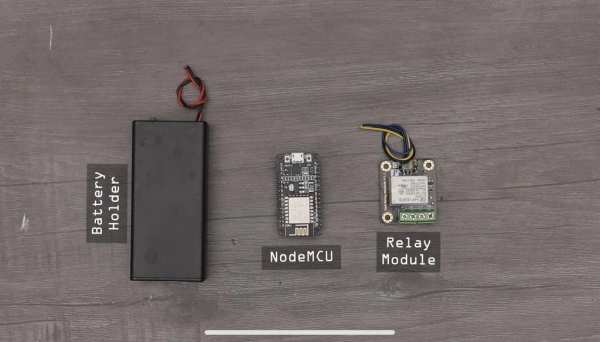
Nowadays, home automation is becoming increasingly popular as it can offer homeowners a lot of benefits. Home automation can be defined as a system that automates and controls various home appliances and devices automatically. For example, it can turn on the lights when you enter the room, or turn off the TV when you leave the room. It can also adjust the temperature of the room automatically based on the weather outside.
Nodemcu is a very popular home automation system. It is very easy to use and it has many features. It can control the lights, windows, doors, and many other things in your house. It is very convenient and it can save a lot of time.
Step 2: What Is Nodemcu?
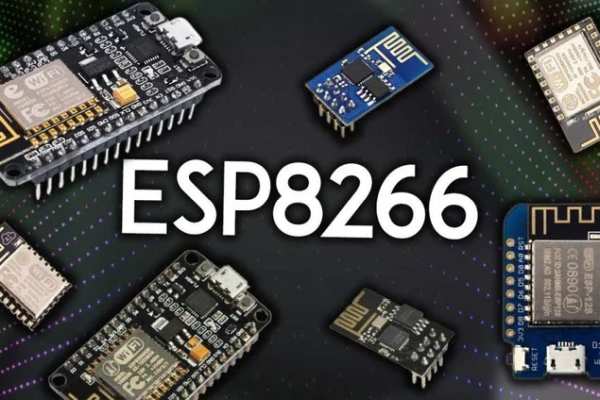
NodeMCU is a development board based on the ESP8266 12-E chip. It has on-board WiFi and can be programmed using the Arduino IDE. NodeMCU is an open source project and has been developed by the community.
A nodemcu board is a microcontroller board that uses the Lua programming language. It is based on the ESP8266 Wi-Fi chip and has built-in flash memory, making it ideal for use in IoT applications. The board can be programmed using the Arduino IDE
Step 3: How Nodemcu Can Be Used for Home Automation
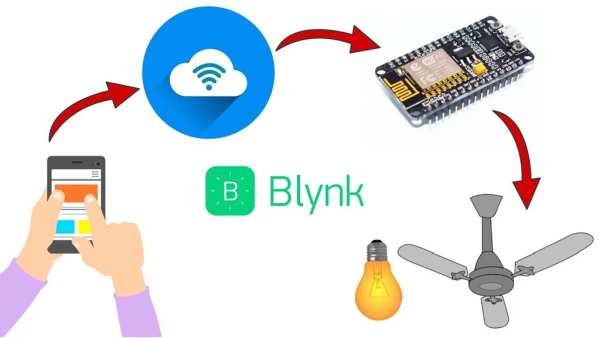
Nodemcu can be used for home automation in a few different ways. One way is to use it as a central controller for all of your devices. You can program it to turn on and off lights, appliances, and other devices. You can also use it to monitor energy usage and control temperature and humidity levels.
Another way to use nodemcu for home automation is to use it as a security system. You can program it to notify you if there is a break-in or if someone is trying to enter your home. You can also use it to monitor activity around your home and to record video footage.
Finally, you can use nodemcu to create a home automation system that is completely customised to your needs.
Nodemcu is a versatile platform that can be used for a variety of home automation applications. With a little creativity, you can use it to create a system that is perfect for your home and your family.
Step 4: Circuit Diagram & Connection
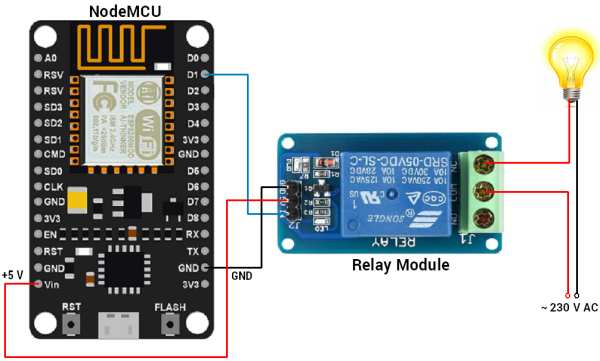
The circuit diagram for Blynk Controlled Home Automation using NodeMCU is given Above. Using this circuit diagram you can assemble the circuit on Breadboard using 4 channel Relay and NodeMCU Board.
Step 5: Build Circuit
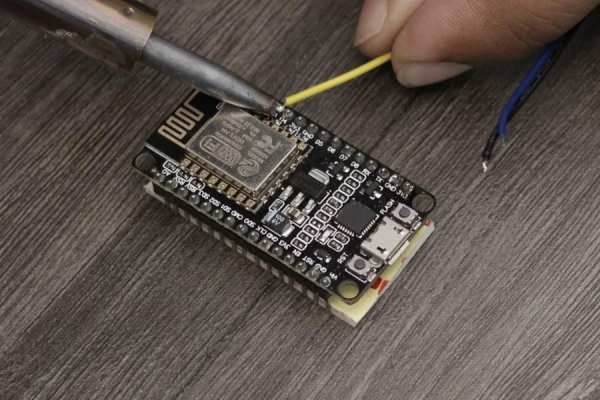
1. Now According to the Pin diagram mapping of Esp8266 board
2. The connection is pretty simple just connect the Led to D7 pin
Step 6: Home Automation PCB & Gerber File
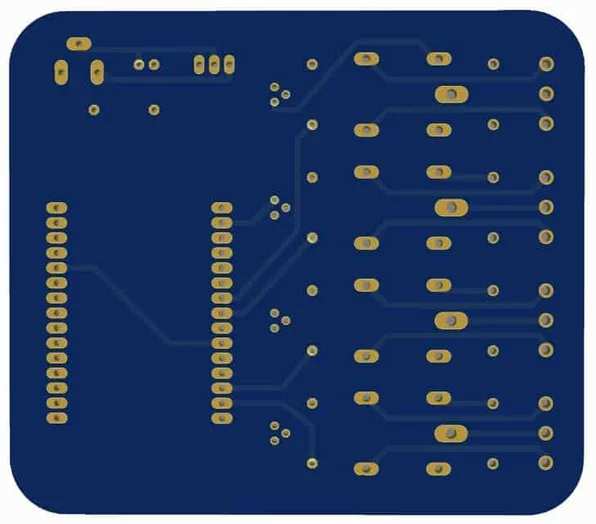
If you don’t want to assemble the circuit on breadboard and you want PCB for the project, then here is the PCB for you. The PCB Board for the Home Automation Project is designed using EasyEDA online Schematics & PCB designing tool. The front side and back side of the PCB is given above
You can simply download the Gerber File from here.
Step 7: Setting Up Blynk Application
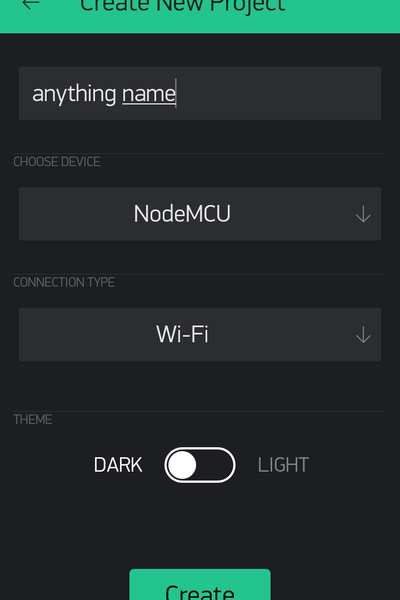
Blynk is a platform with iOS and Android apps that allows you to control your Arduino, Raspberry Pi, or ESP8266 from your mobile phone. You can create a project in the Blynk app and add a variety of Widgets to it. Widgets can be buttons, sliders, graphs, or even a terminal. Each Widget has a unique function that can be configured. For example, you can configure a button to turn an LED on and off.
Blynk makes it easy to control your hardware from your mobile phone. With Blynk, you can create complex projects with ease. The Blynk app is easy to use and is packed with features. With Blynk, you can control your hardware from anywhere in the world.
To Install Blynk app in your smartphone
Set up Blynk App:
Step 1: Download Blynk from PlayStore.
Step 2: Register with email ID where you will receive “Auth Token”.
Step 3: Open New Project and name the project.
Step 4: Choose device “ESP8266”. Click on create.
Step 5: After creating project you will receive mail, which contain “Auth_Token”.
Step 6: Copy this “Auth_Token” and paste in our Arduino Code.
char auth[] = "YourAuthToken";
Make sure before uploading code, add your SSID and password.
Step 8: Source Code
Here is a Simple DIY Home Automation System Code, you can copy the code and paste it in your Arduino IDE. But before that, you need to add Blynk Library to Arduino IDE.
Download Blynk Library from here: https://github.com/blynkkk/blynk-library or SKETCH -> INCLUDE LIBRARY -> MANAGE LIBRARIES -> SEARCH FOR “Blynk” -> INSTALL THE LIBRARY
Then go to File->Eamples->Blynk-Boards_Wifi->Esp8266Standalone
(Refer screen shot)
Select the correct board (NodeMCU 1.0) and the com port from the Tools Menu
Step 9: Arduino Code
#define BLYNK_PRINT Serial
#include <esp8266wifi.h>
#include <BlynkSimpleEsp8266.h>
/// You should get Auth Token in the Blynk App.
// Go to the Project Settings (nut icon).
char auth[] = "YourAuthToken";
// Your WiFi credentials.
// Set password to "" for open networks.
char ssid[] = "YourNetworkName";
char pass[] = "YourPassword";
void setup()
{
  // Debug console
  Serial.begin(115200);
  Blynk.begin(auth, ssid, pass);

}
void loop()
{
  Blynk.run();
}
Step 10: Final Output
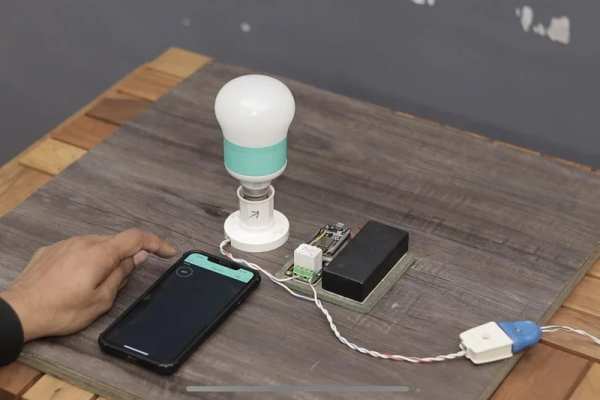
1. After uploading the code
2. Open the Blynk app in the Phone
3. Let it connect to the internet
4. Then you would see your dashboard with a button
5. Press Play button on the top most right corner of the app
6. Then Press the Button and you would see the LED Turn ON!!!:)
Now that you have got the basics , you can try some cool stuffs with this awesome board !!
I will really appreciate it if you share your valuable feedbacks. Also if you have any query please write in the comment section. Have fun exploring this board 🙂
Happy Inventing!!, Next week with more interesting projects:
Source: How to Build a Simple DIY Home Automation System
- What is NodeMCU?
NodeMCU is a development board based on the ESP8266 12-E chip featuring on-board WiFi and built-in flash memory, ideal for IoT applications. - How can NodeMCU be used for home automation?
It can act as a central controller to turn devices on or off, monitor energy usage, control temperature, or function as a security system. - Can I build this project without a breadboard?
Yes, you can use a custom PCB designed with EasyEDA instead of assembling the circuit on a breadboard. - How do I set up the Blynk application?
Download the app, register with an email to receive an Auth Token, create a new project for the ESP8266, and copy the token into your Arduino code. - Does NodeMCU require specific programming language?
The board uses the Lua programming language but can also be programmed using the Arduino IDE. - What components are needed to assemble the circuit?
You need a NodeMCU board, a 4 channel relay, and an LED connected to the D7 pin according to the pin diagram. - Where can I find the source code for this project?
The source code is provided in the article and requires the Blynk library installed in the Arduino IDE before uploading. - How do I verify the final output works?
Upload the code, open the Blynk app, ensure internet connection, press the play button, and tap the dashboard button to see the LED turn on.
