
Summary of ESP32 with multiple DS18B20 temperature sensors
This article provides a tutorial on reading temperature data from multiple DS18B20 sensors using an ESP32 with the Arduino IDE. It details the 1-wire communication protocol, sensor specifications, and wiring instructions for connecting several sensors to a single GPIO pin. The guide also covers necessary library installation and includes a code sketch example compatible with ESP32, ESP8266, and standard Arduino boards.
Parts used in the Multiple DS18B20 Temperature Sensors Project:
- ESP32 DOIT DEVKIT V1 Board
- DS18B20 temperature sensor
- 4.7k Ohm resistor
- Jumper wires
- Breadboard
This guide shows how to read temperature from multiple DS18B20 temperature sensors with the ESP32 using Arduino IDE. We’ll show you how to wire the sensors on the same data bus to the ESP32, install the needed libraries, and a sketch example you can use in your own projects. This tutorial is also compatible with the ESP8266 and the Arduino boards.
We have a getting started guide for the DS18B20 temperature sensor that you may find useful: Guide for DS18B20 Temperature Sensor with Arduino.
Introducing the DS18B20 Temperature Sensor
The DS18B20 temperature sensor is a 1-wire digital temperature sensor. Each sensor has a unique 64-bit serial number, which means you can use many sensors on the same data bus (this means many sensors connected to the same GPIO). This is specially useful for data logging and temperature control projects. The DS18B20 is a great sensor because it is cheap, accurate and very easy to use.
The following figure shows the DS18B20 temperature.
Note: there’s also a waterproof version of the DS18B20 temperature sensor.
Here’s the main specifications of the DS18B20 temperature sensor:
- Comunicates over 1-wire bus communication
- Operating range temperature: -55ºC to 125ºC
- Accuracy +/-0.5 ºC (between the range -10ºC to 85ºC)
From left to right: the first pin is GND, the second is data, and the rightmost pin is VCC.
Where to Buy the DS18B20 Temperature Sensor?
Check the links below to compare the DS18B20 temperature sensor price on different stores:
Wiring Multiple DS18B20 Sensors
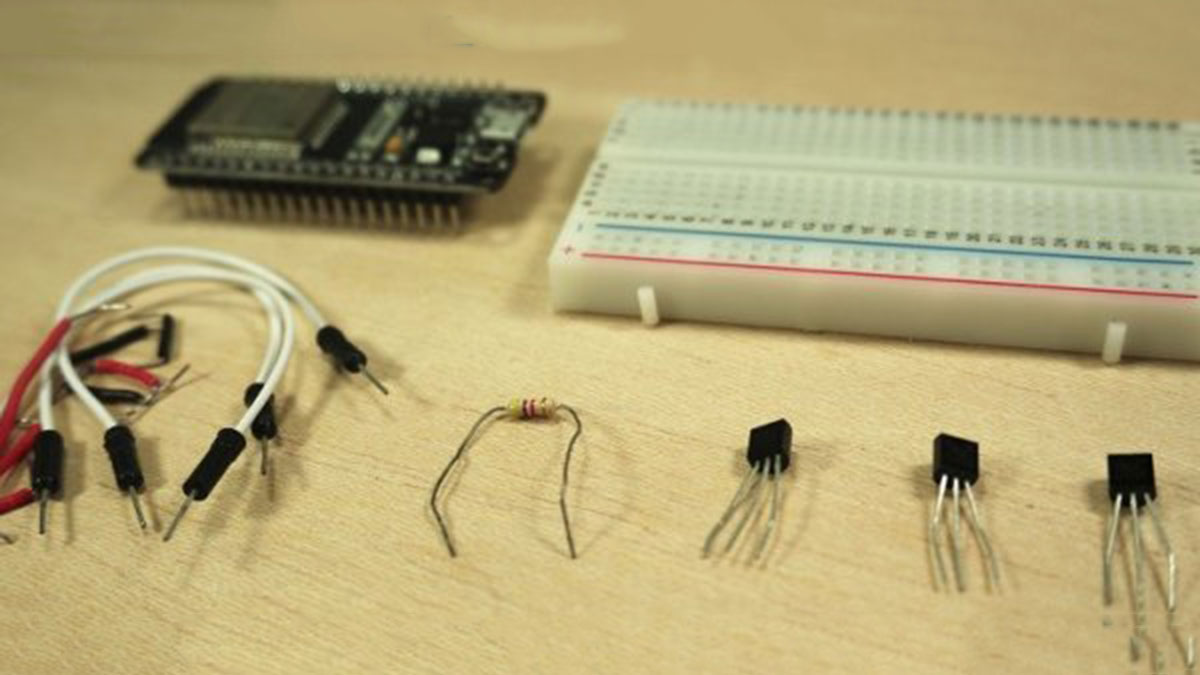
Here’s a list of the parts you need to follow this example:
- ESP32 DOIT DEVKIT V1 Board – read ESP32 Development Boards Review and Comparison
- DS18B20 temperature sensor (we’re using 3 sensors in this example)
- 4.7k Ohm resistor
- Jumper wires
- Breadboard
You can use the preceding links or go directly to MakerAdvisor.com/tools to find all the parts for your projects at the best price!
Read more: ESP32 with multiple DS18B20 temperature sensors
- How do I read temperature from multiple DS18B20 sensors?
You can use the ESP32 with the Arduino IDE by wiring the sensors on the same data bus. - Can I connect many sensors to the same GPIO?
Yes, because each DS18B20 has a unique 64-bit serial number allowing them to share one data line. - What is the operating temperature range of the DS18B20?
The operating range is from -55ºC to 125ºC. - Does the DS18B20 have a waterproof version?
Yes, there is a waterproof version of the DS18B20 temperature sensor available. - What are the main specifications of the DS18B20 sensor?
It communicates over a 1-wire bus, operates between -55ºC and 125ºC, and has an accuracy of +/-0.5 ºC within -10ºC to 85ºC. - Which pins are on the DS18B20 sensor?
From left to right, the pins are GND, data, and VCC. - Is this tutorial compatible with other microcontrollers?
Yes, the tutorial is also compatible with the ESP8266 and standard Arduino boards. - Where can I buy the DS18B20 digital temperature sensor?
You can check links to compare prices at different stores or visit MakerAdvisor.com/tools.
