
Summary of BRUTE FORCING A MOBILE’S PIN OVER USB WITH A $3 BOARD
Mobile Hacker built a proof-of-concept that uses a tiny Digispark (ATtiny85) board to emulate a USB keyboard and automatically try the 20 most common 4- and 6-digit Android PINs, entering each PIN with timed keystrokes; testing all twenty takes about six minutes. Disabling OTG or avoiding common PINs like 1111 or 1234 mitigates the attack.
Parts used in the Brute Forcing a Mobile’s PIN Over USB with a $3 Board:
- Digispark board (ATtiny85-based with built-in USB connector)
- USB OTG adapter (to connect Digispark to mobile device)
- Microcontroller development board adapter (if required by setup)
- USB cable (if needed for power or connection)
Mobile PINs are a lot like passwords in that there are a number of very common ones, and [Mobile Hacker] has a clever proof of concept that uses a tiny microcontroller development board to emulate a keyboard to test the 20 most common unlock PINs on an Android device.
The project is based on research analyzing the security of 4- and 6-digit smartphone PINs which found some striking similarities between user-chosen unlock codes. While the research is a few years old, user behavior in terms of PIN choice has probably not changed much.
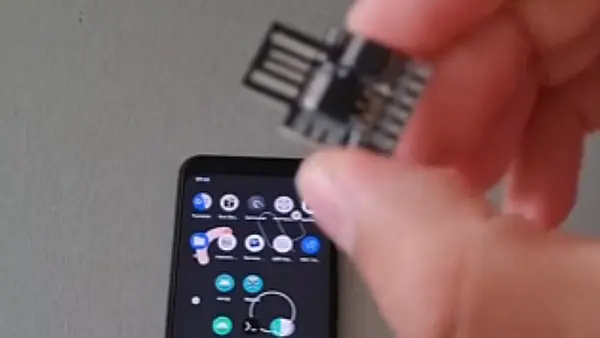
The hardware is not much more than a Digispark board, a small ATtiny85-based board with built-in USB connector, and an adapter. In fact, it has a lot in common with the DIY Rubber Ducky except for being focused on doing a single job.
Once connected to a mobile device, it performs a form of keystroke injection attack, automatically sending keyboard events to input the most common PINs with a delay between each attempt. Assuming the device accepts, trying all twenty codes takes about six minutes.
Disabling OTG connections for a device is one way to prevent this kind of attack, and not configuring a common PIN like ‘1111’ or ‘1234’ is even better. You can see the brute forcing in action in the video, embedded below.
Source: BRUTE FORCING A MOBILE’S PIN OVER USB WITH A $3 BOARD
- What is the proof-of-concept device used to brute force mobile PINs?
The project uses a Digispark board, an ATtiny85-based microcontroller with a built-in USB connector. - How does the device attempt PINs on the phone?
It emulates a USB keyboard and injects keystrokes to input the most common PINs with delays between attempts. - How many common PINs does the project try?
It tests the 20 most common unlock PINs. - How long does it take to try all twenty PINs?
Trying all twenty codes takes about six minutes. - What hardware besides the Digispark is needed to connect to a phone?
An adapter such as a USB OTG adapter is used to connect the Digispark to the mobile device. - What is one way to prevent this attack?
Disabling OTG connections on the device prevents this kind of attack. - What is a recommended PIN practice to reduce risk?
Do not configure a common PIN like 1111 or 1234. - Is this attack similar to any other known tool?
It has a lot in common with DIY Rubber Ducky but is focused on a single job of trying PINs.
