
Summary of Arduino Touch Screen Music Player and Alarm Clock Project
This project builds an Arduino-based touchscreen MP3 music player and alarm clock using a 3.2" TFT touch display. Users can play, skip, and navigate songs, control volume, view a progress bar and clock, and set an alarm that raises volume and plays a selected song until dismissed. The system uses an Arduino Mega, TFT shield, BY8001 MP3 module, DS3231 RTC, and a speaker.
Parts used in the Arduino Touch Screen MP3 Music Player and Alarm Clock:
- Arduino Mega board
- 3.2" TFT touch display
- TFT Display Mega Shield
- BY8001-16P MP3 module
- DS3231 Real Time Clock module
- 0.5W speaker
In this project I will show you how you can make an Arduino Touch Screen MP3 Music Player and Alarm Clock. You can watch the following video or read the written tutorial below.
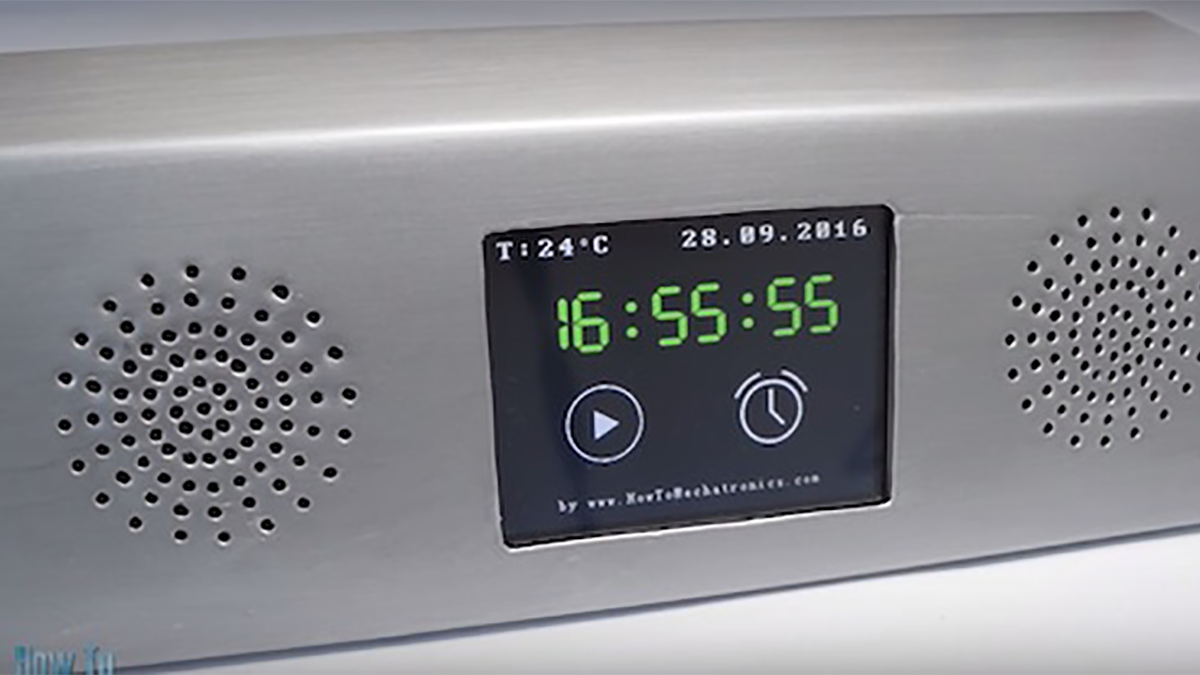
If we enter the Music Player we can start playing the music by pressing the big “Play” button in the middle of the screen. Right beside it, there are two more buttons, for playing the previous or the next song.
Above these buttons there is the song progress bar, and at the bottom of the screen we have a volume bar and two buttons for decreasing and increasing the volume. In the upper right corner there is a clock and on the left side is the “Menu” button which brings us back to the home screen.
On the other hand, if we enter the Alarm Clock we can set an alarm by using the two buttons for setting the hours and the minutes.
When the alarm will be activated, a song will start playing at a higher volume, and it will keep playing until we press the “Dismiss” button.
How It Works
Now let’s take a look how this device works. It uses an Arduino Mega board and a 3.2” TFT touch screen with a suitable shield for connecting the screen with the Arduino Board. For playing the music, it uses the BY8001 MP3 Player module and for the alarm clock it uses the DS3231 Real Time Clock module.
You can get the components needed for this Arduino Project from the links below:
- 3.2″ TFT Touch Display………… Amazon / Aliexpress
- TFT Display Mega Shield……… Amazon / Aliexpress
- BY8001-16P MP3 Module ……… Amazon / Aliexpress
- 0.5W Speaker ………………………. Amazon / Aliexpress
- DS3231 Real Time Clock ……….. Amazon / Aliexpress
- Arduino Board ……………………… Amazon / Aliexpress
*Please note: These are affiliate links. I may make a commission if you buy the components through these links.
I would appreciate your support in this way!
Read more: Arduino Touch Screen Music Player and Alarm Clock Project
- How do you play music in the Music Player?
Press the big Play button in the middle of the screen to start playing music. - How can I skip to the next or previous song?
Use the two buttons beside the Play button for previous and next song controls. - How is volume controlled?
Adjust the volume using the volume bar at the bottom of the screen or use the decrease and increase volume buttons. - How do I set an alarm?
Enter the Alarm Clock and set hours and minutes using the two buttons for hours and minutes. - What happens when the alarm activates?
A song starts playing at a higher volume and continues until the Dismiss button is pressed. - Which modules are used for timekeeping and audio playback?
The DS3231 Real Time Clock module is used for timekeeping and the BY8001 MP3 module is used for audio playback. - How do I return to the home screen?
Press the Menu button on the left side of the screen to return to the home screen. - What displays the song progress and clock?
The song progress is shown above the playback buttons and the clock is displayed in the upper right corner of the screen.
