
Summary of AAScan open source Arduino 3D scanner utilizes the power of your smartphone
The AAScan is a fully automated, open-source 3D scanner developed by QLRO. It combines Arduino technology with the camera and processing power of a smartphone to create 3D models without manual supervision. The design prioritizes minimalism while leveraging Android and Linux systems for operation, distinguishing it from hand-driven or overly complex alternatives found on platforms like Thingiverse.
Parts used in the AAScan:
- Arduino
- Smartphone
- Camera
- Android operating system
- Linux computer (optional)
Using the power of Arduino and utilising the camera and powerful performance of a smartphone QLRO has created a fantastic 3D scanner aptly named the AAScan. Check out the video below to learn more about the Android 3D scanner which is open source and fully automated.
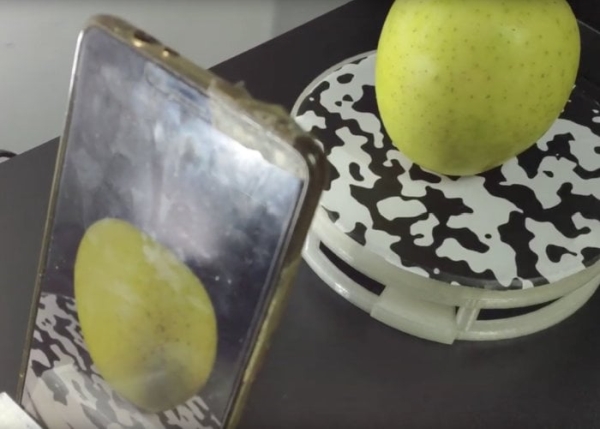
“I’ve designed my own 3D scanner! So, what’s different between this and many other designs on Thingiverse? First, it is minimalist. It only include minimum features that keep it functional. For comparison, check out this beautiful design by daveyclk. Second, it’s fully automated using the latest technology of Arduino and Android (And Linux if you count the computer). For comparison, this design by Bribro12’s: is minimalist, but is hand-driven. Here is my design. Once you’ve got everything set up, it will run on its own and no supervision is needed.”
Source: AAScan open source Arduino 3D scanner utilizes the power of your smartphone
- What is the AAScan?
The AAScan is an open source 3D scanner created by QLRO using Arduino and a smartphone. - How does the AAScan operate?
It is fully automated using Arduino and Android technology so no supervision is needed once set up. - Can I use a computer with the AAScan?
Yes, you can utilize a Linux computer in addition to the Arduino and Android setup. - What makes the AAScan different from other designs?
It is minimalist and fully automated compared to hand-driven or feature-heavy designs. - Is the AAScan software open source?
Yes, the project is described as open source and fully automated. - Does the AAScan require manual operation?
No, the device runs on its own after everything is set up. - What hardware powers the scanning process?
The scanner utilizes the camera and powerful performance of a smartphone alongside Arduino.
