
Summary of UNO R4 WiFi support arrives on Arduino Cloud
The Arduino team has officially integrated support for the UNO R4 WiFi board into the Arduino Cloud, enabling seamless IoT connectivity for users of all skill levels. This update allows makers to develop projects remotely using a web editor, create dashboards for device monitoring and control via browsers or mobile phones, share sketches, and integrate devices with Alexa. The process involves connecting the board to a PC, adding it in the Devices section, and updating the connectivity firmware through an intuitive workflow.
Parts used in the UNO R4 WiFi Project:
- UNO R4 WiFi board
- PC
- Arduino Cloud platform
- Web editor
- Connectivity firmware
The official Arduino team has this week announced that support for its latest microcontroller the UNO R4 WiFi has now arrived in the Arduino Cloud. The integration of UNO R4 WiFi support in the Arduino Cloud is a significant development that offers makers enhanced features and seamless connectivity. Whether you’re a beginner or an expert, this development will undoubtedly open up new possibilities for your IoT projects.
The Arduino Cloud UNO R4 WiFi support is a significant step forward, offering makers enhanced features and seamless connectivity. The UNO R4 WiFi board, a recent addition to the Arduino family, combines the popular UNO R3 form factor with built-in WiFi connectivity. This combination makes it an ideal choice for users at all levels of expertise, from novices to seasoned professionals, who are keen to delve into the world of innovation and Internet of Things (IoT) project creation.
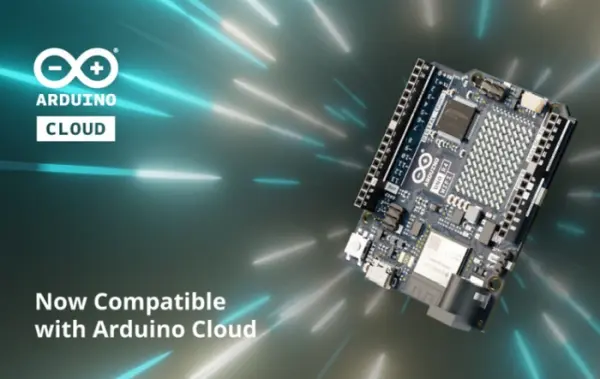
Connecting your UNO R4 WiFi to Arduino Cloud
The process of connecting your UNO R4 WiFi board to the Arduino Cloud is straightforward, thanks to the user-friendly interface and intuitive workflows. Here’s a simple guide to get you started:
- Access the Arduino Cloud. You can do this by visiting the Arduino Cloud website.
- Connect your UNO R4 WiFi to your PC. This is the first step in setting up your device.
- Navigate to the Devices section and click on “Add Device.” The system will automatically detect your board.
- Follow the guided workflow to update the connectivity firmware. This is a crucial step to ensure compatibility between your UNO R4 WiFi board and the Arduino Cloud.
- Once the update is complete, your UNO R4 WiFi is ready to be managed from the Arduino Cloud. You can now start exploring the various features and capabilities of your device.
UNO R4 WiFi
The combination of UNO R4 WiFi and Arduino Cloud opens up a world of possibilities for makers. You can develop from anywhere using the web editor, share your sketches with colleagues and friends, create dashboards to monitor and control your devices remotely from a browser or your mobile phone, share information between multiple devices, or even integrate your devices with Alexa seamlessly.
For those of you unfamiliar with the Arduino Cloud, it is an all-in-one intuitive IoT platform that supports a wide range of hardware. It is backed by the vibrant Arduino community and is designed to remove complexity, empowering users of all expertise levels to create, control, and share their projects from anywhere. The platform also allows users to create stunning dashboards to monitor and control their devices.
If you’re looking to unleash the full potential of your UNO R4 WiFi board, signing up for Arduino Cloud is a great place to start. The platform is designed to bring your IoT projects to life quickly, offering a range of features and capabilities that will enhance your creativity and productivity.
Source: UNO R4 WiFi support arrives on Arduino Cloud
- What is the main benefit of integrating UNO R4 WiFi with Arduino Cloud?
The integration offers enhanced features and seamless connectivity, allowing users to develop from anywhere and create remote dashboards. - How do I connect my UNO R4 WiFi to the Arduino Cloud?
You must visit the website, connect the board to your PC, navigate to the Devices section to add the device, and follow the guided workflow to update the firmware. - Can I use the Arduino Cloud if I am a beginner?
Yes, the platform is designed to remove complexity and empower users of all expertise levels, including novices. - Does the UNO R4 WiFi support integration with voice assistants?
Yes, you can seamlessly integrate your devices with Alexa using this setup. - What tools allow me to monitor my devices remotely?
You can create stunning dashboards to monitor and control devices remotely from a browser or your mobile phone. - Is it possible to share my project code with others?
Yes, the platform allows you to share your sketches with colleagues and friends. - What is the first step in setting up the device?
The first step is to connect your UNO R4 WiFi board to your PC. - Why is updating the connectivity firmware important?
Updating the firmware is crucial to ensure compatibility between your UNO R4 WiFi board and the Arduino Cloud.
