
Summary of Arduino Quiz Buzzer
This Instructable details a DIY Arduino Quiz Buzzer built for a game show. The project supports two players initially but can be expanded to nine with code and hardware modifications. Constructed in about three hours, it cost approximately $21. The build involves assembling an LED matrix display on a perf board, creating handheld pushbuttons using PVC pipes, and housing the electronics in a painted project box.
Parts used in the Arduino Quiz Buzzer:
- Arduino Uno
- RED LED Matrix Display with MAX 7219 Driver
- 220 Ohm Resistors (3 units)
- Perf Board
- Spring Push Speaker Terminal (3 units)
- Push Button (3 units)
- Twisted wire (15 meters)
- Project Box
- M3 Mounting Screw and Nuts (10 units)
- PVC Pipe (7 inches)
- PVC End caps (2 units)
- Hot glue
Hey there! This is my first Instructable. The Quiz buzzer plans kicked off when my colleague, who also hosts a game show asked for people who could build a Quiz Buzzer. I took upon this project and with the help of few friends (Blaze and Errol) and Arduino i was able to accomplish this. Currently, this buzzer supports 2 players but can be easily extended to upto 9 Players by modifying the code and adding more Pushbuttons. It cost me about INR 1500 ($21) and with all the details, parts and plans i took about 3 hours to get it done.
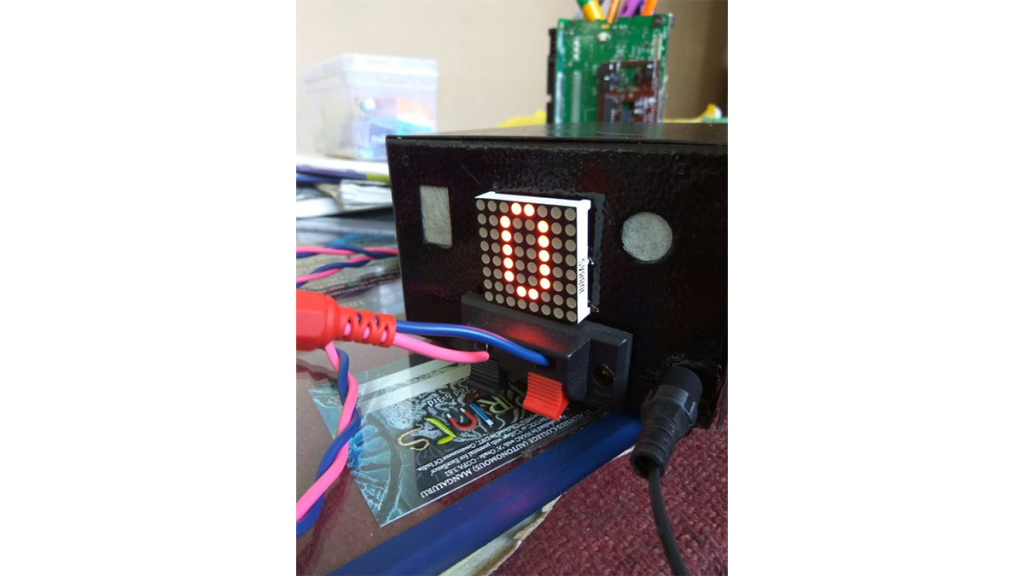
Step 1: Gather All the Materials
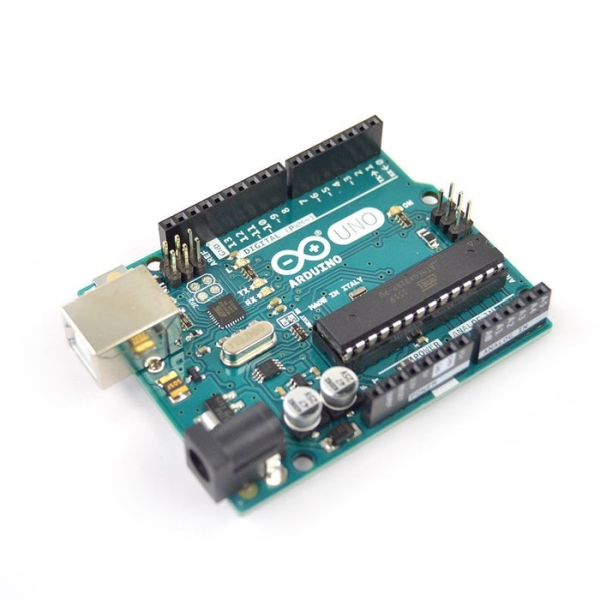
You will need
* 1 X Arduino Uno
* 1 X RED LED Matrix Display with MAX 7219 Driver
* 3 X 220 Ohm Resistors
* 1 X Perf Board
* 3 X Spring Push Speaker Terminal
* 3 X Push Button
* 15 meter twisted wire
* Project Box
* 10 X M3 Mounting Screw and Nuts
Step 2: The Circuit
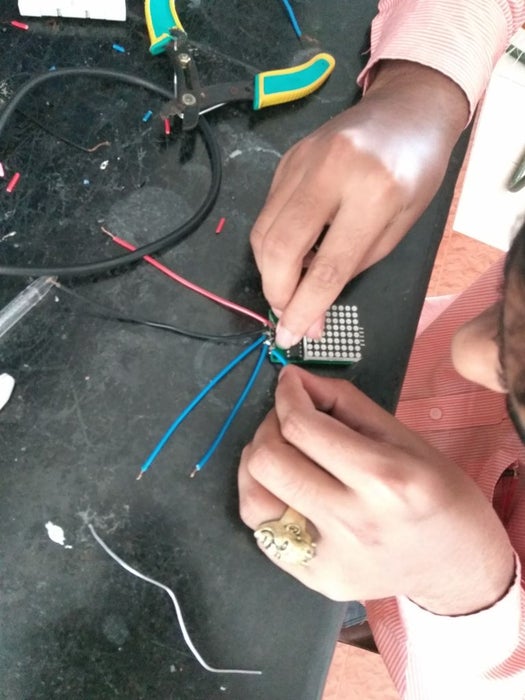
Solder the Resistors and Wires on the Perf Board according to the schematic. Also, solder wires to the LED Matrix .
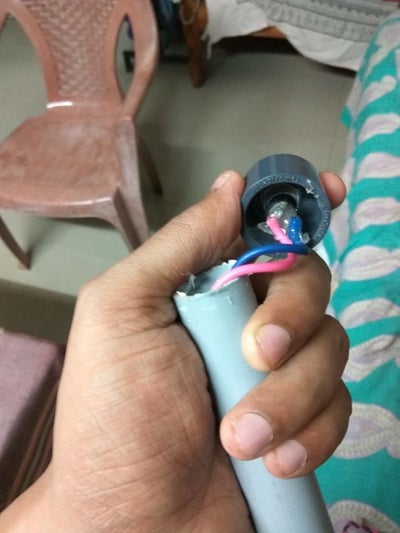
Here I’m going to use a 7″ length of PVC Pipe with two end caps on either side. A hole is drilled into one of the endcaps to secure the pushbutton. Additionally hot glue is used after soldering the wires to secure the contacts. On the other endcap a hole is drilled to pass the 5 meter long wire, i made a knot so that the contacts don’t come off when the wires are pulled. The end of the wired are stripped off the insulation and coated with lead solder.
Step 4: Upload the Code
Connect the Arduino Uno to the computer and upload the code.
Step 5: Prepare the Project Box
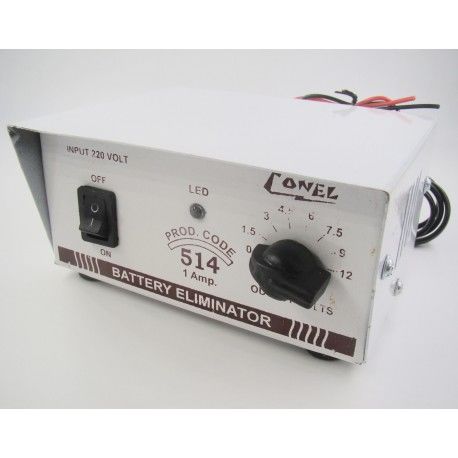
I bought an empty Battery Eliminator Box and spray painted it black. Drilled holes to attach the speaker terminals and two vertical slits to attach the LED matrix display. The front portion has one speaker terminal terminal which will be used to reset the buzzer and the back contains two terminals for the contestants
Source: Arduino Quiz Buzzer
- How many players does this buzzer currently support?
The buzzer currently supports 2 players. - Can the system be extended to more than 2 players?
Yes, it can be easily extended up to 9 players by modifying the code and adding more pushbuttons. - What is the total cost of building this project?
The project cost about INR 1500 or $21. - How long did it take to complete the build?
It took about 3 hours to get it done with all details and plans. - What material is used for the handheld pushbutton casing?
A 7 inch length of PVC pipe with two end caps is used. - How are the wires secured inside the handheld unit?
Hot glue is used after soldering to secure contacts, and a knot is made in the wire to prevent them from coming off. - What type of box houses the electronics?
An empty Battery Eliminator Box spray painted black is used. - Where are the speaker terminals located on the project box?
One terminal is on the front for resetting, and two are on the back for contestants.
