
Summary of Arduino: How to Build an Obstacle Avoiding Robot
This article guides readers on building an Arduino-based obstacle-avoiding robot, referencing a companion YouTube tutorial. It details the assembly process from chassis construction to motor and sensor wiring, followed by programming instructions. The project focuses on using an Arduino Uno with a motor shield and ultrasonic sensor to create a functional mobile robot capable of detecting and avoiding obstacles.
Parts used in the Obstacle Avoiding Robot:
- Arduino Uno R3
- Adafruit Motor Shield
- HC-SR04 Ultrasonic Module Distance Sensor
- Tower Pro SG90 RC Mini Servo Motor
- Bracket / Holder for HC-SR04
- DC Motors and Wheels
- Bovine Wheel
- Plate or similar base material
- Jumper wires
- Battery Buckle 9V
- 9V Battery
- Glue Gun or Cable Ties
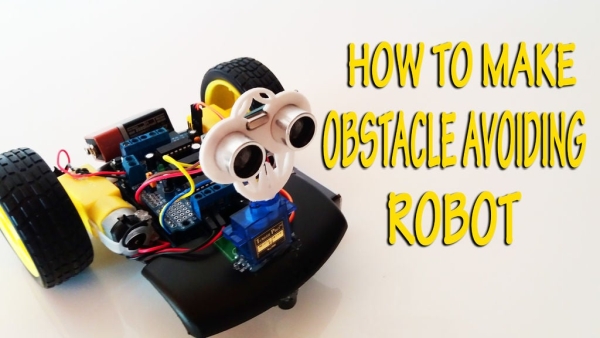
This instructable is the written version of my “Arduino: How To Build An Obstacle Avoiding Robot” Youtube video that I’ve uploaded recently. I strongly recommend you to check it out.
My YouTube Channel. Please Subscribe for Support
So, without further ado, Let’s get started !
Step 1: Video Tutorial : Just 6 Minutes – Watch and Make…
Arduino Tutorial : How To Build An Obstacle Avoiding Robot
Watch carefully
Step 2: Materials : Necessary Materials and Equipments
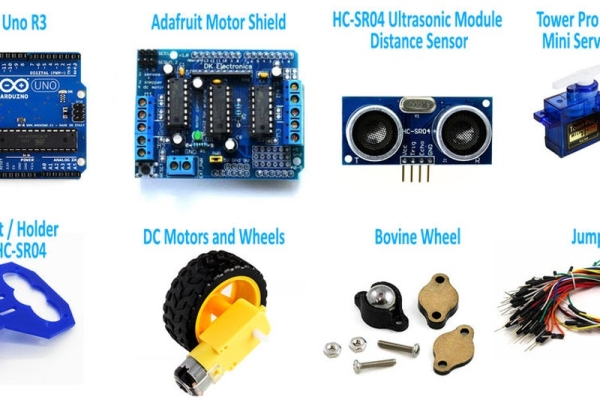
* Arduino Uno R3
* Adafruit Motor Shield
*HC-SR04 Ultrasonic Module Distance Sensor for Arduino
* Tower Pro SG90 RC Mini Servo Motor
* Bracket / Holder for HC-SR04
* DC Motors and Wheels
* Bovine Wheel
* Plate or something like that
* Jumper
* Battery Buckle 9V
* Battery 9V
* Glue Gun or Cable Ties
Step 3: A Chassis and Sensor Connections
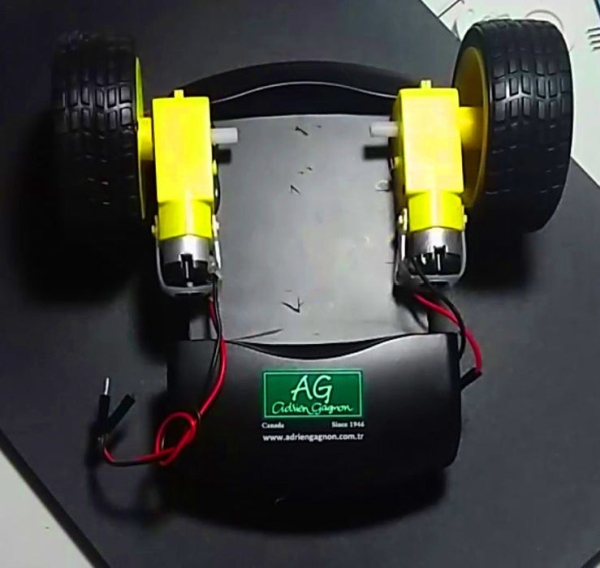
A Chassis
Attaching The Arduino To The Chassis
Connecting The Sensor To The Arduino
Step 4: Motors and Motor Shield Connections

Attaching The Motor Shield To The Ardunio
Connecting Motors To The Shield
Step 5: Programming the Robot

Programing the Arduino code
can find download link in the video description
Step 6: For Me + What’s Next ?
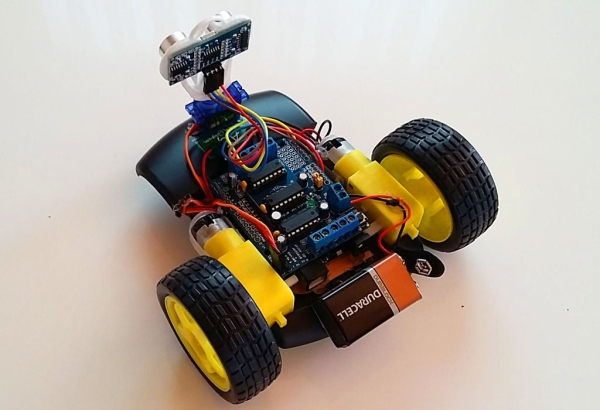
First of all, I would like to thank you for reading this guide ! I hope it helped you build your own robot and improved your knowledge about robotics and arduino.
I think now it’s a good time to introduce myself. My name is Mert . Likes Math, Computers, Robotics and programming. I’ve just started a youtube channel, hoping to help people, share some of my knowledge and learn myself.
My next Youtube (and Instructables) tutorials will deal with different methods of controlling electronics (Smartphone-Bluetooth control, remote control and much more) and specifically robots. There will also be videos about home automation (controlling every day appliances with your smartphone or computer using arduino). so make sure you are a subscriber so you won’t miss them, and I will see you next time.
Source: Arduino: How to Build an Obstacle Avoiding Robot
- Where can I find the video tutorial?
The video tutorial is available on the author's YouTube channel at the provided link. - What specific motor shield is required for this project?
The project requires an Adafruit Motor Shield. - How do I connect the motors to the system?
You must attach the Motor Shield to the Arduino and then connect the motors directly to the shield. - Where can I download the Arduino code?
The download link for the program code is located in the video description. - What type of battery powers this robot?
A 9V battery connected via a Battery Buckle 9V is used to power the robot. - Can I use cable ties instead of a glue gun?
Yes, the guide lists both Glue Gun and Cable Ties as acceptable options for assembly. - What component allows the sensor to scan different angles?
A Tower Pro SG90 RC Mini Servo Motor is used for the sensor mechanism. - Does the author plan more tutorials on robot control?
Yes, future tutorials will cover smartphone-Bluetooth control, remote control, and home automation.
