
Summary of Control a 12V Lamp via SMS with Arduino
This tutorial demonstrates how to control a 12V lamp via SMS using an Arduino UNO, SIM900 GSM shield, and relay module. Users can turn the lamp on or off by sending "ON" or "OFF" messages, or check its status with "STATE". The system replies with the current lamp state.
Parts used in the SMS-Controlled 12V Lamp Project:
- Arduino UNO
- SIM900 GSM Shield
- 5V 2A power adaptor
- Relay module
- 12V lamp
- 12V lamp holder
- Male DC barrel jack 2.1mm
- 12V power adaptor
- Breadboard
- Jumper Wires
- Optional 12V/5V power supply
In this tutorial we’re going to show you how you can control a 12V lamp via SMS using an Arduino UNO, a relay module, and the SIM900 GSM shield.
Before proceeding with this tutorial we recommend the following resources:
First, watch the video demonstration
Project overview
This project uses the SIM900 GSM shield to receive and send SMS with the Arduino. This projects aims to:
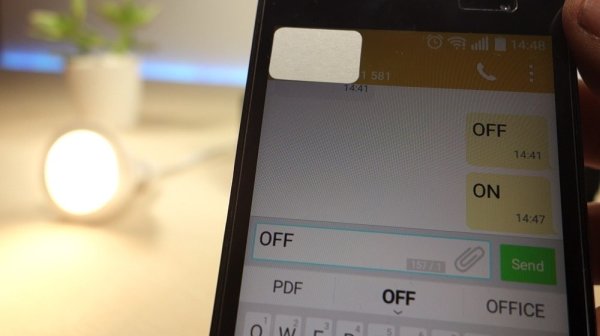
- turn a 12V lamp on when you send an SMS to the Arduino with the text “ON”
- turn a 12V lamp off when you send an SMS to the Arduino with the text “OFF”
- you can request the lamp state by sending an SMS to the Arduino with the text “STATE”, the Arduino should reply back with the text “lamp is on” or “lamp is off”
Parts required
In this project you need to connect the Arduino to the GSM shield and to a relay module connected to a 12V lamp. Here’s a complete list of the parts required for this project (click the links below to find the best price at Maker Advisor):
- Arduino UNO – read Best Arduino Starter Kits
- SIM900 GSM Shield
- 5V 2A power adaptor
- Relay module
- 12V lamp
- 12V lamp holder
- Male DC barrel jack 2.1mm
- 12V power adaptor
- Breadboard
- Jumper Wires
- Optional – 12V/5V power supply
You can use the preceding links or go directly to MakerAdvisor.com/tools to find all the parts for your projects at the best price!
Preparing the GSM Shield
To use the SIM900 GSM shield:
1) You need an active SIM card. We recommend using a SIM card with a prepaid plan for testing purposes.
Read more: Control a 12V Lamp via SMS with Arduino
-
How do I turn the 12V lamp on?
Send an SMS to the Arduino with the text ON. -
How do I turn the 12V lamp off?
Send an SMS to the Arduino with the text OFF. -
Can I request the lamp state via SMS?
Yes, send an SMS with the text STATE to receive a reply indicating if the lamp is on or off. -
What happens when I send the text STATE?
The Arduino replies back with the text lamp is on or lamp is off. -
What type of SIM card is recommended for testing?
A SIM card with a prepaid plan is recommended for testing purposes. -
Does this project require an active SIM card?
Yes, you need an active SIM card to use the SIM900 GSM shield. -
Which components are essential for connecting the Arduino to the lamp?
You need to connect the Arduino to the GSM shield and a relay module connected to a 12V lamp.
