
Summary of Use foot switch to open Linux terminal using an Arduino
The author created a foot pedal to launch the Linux terminal using an Arduino, eliminating the need for mouse clicks. The project involves modifying a foot switch and connecting it to an Arduino board via wires and a resistor. A Python script on a Debian-based Linux system communicates with the Arduino over a serial connection to trigger the terminal.
Parts used in the Foot Pedal Linux Terminal Project:
- Arduino system
- Foot switch
- Wire
- 10k pull-down resistor
- Header connector
- Soldering iron and solder
- Wire clippers or cutting tool
- Screwdriver
- Computer with Linux (Debian stable Sid)
- Python with serial and OS modules
So here is how i made my foot pedal used to start Linux terminal using an Arduino. It’s made because I am board of pressing the terminal icon with my mouse.
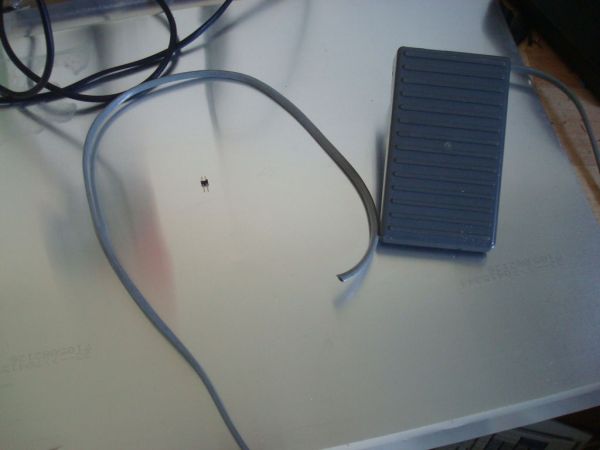
P.S. Sorry for my English. I am from Croatia.
Tools needed:
-Soldering iron and some solder
-Wire clippers or any other cutting tool
-Screwdriver
Parts needed:
-Arduino system
-Foot switch (I found mine in my workshop)
-Wire
-10k pull-down resistor or you can use one integrated in arduino
-Header connector
Computer with Linux (I am using Debian stable (Sid) with XFCE), python with installed serial and OS module and, of course, the Arduino program.
Step 1: The pedal switch
OK, I found mine pedal in my workshop but you can order it on-line for pretty cheap.
First you need to open it and find contacts for the switch.
If you have NC(normally closed), NO(normally opened) and COM(common). Use the NO and COM.
Strip the isolation form the wires off.
Now connect the wires to the NO and COM connectors and close up the casing.
Step 2: Connecting pedal to the Arduino
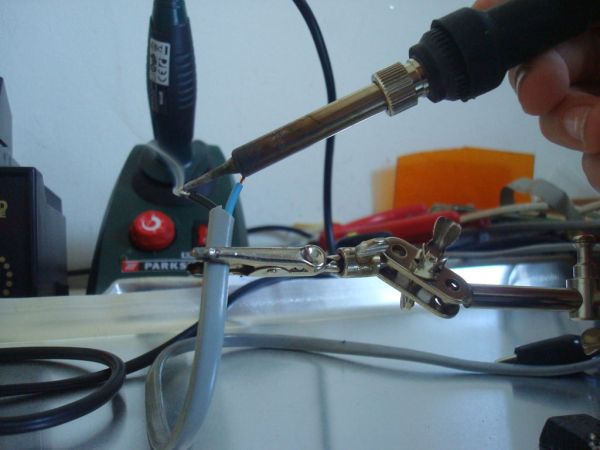
First strip the insulation from the other end of the wire. And solder the stripped part of the wire on to the header connector.
Snip the connector into half one connect to pin 8 and other to GND. If you are using external 10 k ohm resistor connect one pin to the pin
8 of the Arduino and second pin to the 5V pin of the Arduino.
-Foot switch
-Wire
For more detail: Use foot switch to open Linux terminal using an Arduino
- What is the main purpose of this project?
The project allows the user to start the Linux terminal using a foot pedal instead of clicking the icon with a mouse. - How do you connect the foot switch to the Arduino?
Connect one wire from the switch NO pin to pin 8 and the COM wire to GND, or use an external resistor between pin 8 and 5V. - Which pins are used for the foot switch connection?
The switch connects to pin 8 and GND on the Arduino. - Can I use an internal resistor instead of an external one?
Yes, you can use a 10k pull-down resistor integrated into the Arduino. - What software is required on the computer side?
You need a Linux computer running Python with the serial and OS modules installed. - What type of foot switch contacts should be used?
Use the Normally Open (NO) and Common (COM) contacts on the switch. - Is it possible to order the foot switch online?
Yes, the author mentions that foot switches can be ordered online for a pretty cheap price.
