arduino

Arduino String Comparison Operators

Arduino String Comparison Operators Code

The String comparison operators, ==, !=,>, < ,>=, <= , and the functionsequals() and equalsIgoreCase() allow you to make alphabetic comparisons between Strings. They’re useful for sorting and alphabetizing, among other things. The operator == and the function equals() perform identically. It’s just a matter of which you prefer. So if (stringOne.equals(stringTwo)) { [Get Code]

Arduino String Comparison Operators Code Continue Reading

Happy Androids with Arduino Video instructions

Happy Androids with Arduino Video instructions

Arduino + Android Normally smartphone events are tightly coupled to your phone device itself. When your cell phone is ringing, your phone speaker plays a ringtone. When you get a new text message, your phone displays it on its screen. Wouldn’t it be thrilling to make thoses phone events visible somewhere else, on your wearable,

Happy Androids with Arduino Video instructions Continue Reading

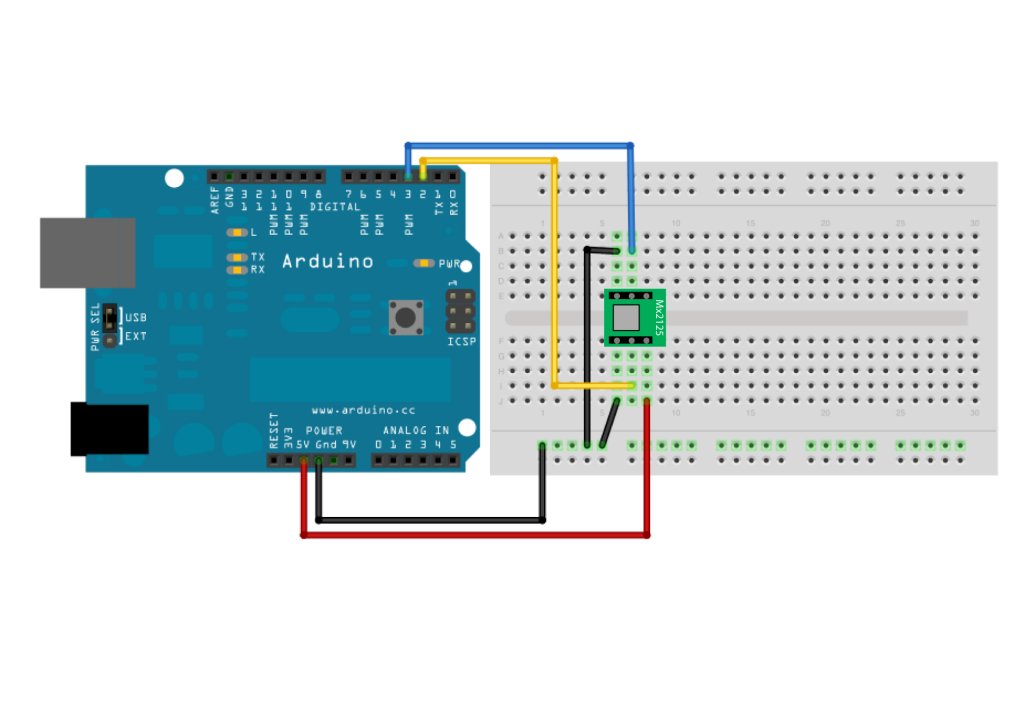
Arduino Memsic 2125 Accelerometer

Memsic 2125 Accelerometer using Arduino

The Memsic 2125 (datasheet) is a two-axis accelerometer capable of measuring acceleration up to plus or minus 2g. It has a simple digital interface: two pins (one for each axis) emit pulses whose duration corresponds to the acceleration of that axis. By measuring the length of that pulse, in microseconds, using the Arduino’s pulseIn() function,

Memsic 2125 Accelerometer using Arduino Continue Reading

Mr. Indecision

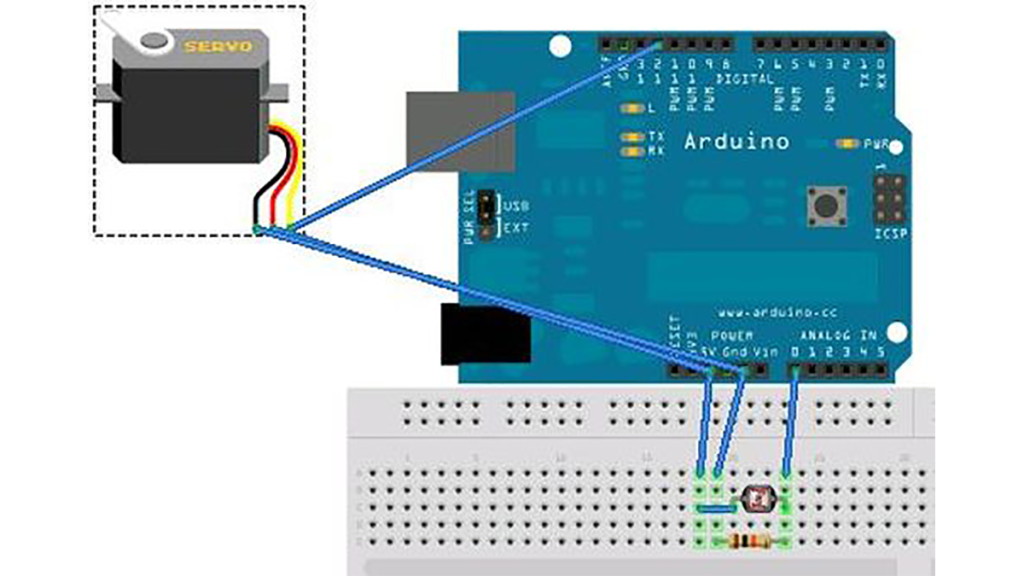
Mr. Indecision – a small felt version of yourself that turns its head and looks at you using Arduino

This is a tutorial on how to use 123D Catch to get a 3D scan of your whole body. Once you have the scan or “catch” the tutorial will take you through a technique to clean it up and manipulate it ready for 123D Make. The tutorial will go through how to slice the model

Mr. Indecision – a small felt version of yourself that turns its head and looks at you using Arduino Continue Reading

Scroll to Top