arduino

Bedazzler

Bedazzler: DIY non-lethal weaponry using arduino

Our first open source Homeland Security non-lethal weapon project – The “THE BEDAZZLER: A Do-it-yourself Handheld LED-Incapacitator”. After attending a conference where the $1 million “sea-sick flashlight” (named “THE DAZZLER”) was demonstrated by the US Dept. of Homeland Security, we decided to create our own version. For under $250, you can build your own dazzler

Bedazzler: DIY non-lethal weaponry using arduino Continue Reading

Build an Arduino powered talking robot head

Build an Arduino-powered talking robot head using arduino

This robot head was originally built as a end of the year project for my physical computing class, but over the summer it has “learned” how to talk. The head is powered by two Freeduinos, 3 TLC5940NT chips and an Adafruit Industries Wave Shield found here: www.ladyada.net/make/waveshield/. The head is currently connected to a computer by two

Build an Arduino-powered talking robot head using arduino Continue Reading

Arduino Serial Thermometer1

Arduino Serial Thermometer

The Arduino reads temperature from a MCP9700 temperature sensor IC and displays the temperature in the Arduino IDE serial monitor window. Also see the Arduino LCD thermometer tutorial (tutorial 14). Prerequisites Complete Tutorial 9: Using the Arduino Serial Port before attempting this tutorial. Components Besides an Arduino Uno board, USB cable, wire links and a breadboard, you will need:

Arduino Serial Thermometer Continue Reading

The Ardweeny

The Ardweeny: the little friend of the Arduino (and how to beef it up) using arduino

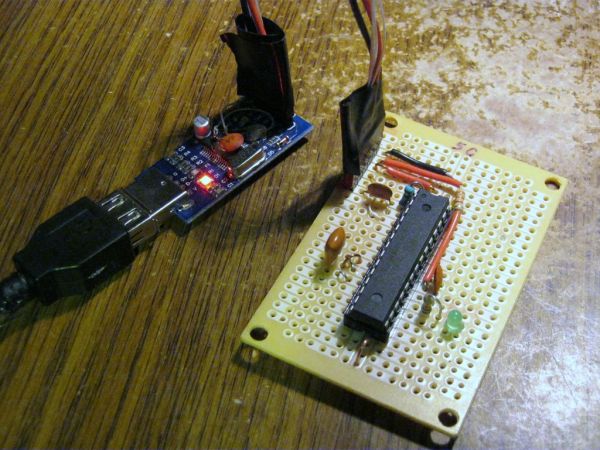
Open-source hardware? Arduino(tm) is the first name to come to mind! As great as it is, sometimes we need a small microcontroller solution for a project, or a stripped-down version for cost-effectiveness. The Ardweeny is the solution. These small kits are 100% compatible with the Arduino programming environment, are very small, (and unlike the regular

The Ardweeny: the little friend of the Arduino (and how to beef it up) using arduino Continue Reading

Building IllyClock

Building IllyClock – Arduino-based alarm clock in a coffee can using arduino

Updated Aug 4, 2011 A streamlined version is now described here. Beside the enclosure, the original feature of IllyClock is showing the time in colors: 3 hours before wake-up time, color changes from green to orange; 1 hour before wake-up, the time is shown in red. One can estimate how much sleep is left just by squinting

Building IllyClock – Arduino-based alarm clock in a coffee can using arduino Continue Reading

Scroll to Top