
Summary of Rug With Sensors/ RF Communication With Arduino Micro
This article details the creation of "Equally diverse," an interactive lamp installation that responds to pressure sensors embedded in a rug. The project uses piezo sensors connected to an Arduino Micro, which communicates via RF transmission to control lighting effects when users step on specific areas of the rug.
Parts used in the Equally diverse Project:
- Piezo sensors
- Arduino Micro
- RF transmitter
- Fluffy rug
- Wires
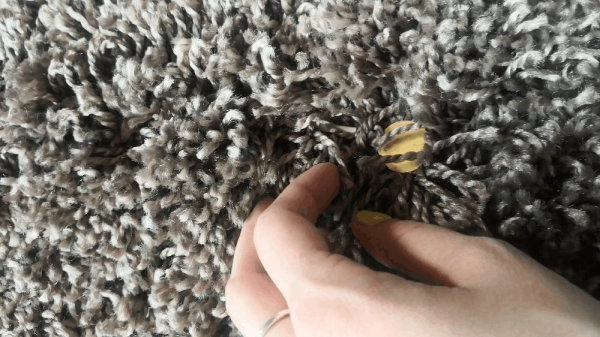
I recently finished the installation Equally diverse, which is made of a series of lamps that react to the sensors placed in a rug underneath the lamps.
Here is how I made the rug with pressure sensors.
I hope you will find it useful. 🙂
Step 1: How to Make the Sensors
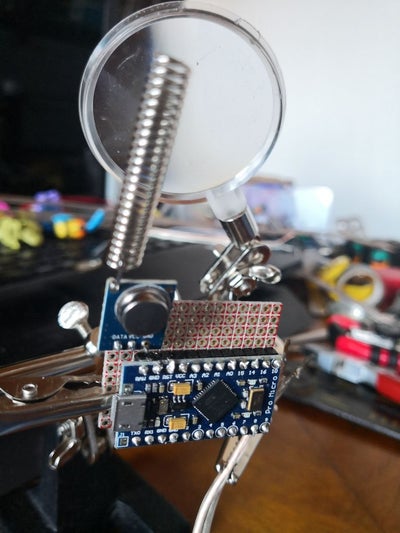
For the pressure sensors, I used piezo sensors because they are cheap, effective and easy to use.
To create the RF communication, I used an Arduino Micro and a RF transmitter.
Because the sensors connect to the analog pins, you can use only four sensors for each Arduino. Since two sensors cannot emit a signal at the same time, that is not really a problem.
To connect the transmitter to the Arduino, you have to connect, from right to left as you look at it:
- The first pin to the ground of the micro-controller
- The second to the VCC of the Arduino Micro
- The last pin to the data pin (10, in my case)
To connect the piezo sensors, first, you have to cut a wire long enough, and connect:
- The part that goes to the middle of the piezo to the analog pin of the microcontroller
- The part that is wired to the edge of the sensor to the ground of the Arduino
My advice is to connect all the grounds of the sensors and then connect one wire to the ground of the Arduino.
Step 2: How to Put the Sensors in the Rug
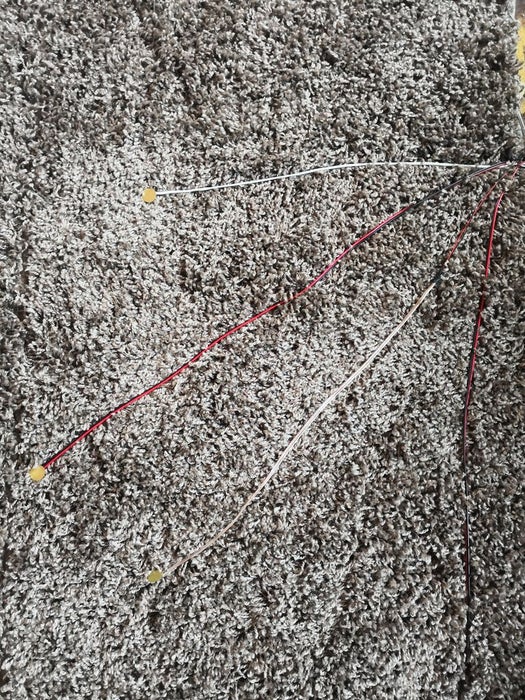
Take a fluffly, for the lack of a better word, rug and place the micro-controller next to one of its edges with the sensors placed on the rug.
Make sure the micro-controller is somewhere safe from being stepped on or in a box that can be seen.
Arrange the sensors so that they will be in different parts of the rug.
Hide the sensors under the fibres of the rug, while using them to secure the wires that connect the sensors to the micro-controller.
That’s all! ^.^
Read more: Rug With Sensors/ RF Communication With Arduino Micro
- What components are used for the pressure sensors?
Piezo sensors are used because they are cheap, effective, and easy to use. - How is RF communication achieved in this project?
An Arduino Micro and an RF transmitter are used to create RF communication. - How many sensors can connect to one Arduino Micro?
You can use only four sensors for each Arduino because they connect to analog pins. - Can two sensors emit a signal at the same time?
No, two sensors cannot emit a signal at the same time. - Which pin connects to the data pin on the RF transmitter?
The last pin connects to the data pin, which was pin 10 in this case. - Where should the middle part of the piezo sensor be connected?
The part going to the middle of the piezo connects to the analog pin of the microcontroller. - How should the edge of the sensor be wired?
The part wired to the edge of the sensor connects to the ground of the Arduino. - What is the recommended method for connecting grounds?
It is advised to connect all grounds of the sensors together first before connecting one wire to the Arduino ground. - How should the sensors be hidden in the rug?
Sensors should be hidden under the fibres of the rug while securing the connecting wires. - Where is the best place to position the micro-controller?
The micro-controller should be placed safely away from being stepped on or inside a visible box near the rug edge.
