
Summary of Jump Sensitive Neopixel Trampoline
This article guides users in building a color-changing trampoline that activates when jumped on. The project involves assembling a standard exercise trampoline, installing 30 individually addressable LEDs between the frame bands, and wiring them to an Arduino. A modified jump sensor acts as a toggle switch to detect force and trigger LED effects via code.
Parts used in the Jump Sensitive Neopixel Trampoline:
- 3 rolls of thin wire in different colors
- Thin solder wires
- Arduino (Uno or Mega)
- Exercise trampoline
- WS2812B Neopixel LED strip
- 0.1 uF capacitor
- ~10K ohm resistor
- ~500 ohm resistor
- 60 zip-ties
- Soldering iron
- Hot glue gun
- Wire strippers
- Wire cutters
- Scissors
In this instructable, I will show you how to build a trampoline that changes colors whenever you jump on it!
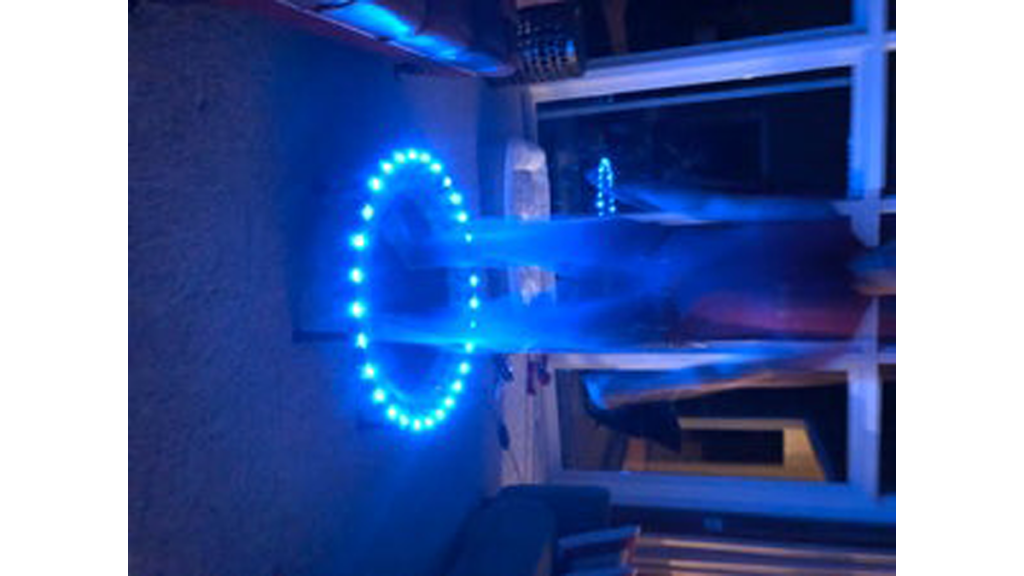
Step 1: The Things You Need
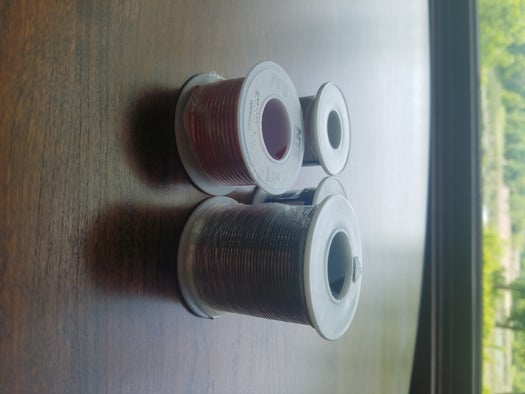
Materials:
- 3 rolls of wire, different colors, the thinner the better
- Solder, the thinner the better – I had thick solder wires in the beginning, and it melted so slow it was a nightmare
- Arduino – Uno should work fine but I already had Mega, so I used that
- Exercise trampoline (https://www.amazon.com/Golds-Gym-Circuit-Trainer-Trampoline/dp/B013XRMEIW)
- Neopixel Led strip, I used the cheaper WS28121B (https://www.amazon.com/ALITOVE-WS2812B-Individually-Addressable-Waterproof/dp/B00ZHB9M6A)
- 0.1 uF capacitor
- ~10K ohm resistor
- ~500 ohm resistor
- 60 zip-ties
Tools:
- Soldering iron
- Hot glue gun – To insulate and protect the wiring
- Wire strippers
- Wire cutters
- Scissors
Step 2: Assemble the Trampoline
The box has the instructions, they are pretty straightforward.
Don’t touch the electronics, we will use it later 😉
Step 3: Cut the Neopixel Strip
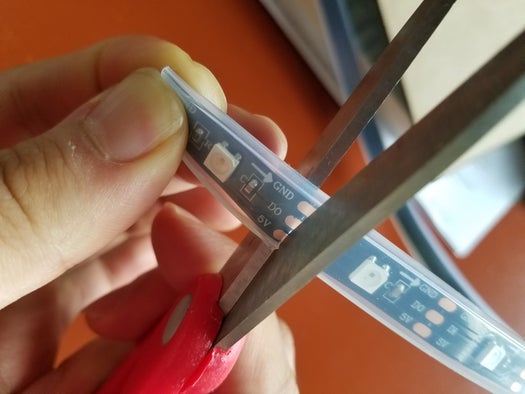
There are exactly 30 spaces between the bands that hold the jumping cloth in the trampoline. We will cut the the Neopixel strip into 30 individual LEDs, and put them between each band.
Note: There are spots that have solder holding the strip together, you can easily cut them too.
Step 4: Soldering the LEDs
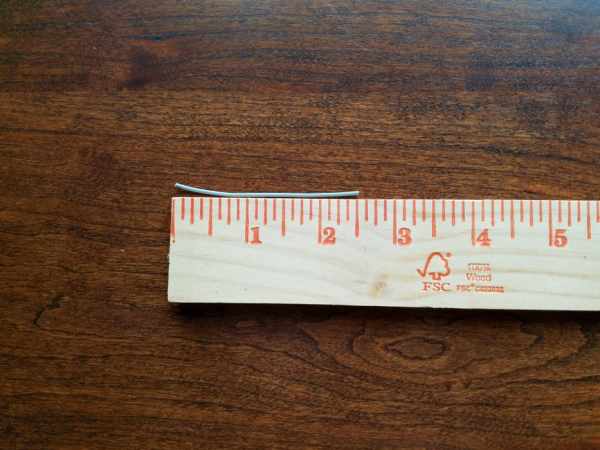
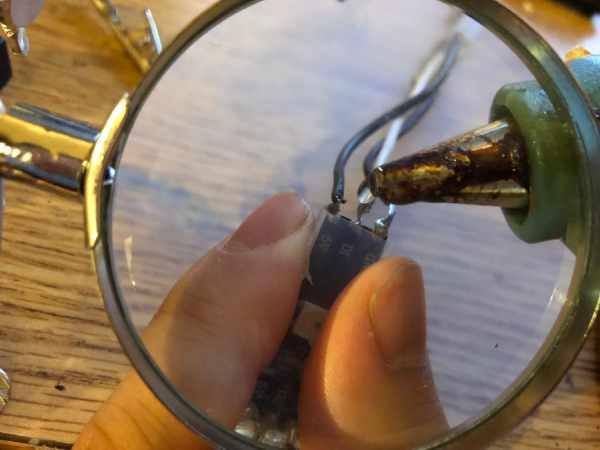
- Cut each wire to about 2.5 inches. This will make sure that the wire connections between LEDs are longer than all of the band lengths
- Strip the wires on each side
- Solder the wires to the LEDs. Leave the protective plastic to protect the LEDs
- Do this about 10 LEDs at a time (see the next three steps)
- MAKE SURE THE ARROWS POINT IN THE SAME DIRECTION
Step 5: Hot Glue All of the Connections
Step 6: Check That Everything Is Working So Far
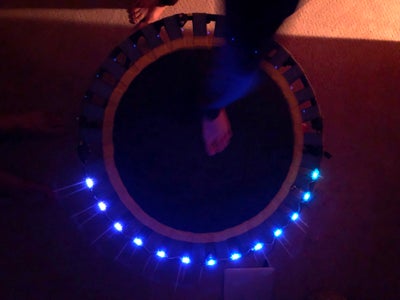
Connect the strip to the Arduino in the following order.
- Connect the ground, MAKE SURE YOU CONNECT THE GROUND PINS FIRST. The LEDs are very fragile
- Connect the other two pins. Make sure the Din pin is a PWM pin. (Look at the diagram)
- Download the Fastled library here, and import it into your arduino IDE
- Go to my git repo and download check_leds code (https://github.com/seniorburito/led_trampoline)
This code will lit LEDs in order, so if there is a problem, you will see which one needs fixing.
Also make sure to read the Fastled documentation here, it is really well-written
For now, you can put arduino on the side, or under the trampoline.
Step 7: Attach the LEDs to the Trampoline With Zip-ties
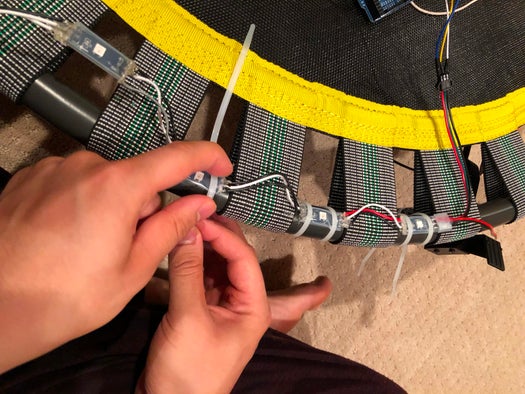
I tied each led with two zip-ties to prevent leds from moving. Zipties might work better because you can take them off if you decide to take off the LEDs and because zipties are cheap.
Step 8: Hack the Jumping Sensor
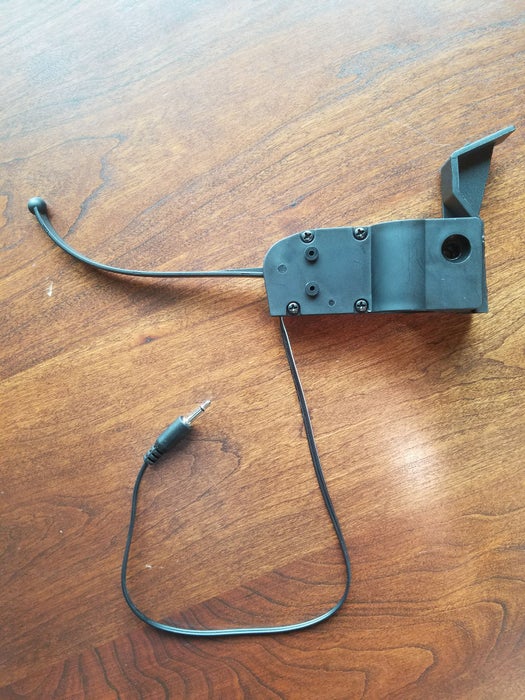
The trampoline comes with a device that counts calories based on how much you jump. We cant do anything with the chip,
but if you open up the jumping sensor, you will realize that its just a toggle switch that triggers on when you apply force on it. It is very easy to use toggle switches with Arduinos. Therefore, we will use it in this project to sense jumps, and trigger effects when that happens.
Source: Jump Sensitive Neopixel Trampoline
- How many LEDs are needed for the trampoline?
Exactly 30 individual LEDs are required, corresponding to the 30 spaces between the bands holding the jumping cloth. - What type of LED strip is recommended?
The article recommends using the cheaper WS2812B Individually Addressable Waterproof strip. - Can I use a thick solder wire for this project?
No, the author advises against thick solder wires because they melt too slowly and are difficult to work with. - Which Arduino pins should be connected first?
You must connect the ground pins first before connecting the other two pins to prevent damaging the fragile LEDs. - How do you secure the LEDs to the trampoline?
Each LED is tied with two zip-ties to the bands to prevent movement. - What component is used to sense jumps?
A toggle switch from inside the original trampoline's calorie counting device is used to sense force and trigger effects. - Is the Fastled library necessary for this project?
Yes, the Fastled library must be downloaded and imported into the Arduino IDE to control the LEDs. - Why did the author choose zip-ties over hot glue for attachment?
Zip-ties are preferred because they can be easily removed if the LEDs need to be taken off later.
