
Summary of Hack Wrist Watch LCD With Arduino || D-type LCD || Arduino Digital Watch|| Vishal Soni
This tutorial shows how to hack an old broken digital watch by separating its D-type (7-segment) LCD from the PCB, wiring the display to an Arduino Uno (pins 2–13 and A0–A3), and uploading code that uses PWM patterns (about 10 ms on, 7 ms off) to drive the segments, allowing custom characters to be displayed.
Parts used in the Hack Wrist Watch LCD With Arduino:
- Old school digital wrist watch (with D-type 7-segment LCD)
- Screwdriver (to open watch)
- Thin connecting wires (16 wires)
- Soldering iron and solder
- Arduino Uno
- Rubber strip from the watch display (connector)
- Computer (to upload code)
- USB cable (for Arduino)
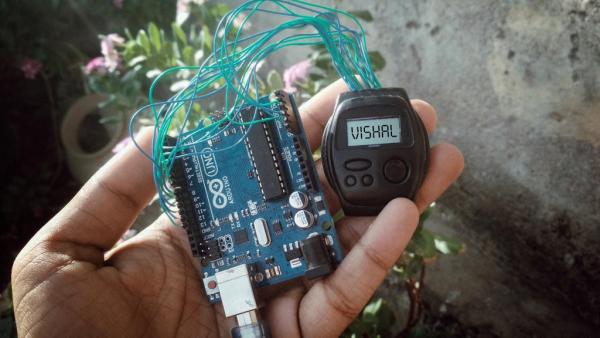
Please subscribe to my YouTube channel.
In this tutorial we will hack our old school digital watch which is no longer working now.
So let’s fix the watch Control it’s LCD display which is known as D-type LCD display.
Step 1: Open the Watch
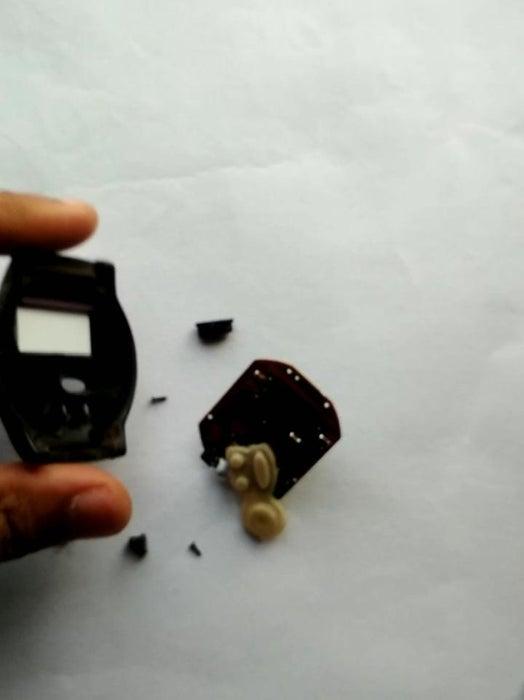
- Take the old school broken digital watch
- open the screws from behind.
- look and understand all part because we goanna close it again.
Step 2: Look at Display
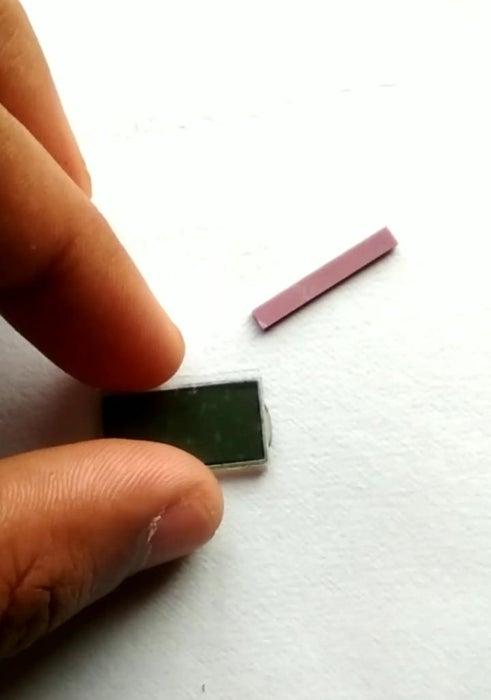
- Apart from PCB we found a display
- this is a 7 segment bashed display.
- A rubber strip with it to connect PCB with display.
Step 3: Connect Wire on PCB and Make a Cut
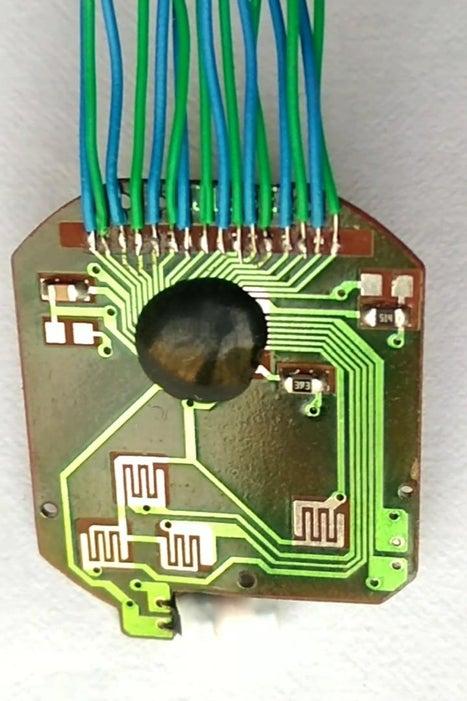
- Connect wire at the PCB where Display is connected.
- The soldering of wire should be thing because we will close it again.
- make a cut as shown in image to disconnect the it’s controller with LCD.
Step 4: Connect With Arduino
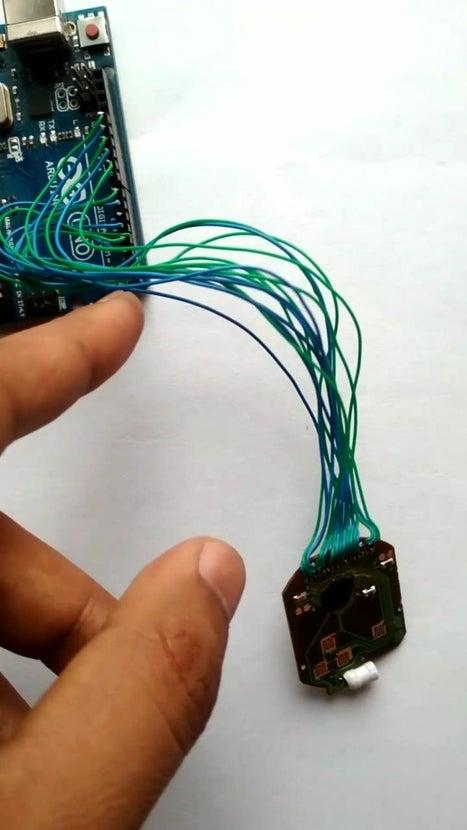
- Connect all the wire with arduino uno.
- The are 16 wire on PCB.
- The 16 wire continuously connected to arduino’s 2nd pin to 13th pin and A0 pin to A3 pin.
Step 5: Upload the Code
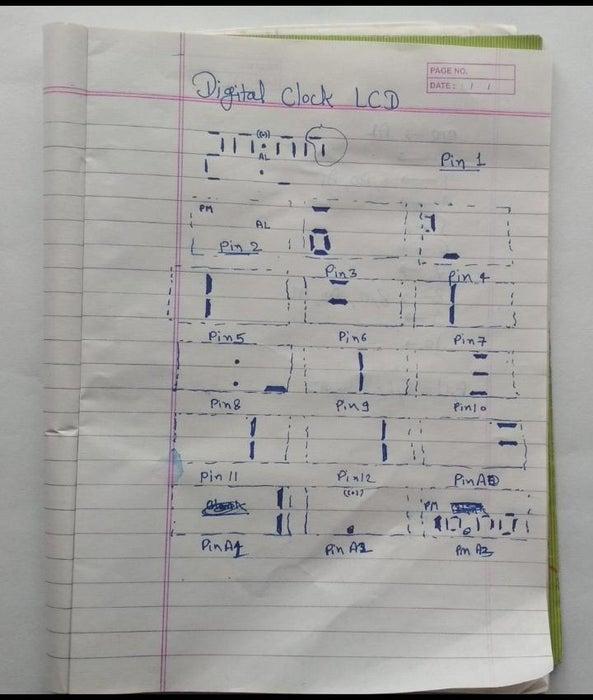
- Download the code from link given below.
- There some pattern are forming by giving PWM on pins.
- the PWM is about 10 mili sec on and 7 mili second off.
Github link : – https://github.com/vishalsoniindia/Hack-Digital-W…
Step 6: Done
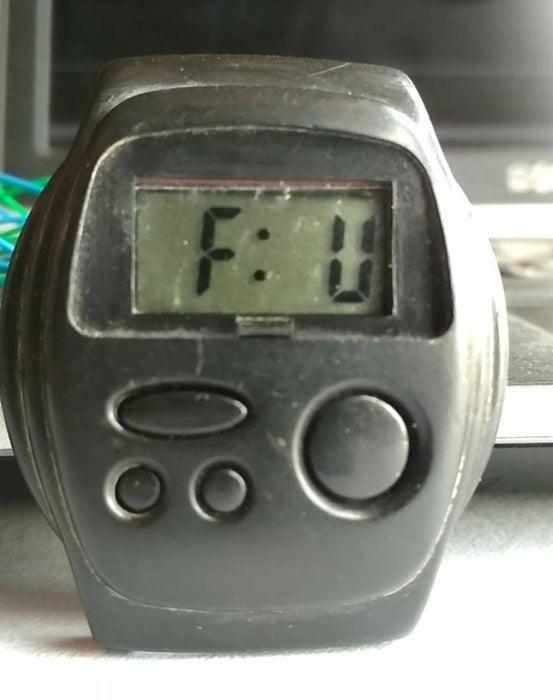
Wholaaa…………
It’s Done
Now you can print any thing you want.
Source: Hack Wrist Watch LCD With Arduino || D-type LCD || Arduino Digital Watch|| Vishal Soni
- How do I open the watch?
Open the screws from the back of the watch and examine the parts so you can reassemble it later. - What type of display is used in the watch?
The watch uses a D-type 7-segment LCD display. - How do I disconnect the LCD from the watch controller?
Make a cut as shown in the tutorial to disconnect the LCD from its controller on the PCB. - How many wires are needed to connect the display to Arduino?
Sixteen wires are used, connected to Arduino pins 2 through 13 and analog pins A0 through A3. - Where do the 16 wires connect on the Arduino?
Connect the 16 wires continuously to digital pins 2 to 13 and analog pins A0 to A3 on the Arduino Uno. - What code timing is used to drive the LCD?
The PWM pattern used in the code is about 10 milliseconds on and 7 milliseconds off. - Where can I get the code?
The tutorial provides a GitHub link to download the code. - Do I need to solder thin wires to the PCB?
Yes, solder thin wires to the PCB where the display connects; they should be thin so you can close the watch again. - Can I display custom patterns on the watch LCD?
Yes, after connecting to Arduino and uploading the code you can print or display custom patterns.
