
Summary of E-INK CALENDAR PAVES A PATH FOR ALL
Martin Fasani built a low-power, wall-mounted E-Ink Calendar using an ESP32 TinyPICO and a 7.5″ Waveshare screen housed in a 3D-printed case. The project features open-source firmware with CalEPD drivers and Bluetooth configuration via smartphone. It includes a microservice for image rendering and supports deep sleep modes to maximize battery life, serving as a scalable reference for future e-ink projects.
Parts used in the Low Power E-Ink Calendar:
- ESP32 TinyPICO
- 7.5″ Waveshare e-paper display (800 x 400 resolution)
- 5,000 mAh battery
- 3D-printed shell/frame
- FocalTech touch panel controller
- CalEPD C++ component
- Adafruit_GFX class extension
[Martin Fasani] has set out to build a beautiful low power E-Ink Calendar he can hang on his wall. But perhaps more importantly, the work he has done makes it easier for everyone in the future to have a e-ink display. Many battery-powered e-ink projects connect to some server, download a bitmap image, display the new image, and then go into a deep sleep power mode. [Martin’s] project is no different, but it uses a handy microservice that does the conversion and rendering for you.
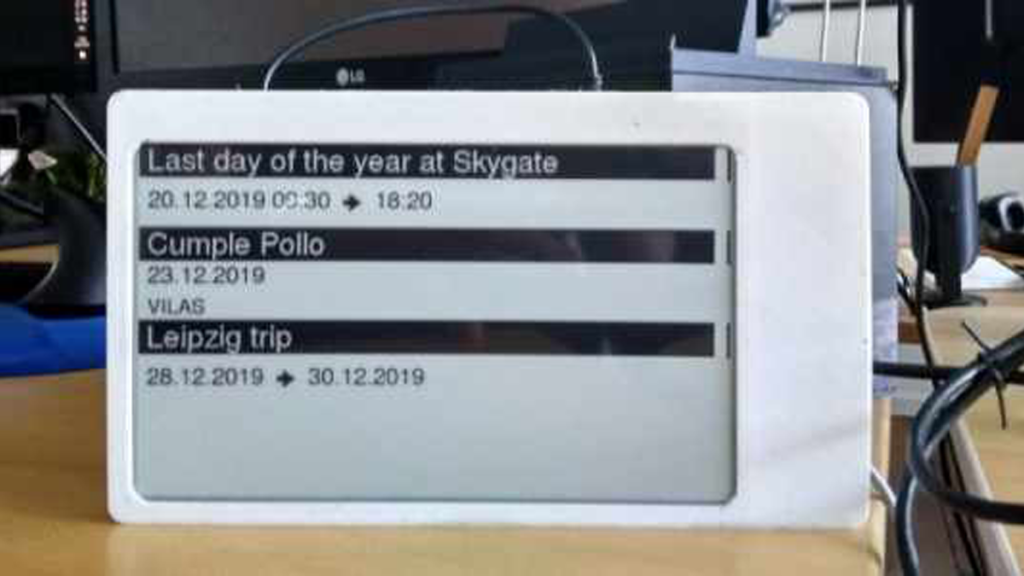
The firmware for this ESP32/ESP32S2 based calendar is open sourced on GitHub, with a version based on the Arduino framework as well as the native ESP-IDF framework. One particularly fantastic part of the firmware is a C++ component called CalEPD that drives e-paper displays. CalEPD extends the Adafruit_GFX class and is broken out in a separate repo, making it easy to consume on other projects. Since this supports dozens of different e-paper displays, this simplifies the process of building a calendar with different screens. The firmware includes a Bluetooth setup flow from a smartphone or tablet. This means you can quickly configure how often it wakes up, what it queries, and other important features.
The hardware shown in the demo video has a 7.5″ Waveshare screen with 800 x 400 resolution nestled inside a 3D-printed shell. There is also a 5,000 mAh battery with an ESP32 TinyPICO powering the whole system. The TinyPICO was picked for its incredible deep sleep power consumption. All this fits into a frame just 11 mm thick, for which STL files are available. [Martin] continues to work on this calendar display and has recently added support for FocalTech touch panel controllers. We’re excited to see where he takes it next!
This isn’t the first e-ink display project we’ve seen but this is a great reference to build your own. If you need another good starting point, this weather display might give you that little bit of inspiration you need.
Source: E-INK CALENDAR PAVES A PATH FOR ALL
- What makes the ESP32 TinyPICO suitable for this project?
The TinyPICO was selected specifically for its incredible deep sleep power consumption capabilities. - How is the device configured without a computer?
The firmware includes a Bluetooth setup flow that allows configuration from a smartphone or tablet. - Does the project support different types of screens?
Yes, the CalEPD driver supports dozens of different e-paper displays. - Where can the firmware source code be found?
The firmware is open sourced on GitHub with versions available for both the Arduino framework and native ESP-IDF. - Can users modify how often the calendar wakes up?
Yes, users can configure wake-up frequency and query settings through the Bluetooth setup interface. - What is the thickness of the final assembled frame?
The entire system fits into a frame that is just 11 mm thick. - Does the developer plan to add more features?
Martin has recently added support for FocalTech touch panel controllers and continues to work on the display. - Is there a separate repository for the display driver?
Yes, the CalEPD component is broken out in a separate repo to make it easy to consume on other projects.
