
Summary of Bluetooth Controlled Robot Car
This article guides readers on building a cost-effective, Bluetooth-controlled RC car using an Arduino UNO, suitable for school projects. The project requires basic electronics skills and no prior experience. It details assembling the chassis, wiring motors, connecting batteries in series, and interfacing with an HC-05 module via a smartphone.
Parts used in the Bluetooth Controlled Car:
- Car chassis kit (with BO motors, wheels, and base)
- Arduino UNO
- L298 motor driver
- HC-05 Bluetooth module
- Two 18650 rechargeable batteries (3.7V each)
- Jumper wires
- Solder wire and soldering iron
- Smartphone with Bluetooth capability
were you always fascinated by RC cars ?
Ever wanted to make one yourself ? controlled by your own smartphone ? —-> lets start
So, hey guys, here in this project i have tried to make a Bluetooth controlled car with the help of Arduino. I have included each detail so you can understand it easily. Also you can watch the video which is more detailed. Watch it till end and you will learn to make it within 10 minutes.
I have added every circuit diagram and explanation possible to make it easy for you all to understand.
It is economical and is a good idea for your school / college project. You don’t need any previous knowledge!
just follow this guide 😛
Step 1: Materials Required
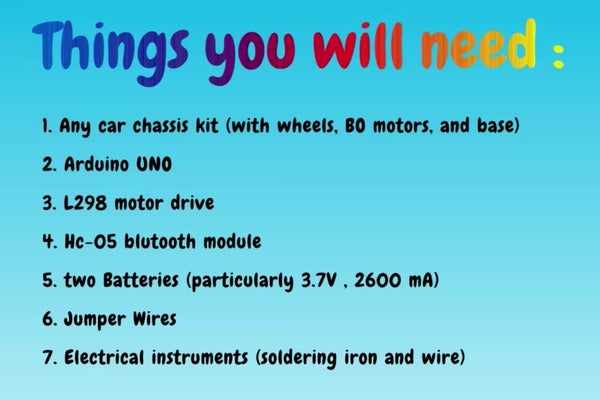
1. Any car chassis kit ( with BO motors, wheels and base )
I bought this kit- http://amzn.in/cMSnMTL
2. Arduino UNO
3. L298 motor drive
4. Hc-05 bluetooth module
5. two batteries ( I used Samsung 18650 rechargeable cell , 3.7V and 2600 mA both) Link: http://amzn.in/4j4RXI5
6. Jumper Wires
7. Electrical instruments ( Solder wire and iron )
8. mobile with bluetooth
Step 2: Solder All Motors & Attach Them to the Base
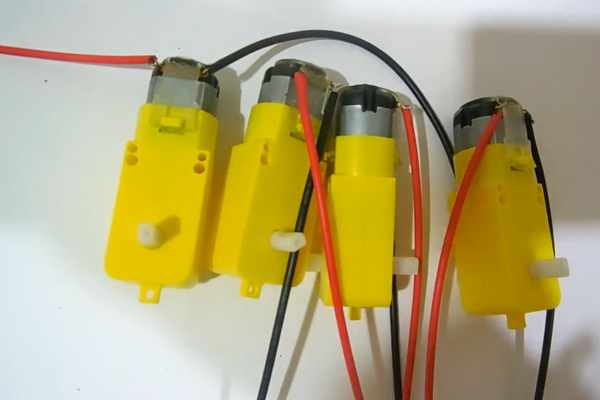
Solder each motor with a black and a red wire and attach them with the chassis as shown in the video.
join left side motor wires together as: red wire –> red wire and black wire –> black wire
similarly join motors on right side together as: red wire –> red wire and black wire –> black wire
Step 3: Join Wheels to All the Motors
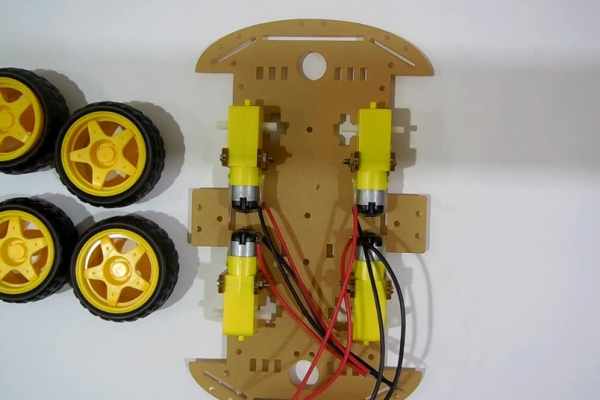
don’t apply too much pressure while pressing the wheels otherwise the chassis may get break.
Step 4: Join the Two Batteries in Series
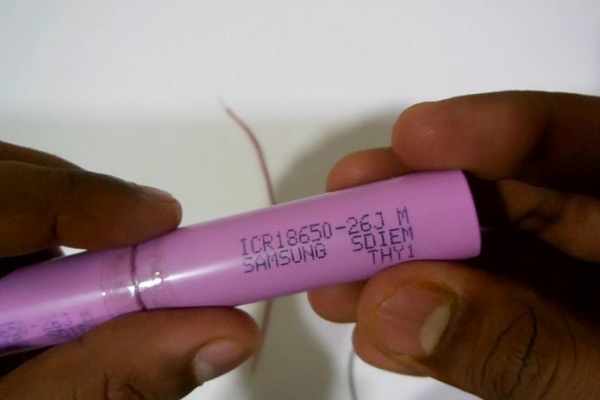
Connect the batteries in series by joining with a tape. You can also keep a little piece of open wire between them so that they are well connected.
Now join red wire to positive terminal of battery and black wire to negative terminal.
Try to keep the voltage <= 9 volts. I used 2 batteries of 3.7 V so my total pack voltage was 7.4 volts. If you use to high voltage ( like >= 12 volts , there is a chance that your components will get heated and might burn )
If your batteries have more current rating- your motors will rotate fast. My battery current rating was 2260 mA which was enough to power 4 motors.
Caution: Don’t accidentally connect positive terminal of battery to its negative terminal directly. It might burn your wires without any resistance.
Step 5: Connect Motors to Motor Drive
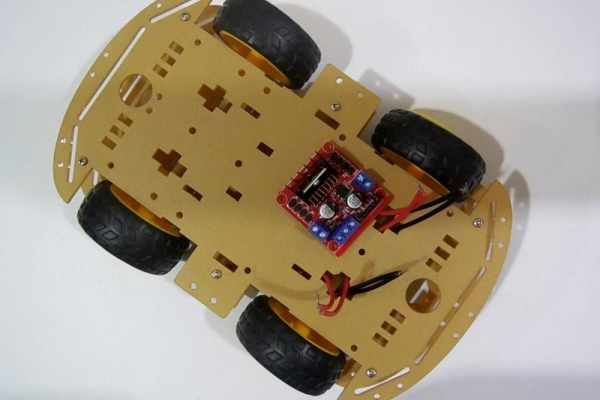
Join the red and black terminal of motors on each side, to the motor drive outputs.
Source: Bluetooth Controlled Robot Car
- Can I build this car without previous knowledge?
No, you do not need any previous knowledge to build this project. - What is the best way to connect the two batteries?
You should join the two batteries in series by connecting them with tape or a small piece of open wire. - Does the total voltage need to stay below a specific limit?
Yes, you must keep the voltage less than or equal to 9 volts to prevent components from heating up or burning. - How should I join the motor wires together?
Join the red wires together for one side and the black wires together for the other side before connecting to the drive. - What happens if I use a battery current rating higher than 2260 mA?
If your batteries have a higher current rating, your motors will rotate faster. - Can I control the car directly from my mobile phone?
Yes, the car is controlled by your own smartphone via the HC-05 Bluetooth module. - Is this project suitable for a school or college assignment?
Yes, it is economical and considered a good idea for school or college projects. - What caution should be taken when connecting battery terminals?
Do not accidentally connect the positive terminal of a battery directly to its negative terminal as it might burn the wires.
