
Summary of Arduino Robot
This article details a beginner's smartphone-controlled robot project built by a 13-year-old Arduino enthusiast. The guide covers necessary materials, hardware wiring between an Arduino Uno and L298N motor driver via Bluetooth, and the software setup using App Inventor. Although originally designed for soccer competition, this specific iteration functions as a remote-controlled vehicle powered by dual 3.7V batteries.
Parts used in the Smartphone Control Robot:
- Arduino uno r3
- Hc-05 bluetooth module
- L298n motor control module
- 2 motor
- Android phone or laptop with Bluestacks
- Small bread board
- Wires
- 3.7v ultra fire batteries x 2
- Battery holder
- Robot platform
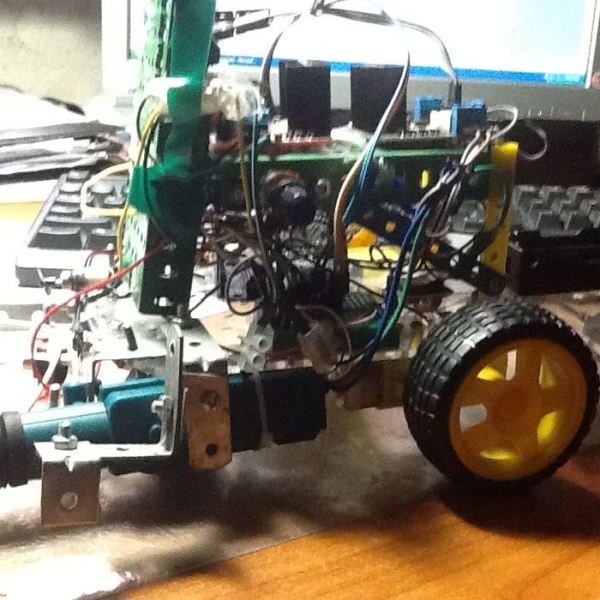
first of all, i am sorry if i have grammar mistakes, i am asian and i am 13 years old, i study arduino by my self (mostly my self) and this is my first project and also my first instructables. this is the robot that i used to compete with my friends in soccer robot. i did some modifications when i used it but it is broken now, so what i show you here is just a smartphone control robot. i will upload the improved, actual soccer robot soon. Thank you to Phan Hoang Anh- my tutor, he helped me alot with the code
Step 1: Materials
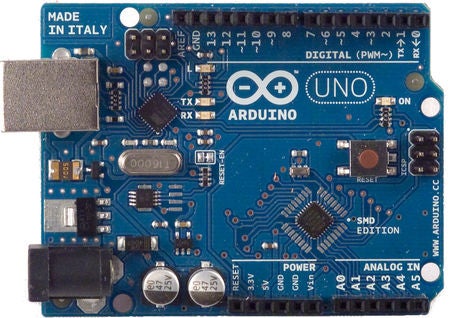
here is what you’re going to need
-Arduino uno r3
-hc-05 (bluetooth module)
-l298n motor control module
-2 motor
-android phone( i don’t know how to control with ios) or a laptop with Bluestacks
-small bread board
-wires
– 3.7v ultra fire batteries x 2
– battery holder ( yes, i don’t know what it is called)
-robot platform(picture 6)
Step 2: Hard-ware
arduino pin 6->in1 or a (of l298n module)
arduino pin 7->in2 or b (of l298n module)
arduino pin 8->in3 or c (of l298n module)
arduino pin 9->in4 or d (of l298n module)
l298n pin +5-> arduino pin 5v ->
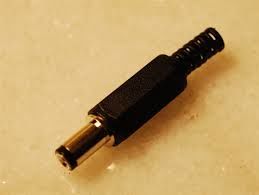
l298n pin gnd-> power source (-)-> arduino power plug(-) (arduino power plug is the first picture )
l298n pin vcc->power source (+) ->arduino power plug(+)
arduino pin gnd -> hc-05 gnd
arduino pin tx-> hc-05 rxd
arduino pin rx-> hc-05 txd
(note: i am very sorry for the bad image that i made in ‘paint’, the circuit simulator does not have an icon for l298n motor driver)
Step 3: Software
here is the code, you can just copy and paste it into the arduino software
(note: when you upload the code, plug of tx and the rx of the arduino, if you don’t, it will not work, i know why but it is very hard to explain it in english)
this is the app inventor code:
go to gallery in app inventor 2 and search for ‘robot project’ with this robot’s picture
Step 4: Finishing Step
put every thing on a platform, put on the motor and the wheels like this and you’re ready
Source: Arduino Robot
- Can I use an iOS device to control this robot?
The author does not know how to control the robot with iOS devices. - What is the best way to power the L298N module?
Connect the VCC pin to the power source positive terminal and the GND pin to the negative terminal. - How do I connect the Arduino pins to the L298N motor driver?
Connect Arduino pin 6 to IN1, pin 7 to IN2, pin 8 to IN3, and pin 9 to IN4 of the L298N. - Does the code work if the TX and RX pins are plugged in during upload?
No, you must unplug the TX and RX pins of the Arduino when uploading the code for it to work. - What software is required to create the control app?
You need to use App Inventor 2 to search for and build the robot project application. - How should the motors be attached to the robot?
Put everything on the platform, then attach the motors and wheels as shown in the finishing step images. - Why did the original soccer robot project break?
The author modified the robot for soccer competition but it broke before they could upload the improved version. - Who helped the author with the code for this project?
Phan Hoang Anh, the author's tutor, helped them significantly with the code.
