
Summary of Arduino Liquid Crystal Displays
This article introduces an Arduino tutorial on interfacing with modern LCD character displays. It covers communication protocols, circuit schematics, and two demo programs: one featuring an animated progress bar with custom characters, and another displaying real-time temperature in Celsius and Fahrenheit using I2C and button debouncing. The project utilizes an Arduino board, an LCD display, a temperature sensor, resistors, a pushbutton, and standard breadboarding components.
Parts used in the Arduino Liquid Crystal Display Project:
- Arduino Uno (or Mega)
- USB Cable
- Arduino Software
- Breadboard
- Jumper Kit
- 1k ohm Resistor
- Pushbutton
- LCD Display, Mini Pot, and Header
- 10k ohm Resistor (x3)
- I2C Celsius Temperature Sensor
I had initially planned to do an LCD tutorial a little further down the line, but there was very high demand for it, and I already had a circuit assembled for testing the new LCD that element14 sent me to evaluate. So, this seemed like an appropriate time to roll it out!
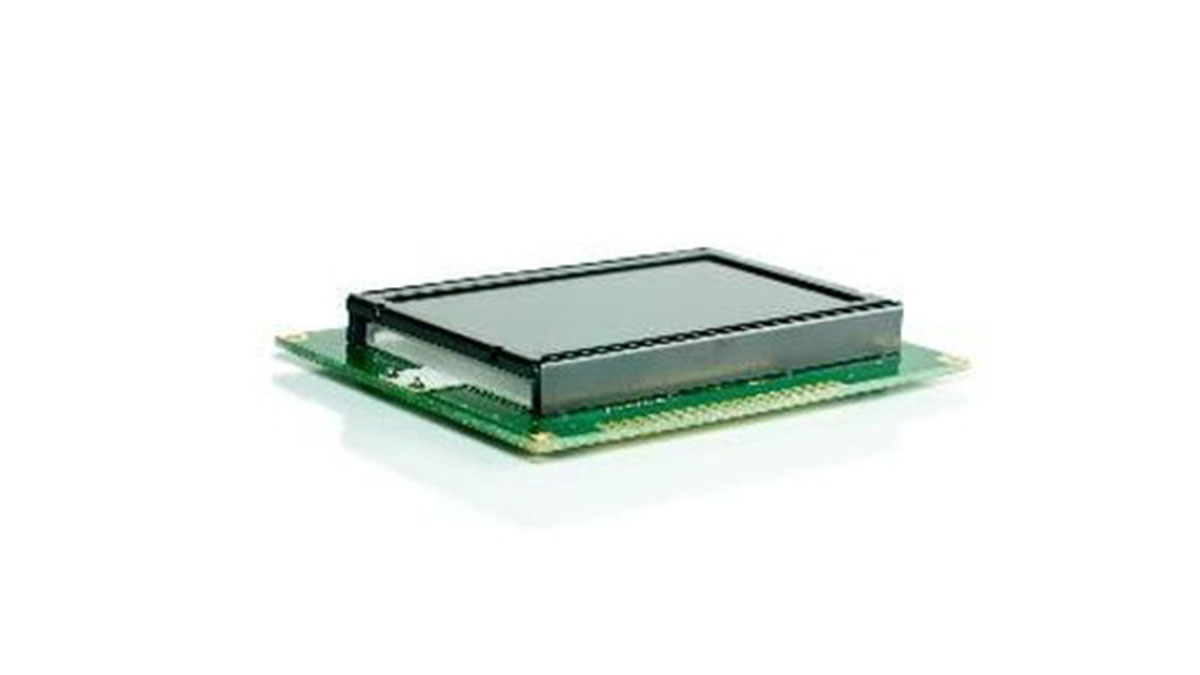
In this episode, I explain how communication works with most modern LCD character displays, I show the schematics and circuit required to talk to an LCD, and then I demonstrate it working using two demo programs.
The first program will create an animated progress bar using custom characters, and the second will leverage I2C and button debouncing knowledge from tutorial 7 and tutorial 2 respectively to create a real time temperature readout in both Celsius and Fahrenheit. Download the source code, schematics, datasheets, and parts list below!
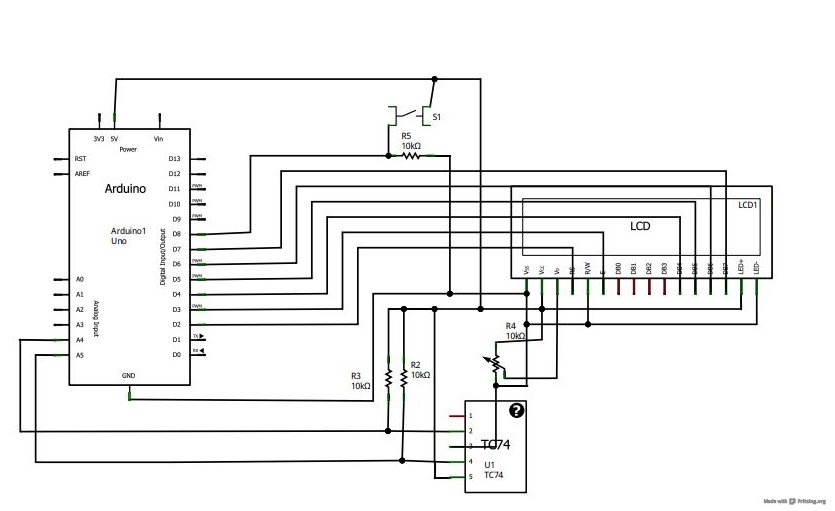
You can download the files associated with this episode here:
- Episode 13 Arduino Programs (Includes Updated versions for Arduino 1.0+)
- Episode 13 Schematics and Datasheets
- Episode 13 Parts List
2. USB Cable: http://us.element-14.com/jsp/search/productdetail.jsp?SKU=73H0884
3. Arduino Software: http://arduino.cc/en/Main/Software
4. Breadboard: http://us.element-14.com/jsp/search/productdetail.jsp?SKU=17C6965
5. Jumper Kit: http://us.element-14.com/3m/923351- i/pcb-accessories/dp/65F2290
6. 1k ohm Resistor: http://us.element-14.com/multicomp/mcf -0 -25w -1k/resistor- carbon -film -1kohm -250mw/dp/38K0327
7. Pushbutton: http://www.sparkfun.com/products/9190
8. LCD Display, Mini Pot, and Header: http://www.adafruit.com/products/181
9. 10k ohm Resistor (x3): http://us.element-14.com/multicomp/mccfr0w4j0103a50/resistor-carbon -film -10kohm-250mw/dp/58K5002
10. I2C Celsius Temperature Sensor: http://us.element-14.com/microchip/tc74a0 -5 -0vat/ic -thermal-sensor -2 -c -to220 -5/dp/92C6554
For more detail: Arduino Liquid Crystal Displays
- What is the purpose of the first demo program?
The first program creates an animated progress bar using custom characters. - How does the second program display temperature data?
The second program leverages I2C and button debouncing to create a real time temperature readout in both Celsius and Fahrenheit. - Can I use an Arduino Mega instead of an Uno?
Yes, the project list indicates that either an Arduino Uno or an Arduino Mega can be used. - Which specific temperature sensor is required for this project?
The project requires an I2C Celsius Temperature Sensor. - How many 10k ohm resistors are needed?
You need three 10k ohm resistors for this project. - Where can I download the source code and schematics?
Files including Arduino programs, schematics, datasheets, and the parts list are available for download via the provided links in the article. - Does the project require any special software?
The project requires the Arduino Software, with updated versions compatible with Arduino 1.0+ included. - What type of resistor is specified for the 1k ohm component?
The article specifies a carbon film 1kohm 250mw resistor.
