
Summary of DIY Hot Plate With Arduino Temperature Sensor
This instructable explains how to build an inexpensive SMD reflow hot plate using a consumer hot plate, an Arduino Nano with a thermocouple sensor, and an OLED for temperature monitoring and control. It covers parts, uploading Arduino code, wiring the Arduino/OLED/thermocouple, wiring the hot plate and voltage regulator, assembling components on a wooden base, and final setup with probe placement and safety tips.
Parts used in the DIY Hot Plate With Arduino Temperature Sensor:
- Hot plate
- Voltage regulator
- Temperature sensor with probe (thermocouple)
- Better accuracy probe (optional)
- OLED screen
- Arduino Nano
- Power cord
- 5V plug to power the Arduino
- Some wood (base)
- Perfboard (7x5 cm suggested)
- Faston terminals
- Kepton tape
Hello, everyone, in this instructable I will show you how to make the most useful a DIY enthusiast must-have in their workshop; a hot plate for SMD reflow soldering using a Thermocouple sensor controlled by an Arduino nano to monitor the temperature!
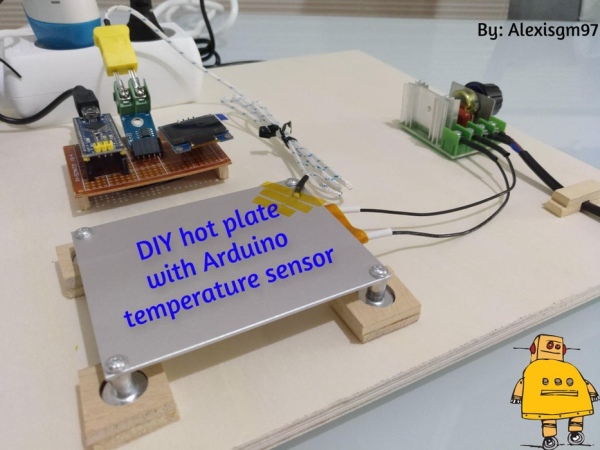
Keep reading to know how!!
Step 1: Parts and Supplies
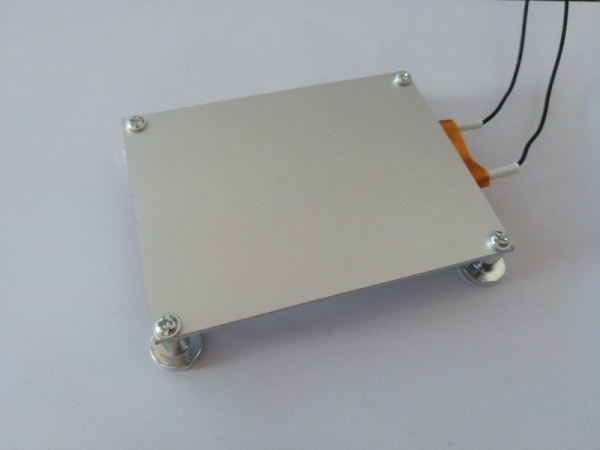
This was meant to be as inexpensive as possible because as you might know there are several hot plates on sale in Aliexpress and eBay but those cost as much as USD50 plus shipping and I thought; why not making my own for much less?
The total cost of this build is about USD15, not bad!
Parts:
Hot plate https://es.aliexpress.com/item/32948287178.html?sp…
Voltage regulator https://es.aliexpress.com/item/1005002206251820.ht…
Temperature sensor with probe https://es.aliexpress.com/item/2045970236.html?spm…
Better accuracy probe (optional) https://es.aliexpress.com/item/1005001387169413.ht…
Oled screen https://es.aliexpress.com/item/32957309383.html?sp…
Arduino nano https://es.aliexpress.com/item/1005002170922114.ht…
Power cord
5V plug to power the Arduino
Some wood
Step 2: Upload the Code to the Arduino
First of all, we have to upload the code to the Arduino and then we will wire it up on a breadboard to see if it actually works.
I assume you know how to program an Arduino, it is really easy!
Just download the code found here, open it and upload it until you see a success message.
Attachments
Step 3: Wire the Arduino, the OLED Screen and the Temperature Sensor
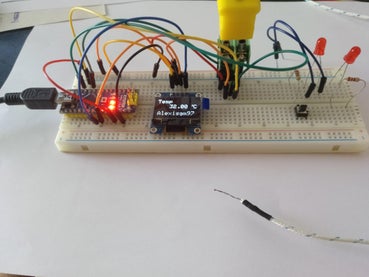
Now, once we have uploaded the code, we are going to wire everything. This step is simple, just follow the wiring diagram and you are set.
Once you have checked that everything works as it should, you can create your own board to make it look better and more professional.
I made mine with a 7x5cm perfboard. I arranged all the components and in the back, I soldered all the connections following the diagram. Feel free to make it as you want!
Step 4: Wire the Rest of the Components
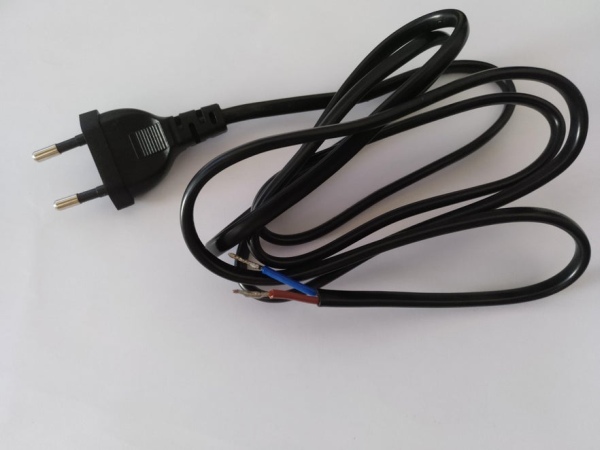
Now we have to wire the rest of the components, the hot plate, the voltage regulator and the power cord. Before wiring it together I bought some Faston terminals to make it safer and more secure. I recommend you do this too if you want to avoid accidents.
Simply solder these terminals to all the live wires and then wire everything following this little schematic I made. Be careful when working with these types of cables as they carry a lot of voltage and current. Make all the soldering and connections with the cables UNPLUGGED.
Step 5: Arrange Everything Together
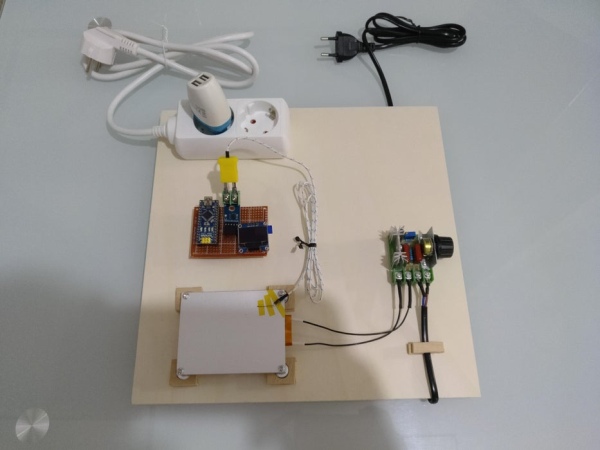
This is the final step where you will have to find a suitable surface to install all the components, for example, a piece of wood or something like that because the hot plate can easily reach 200 degrees celsius, so be careful!
I arranged mine like this because it works for me, you can make it however your want!!
Now with a bit of Kepton tape, put the temperature probe in a corner of the plate to monitor the temperature easily.
Step 6: Finished
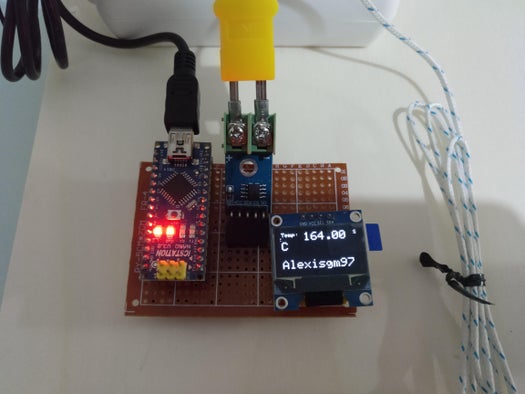
We have finished, now, simply plug the cable, turn the knob to adjust the desired temperature and that’s it! We have completed this instructable!
Now we can solder our PCBs with SMD components easily and for little money!
I hope this little instructable has been useful for you and don’t forget to vote for me in the Arduino Contest!!
Source: DIY Hot Plate With Arduino Temperature Sensor
- What is the purpose of this project?
To build an inexpensive SMD reflow hot plate controlled by an Arduino Nano with a thermocouple sensor for temperature monitoring. - What parts are required?
The project uses a hot plate, voltage regulator, thermocouple probe, optional higher-accuracy probe, OLED screen, Arduino Nano, power cord, 5V plug, wood base, perfboard, Faston terminals, and Kepton tape. - How much does the build cost?
The total cost of the build is about USD15 according to the article. - How do I start with the electronics?
First upload the provided Arduino code to the Arduino Nano, then wire the Arduino, OLED, and temperature sensor following the wiring diagram. - Can I improve the look of the electronics?
Yes, after testing you can transfer components to a perfboard (7x5 cm used by the author) and solder connections for a neater build. - How should I wire the hot plate and mains components?
Wire the hot plate, voltage regulator, and power cord using Faston terminals for safety, and make all soldering with the cables unplugged. - What surface should I mount the components on?
Mount components on a suitable surface such as a piece of wood, since the hot plate can reach high temperatures. - Where should the temperature probe be placed?
Place the temperature probe in a corner of the plate using Kepton tape to monitor temperature easily. - How do I operate the finished hot plate?
Plug in the cable, power the system, and turn the knob to adjust the desired temperature.
