
Summary of Simple Automated Point to Point Model Railroad Running Two Trains
This article details a cost-effective project to automate a multi-point model railroad layout capable of running two trains between three stations (A, B, and C) using an Arduino microcontroller. The system utilizes sensors for track detection and an Adafruit motor shield for locomotive control, offering a scalable solution for hobbyists seeking simple automation.
Parts used in the Multi-Point Model Railroad Automation:
- An Arduino microcontroller compatible with the Adafruit motor shield V2
- An Adafruit motor shield V2
- An expansion shield (Optional but highly recommended)
- Three 'sensored' tracks
- Six male to male jumper wires
- Nine male to female jumper wires (three sets of three)
- A 12-volt DC power supply adapter with at least 1A capacity
- A suitable USB cable
- A computer
- A small screwdriver
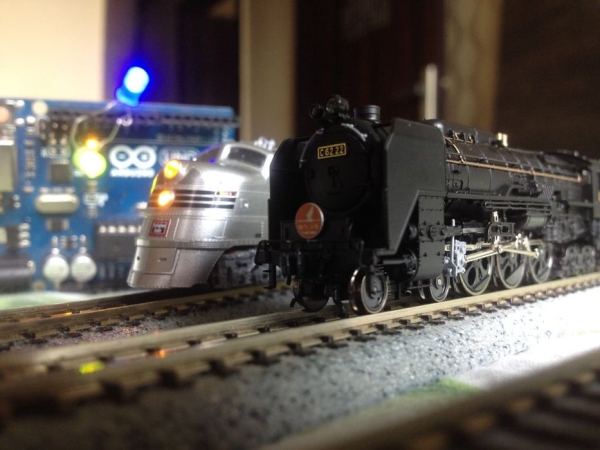
Arduino microcontrollers are a great way of automating model railroad layouts due to their low-cost availability, open-source hardware and software and a large community to help you.
For model railroads, Arduino microcontrollers can prove to be a great resource for automating their layouts in a simple and cost-effective way. This project is such an example of automation of a multi-point model railroad layout to run two trains.
This project is an upgraded version of some of my previous point to point model railroad automation projects.
A bit into this project:
This project focusses on automating a multi-point model railroad layout which has three stations. There is a starting station, say ‘A’ which initially houses both the trains. The mainline track leaving the station branches into two lines which go respectively to the two stations say ‘B’ and ‘C’.
Step 1: Watch the Video
Watch the above video to understand the operation of the layout.
Step 2: Get All the Required Stuff
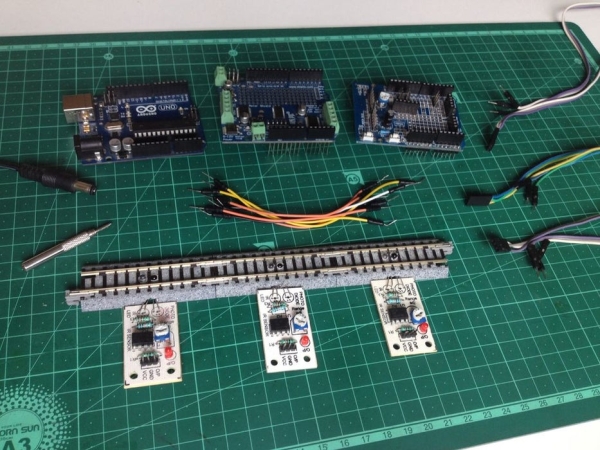
Here is what you will need for this project:
- An Arduino microcontroller compatible with the Adafruit motor shield V2.
- An Adafruit motor shield V2. (Know more about it here.)
- An expansion shield(Optional but highly recommended)
- Three ‘sensored‘ tracks.
- 6 male to male jumper wires(To connect the turnouts and track power wires to the motor shield.)
- 3 sets of 3 male to female jumper wires, a total of 9(To connect the sensors to the Arduino board)
- A 12-volt DC power supply adapter with a current capacity of at least 1A(1000mA).
- A suitable USB cable(For connecting the Arduino board to the computer).
- A computer(For programming the Arduino board)
- A small screwdriver
Step 3: Program the Arduino Microcontroller
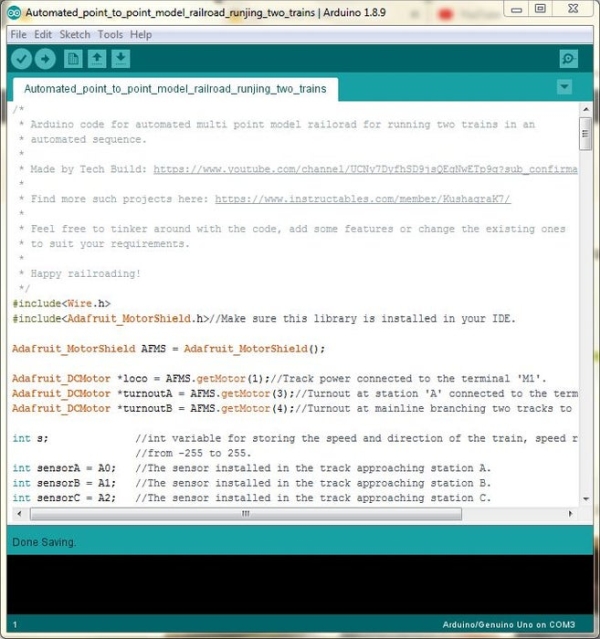
Make sure you have the Adafruit’s motor shield v2 library installed in your Arduino IDE, if not, press Ctrl+Shift+I, search for the Adafruit motor shield and download the latest version of the Adafruit Motor Shield v2 library.
Before uploading the code on the Arduino microcontroller, make sure to go through it to get an idea of what all is happening and how.
Read more: Simple Automated Point to Point Model Railroad Running Two Trains
- Why are Arduino microcontrollers suitable for model railroads?
They are great due to low-cost availability, open-source hardware and software, and a large community. - How many trains can this specific project run?
This project is designed to run two trains on a multi-point layout with three stations. - What library must be installed in the Arduino IDE for this project?
You must install the Adafruit Motor Shield v2 library. - What is the minimum current capacity required for the power supply?
The 12-volt DC power supply adapter needs a current capacity of at least 1A or 1000mA. - How many male to male jumper wires are needed for turnouts and track power?
You need six male to male jumper wires for connecting the turnouts and track power wires. - How do you connect the sensors to the Arduino board?
You use three sets of three male to female jumper wires, totaling nine wires, to connect the sensors. - Can I skip using an expansion shield for this project?
Yes, the expansion shield is optional, though it is highly recommended.
