
Summary of Use Arduino Code on a TI Launchpad MSP430
This article explains how to program the TI Launchpad MSP430 using Arduino sketches via the Energia IDE. It compares the MSP430's specifications and cost favorably against Atmel-based Arduinos, noting that while previous programming methods were complex, Energia now simplifies the process. The guide suggests the Launchpad as a budget-friendly alternative for projects with compatible I/O needs, highlighting its low chip cost and flexibility as an in-system programmer.
Parts used in the TI Launchpad MSP430 Project:
- TI Launchpad MSP430
- MSP430 2553 processor
- Arduino Mega 2560
- Arduino Uno or Nano (Atmel 328)
- USB cable
- Energia IDE software
- LCD Serial library
- Servo library
- MSP430 chips from Mouser.com
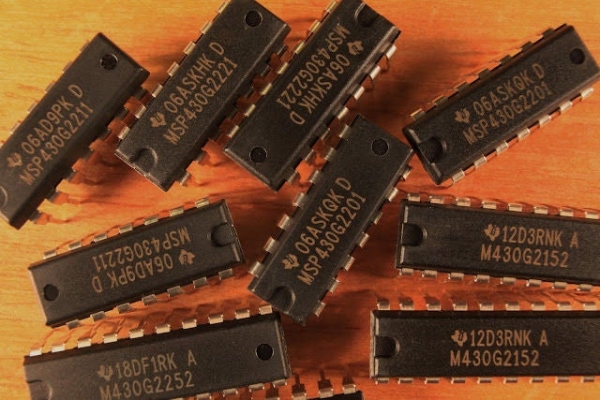
You can now use Arduino sketches to program your TI Launchpad MSP430.
The video show me programming an Arduino Mega 2560 and a TI Launchpad MSP430 with the same Arduino sketch.
The TI Launchpad MSP430 is a microprocessor development board from Texas Instruments. It’s very similar to the Atmel chips in the Arduino. The MSP430 2553, which is the processor that ships with the Launchpad, has 14 I/O pins and 16K of program memory. Compare this to 20 I/O pins and 32K of program memory of the Atmel 328, the chip in the Arduino Uno, Nano, and several others.
The TI Launchpad MSP 430 only costs $4.30 from TI. This includes two MSP430 chips, a USB cable, and a cool sticker. The reason the TI Launchpad has not been more popular is they are very hard to program, especially if you are coming over from the Arduino. You have to use a complex software package called Code Composer Studio and either program the MSP430 in Assembly code, or you can use C code that just as cryptic looking as the assembly code. I’ve tried a few times, and always went back to ease of the Arduino.
Now you can use Energia to upload Arduino sketches to you TI MSP430 chips. A lot of the more popular libraries like LCD Serial and Servo have already been ported over, and people are porting more code over all the time.
So the tip is: use a low cost TI Launchpad in your next project instead of an Arduino, if the I/O requirements permit. For simple applications, the TI chips may make more sense. You can buy more chips from Mouser.com – the processors run anywhere from .50 cents to 2 dollars, and you don’t have to have a bootloader like you do with the Atmels. It’s very easy to either program your chips in the Launchpad, then move it to your circuit, or you can use the Launchpad as an In System Programmer very easily.
At $4.30, you can just use the development boards in your projects if you want. Compare that to the 20-30 dollar cost of Arduino boards…
Source: Use Arduino Code on a TI Launchpad MSP430
- How can I program a TI Launchpad MSP430?
You can use the Energia IDE to upload standard Arduino sketches directly to the TI MSP430 chips. - What are the specifications of the MSP430 2553 processor?
The MSP430 2553 has 14 I/O pins and 16K of program memory. - Why was the TI Launchpad not popular before?
It was difficult to program because it required complex software like Code Composer Studio and cryptic C or Assembly code. - Does the TI Launchpad include extra components?
Yes, the $4.30 package includes two MSP430 chips, a USB cable, and a sticker. - Can I use existing Arduino libraries with the TI Launchpad?
Yes, popular libraries like LCD Serial and Servo have already been ported over to Energia. - What is the cost difference between the TI Launchpad and Arduino boards?
The TI Launchpad costs $4.30, whereas Arduino boards typically range from 20 to 30 dollars. - Do I need a bootloader for the standalone MSP430 chips?
No, you do not need a bootloader for the standalone MSP430 processors like you do with Atmel chips. - Can I use the Launchpad as an In System Programmer?
Yes, the Launchpad can be easily used as an In System Programmer for other circuits.
