
Summary of Replacing a dead iPhone battery
About a week after plugging an iPhone 4S into a car charger, the phone showed accessory not supported then began losing charge while connected. After multiple chargers failed, the battery died. The author ordered a $20 replacement battery with tools and followed iFixit's battery-replacement guide, noting the vendor supplied no instructions. The kit included pentalobe and Philips screwdrivers and a plastic opening tool; two metal tools' purposes were unclear.
Parts used in the Replacing a dead iPhone battery:
- Replacement iPhone 4S battery
- Pentalobe screwdriver
- Philips screwdriver
- Plastic opening tool
- Two additional metal tools (unspecified)
About a week ago, in preparing to run some errands, I plugged my iPhone 4S into the charger in my car so that I could stream Pandora while I drove. Oddly, a “this accessory may not be supported” message appeared on-screen; when I unplugged and re-plugged the iPhone to the charger, it didn’t reappear, so I didn’t think anything more of it … until a half hour later, when the iPhone again alerted me, this time with a “low battery” message. For some reason, attempting to charge the battery was instead rapidly drainingit; unplugging the phone from the charger restored the normal discharge-via-use rate. But by that point, the “damage had been done;” none of the chargers I tried would restore normal operation, and the battery was soon completely drained.
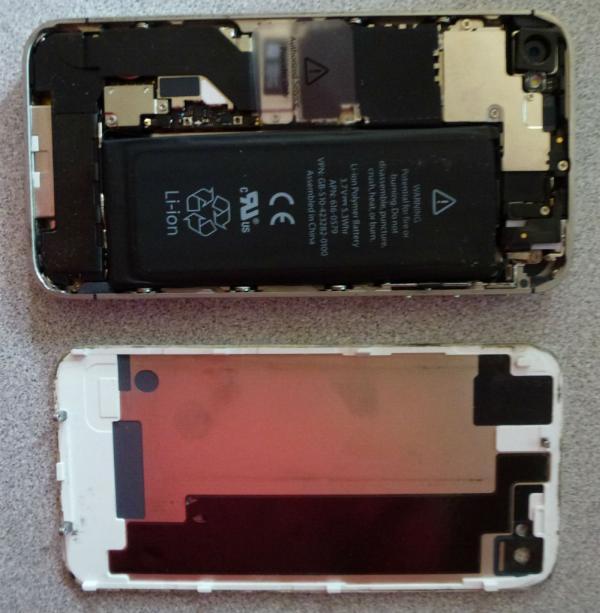
- What happened to the iPhone when plugged into the car charger?
The phone displayed this accessory may not be supported and later showed low battery while charging drained the phone. - Did unplugging the phone from the charger change anything?
Yes; unplugging restored the normal discharge-via-use rate. - Were other chargers able to restore the phone?
No; none of the chargers tried would restore normal operation and the battery drained completely. - What did the author do after the battery died?
The author ordered a replacement battery with toolset from Amazon with two-day Prime shipping. - Did the replacement kit include installation instructions?
No; the battery-plus-tools did not include any installation instructions. - What resource did the author use for guidance on replacement?
The author used iFixit's battery-replacement guide for instructions and images. - Which tools in the kit were noted as well-made?
The included pentalobe and Philips screwdrivers were noted as surprisingly well-made. - Were all included tools identified by the author?
No; the author did not figure out the purpose of the two other metal-constructed tools.
