
Summary of DRS Oil Container
The project creates a DRS Oil Container that uses an HC-SR04 ultrasonic sensor and an Arduino MKR1000 to monitor oil level and automatically order replacements via Amazon Dash Replenishment Service when the level falls below a threshold. It uses AWS SNS, Amazon DRS, Arduino IDE, and the AmazonDRS library; setup requires creating an Amazon developer account, SNS topic, LWA security profile, and a Dash Replenishment Device with slots and ASINs. The MKR1000 reads sensor distance and triggers DRS.requestReplenishmentForSlot when low.
Parts used in the DRS Oil Container:
- Arduino MKR1000
- Ultrasonic Sensor - HC-SR04 (Generic)
- Jumper wires (generic)
An oil container that can automatically order new oil via Amazon DRS when the oil level in the container is low.
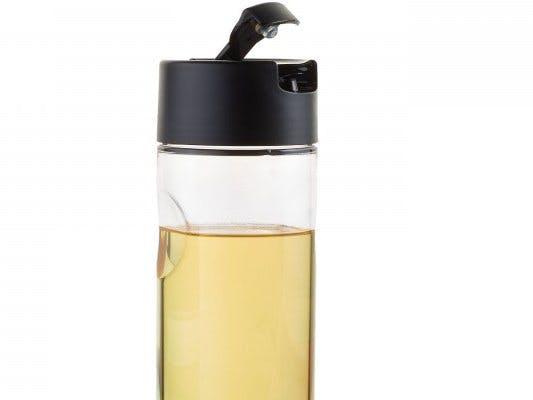
Things used in this project
Hardware components |
||||||
 |
|
× | 1 | |||
 |
|
× | 1 | |||
 |
|
× | 1 | |||
Software apps and online services |
||||||
 |
|
|||||
 |
|
|||||
 |
|
|||||
Story
Motivation
Have you ever craved to eat something but need to postponed cooking it just because you run out of oil? Now, this won’t happen again with the DRS Oil Container, an oil container that can automatically order new bottle of oil when you’re running low of it.
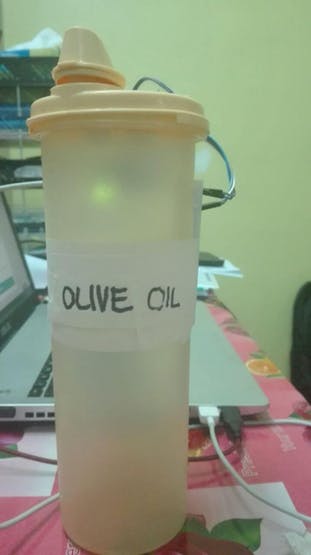 DRS Oil Cointainer
The DRS Oil Container is equipped with ultrasonic sensor acting as level sensor and connected to the Genuino MKR1000. The Genuino will initiate a purchase with the help Amazon DRS API when the sensor reading is below the threshold value.
Hardware setup
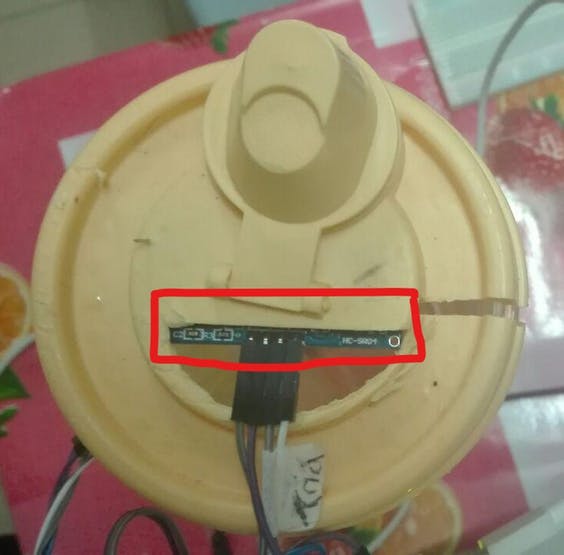
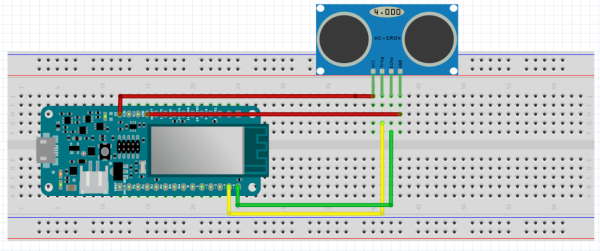
This project only involves the use of Genuino MKR1000 and HC-SR04 sensor. The HC-SR04 is connected to the Genuino MKR1000 as shown in the schematics. The Trigger and Echo pin of the HC-SR04 can be connected to any digital pins of your choice. The sensor is then placed under the container’s cap.
Software setup
This project utilize AmazonDRS Library. The library is available on GitHub together with tutorial to setup DRS with push button. Before you start coding, there few setups need to be done in order to enable the Genuino MKR1000 to initiate a purchase via the DRS API.
1. Create Amazon Developer account
2. Create SNS Topic
3. Create a login with amazon (LWA) security profile
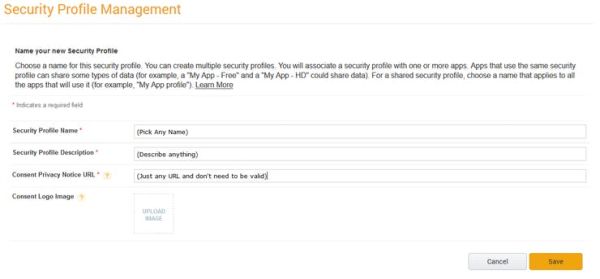
- Please take note of your Client ID and Client Secret as these need to be used in AmazonTokens.h file
4. Create a Dash Replenishment Device
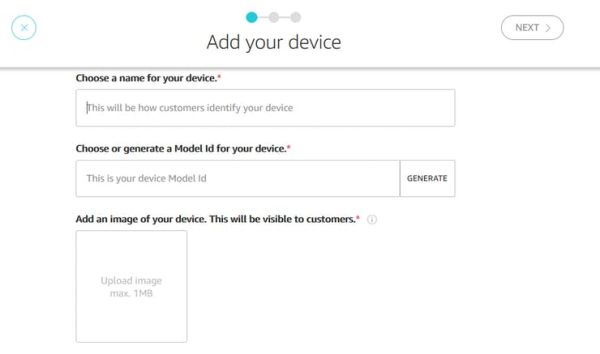
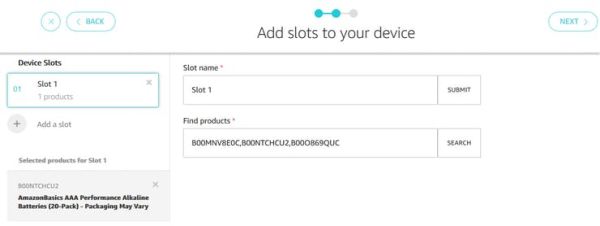
- ASINs are Amazon’s version of unique product identification
- Please take note of the devices Model ID and the respective Slot ID
5. Authorize the device created earlier to make purchases and get authorization code grant
- After you finish editing the AmazonTokens.h file and add your refresh_token, your Genuino is now ready to initiate a purchase
Demo
In this demo, water is used instead of olive oil. The Genuino initiate a purchase when the level is below 5 cm.
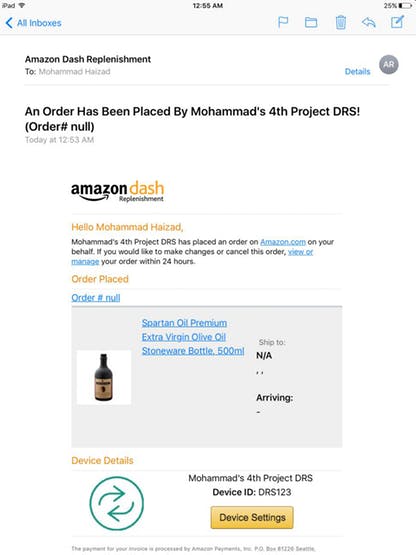
Conclusion
The project is not limited to replenishment of oil only but can be extended to any type of liquid container.
Schematics
Hardware Connection
Code
- What does the DRS Oil Container do?
Automatically orders a new bottle of oil via Amazon DRS when the sensor reading is below the threshold. - What hardware components are used?
Arduino MKR1000, HC-SR04 ultrasonic sensor, and jumper wires. - Which software and services are required?
Arduino IDE, Amazon Web Services SNS, and Amazon Dash Replenishment Service (DRS). - How is the level detected?
An HC-SR04 ultrasonic sensor measures distance; level is calculated from sensor reading and bottle height. - How does the MKR1000 trigger a purchase?
The MKR1000 uses the AmazonDRS library to call DRS.requestReplenishmentForSlot when levelCheck returns true. - What setup is needed on the Amazon side?
Create an Amazon developer account, SNS topic, LWA security profile, and a Dash Replenishment Device with slots and ASINs. - Where is the sensor placed on the container?
The sensor is placed under the container's cap. - What threshold is used in the demo?
In the demo, the Genuino initiates a purchase when the level is below 5 cm. - Can this project be used for other liquids?
Yes, the project can be extended to any type of liquid container.
