
Summary of Get Touchy – Nintendo DS Touch Screen + Arduino
This article explains how to integrate an inexpensive Nintendo DS resistive touch screen with an Arduino. It details the use of a breakout board, noting that the ribbon cable requires Scotch tape reinforcement for stability. The guide also describes reorienting the panel 45 degrees and connecting only four pins to the Arduino, as power and ground are managed via code rather than fixed connections.
Parts used in the Nintendo DS Touch Screen + Arduino Project:
- Nintendo DS touch panel
- Breakout board
- Scotch tape
- X-acto blade
- Arduino
It seems like touch screens are plastered on every consumer electronic device from your phone to your refrigerator. And why not right? Well, even though those beautiful multitouch hi-res screens are a little pricy and crazy hard to develop with, doesn’t mean we cant still add a touch panel to our project. The touch panel from the Nintendo DS provides a very simple, inexpensive solution to allow us to do just that.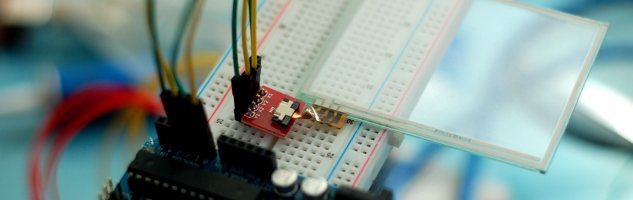
The Nintendo DS panel is a resistive panel making it very easy to hook it up to our Arduino, but it only recognizes a single input at a time and is a little imprecise.
Hooking It Up
If you are going to use this, I highly recommend using the breakout board with it because it is a little hard soldering directly to the ribbon cable. If you are using the breakout board: The ribbon from the panel it too thin to be used with the breakout board, and it will just fall out (weird I know). To fix this I stuck 2 layers of scotch tape over the back and cut off the excess with an x-acto blade – just make sure not to cut the ribbon. The brown plastic part of the breakout-board connector pulls out so you can slide the ribbon in it (pins side up). Once you have the ribbon in, and aligned nicely, make sure to slide the connector close to lock it into place.
Now that the panel is connected to the breakout, just note… the panel is actually now upside down (again… weird). I just flipped the panel over and to right so the ribbon was just bent at a 45º angle, but you can do whatever works best for you.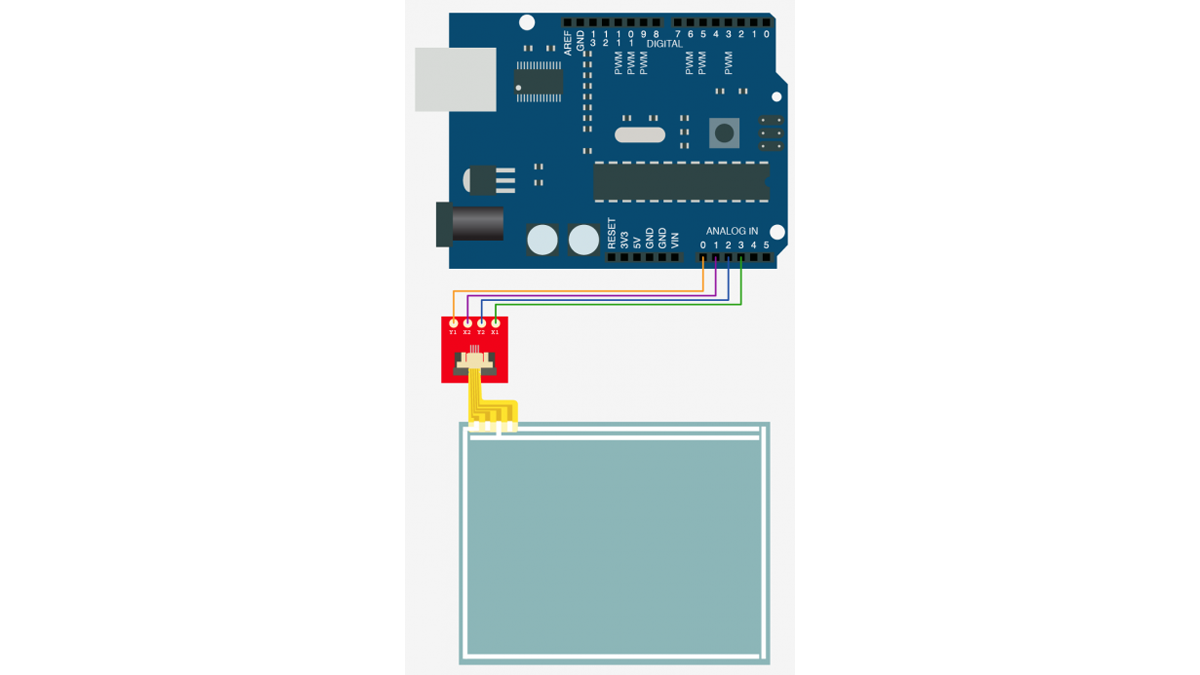
If you are wondering where the +/GND & resistors are… don’t worry about it. Just connect the 4 pins into the Arduino as shown and you are ready for the code. This really is how it goes, it gets power and ground from the pins based on how the code works.
For more detail: Get Touchy – Nintendo DS Touch Screen + Arduino
- Why is the Nintendo DS panel recommended for this project?
It provides a very simple and inexpensive solution to add a touch panel. - What type of touch technology does the Nintendo DS panel use?
The panel is a resistive panel. - Why is a breakout board highly recommended over direct soldering?
Directly soldering to the ribbon cable is difficult. - How can you fix the issue of the thin ribbon falling out of the breakout board?
You can stick two layers of Scotch tape over the back of the ribbon and cut off the excess. - In which direction should the ribbon be inserted into the breakout-board connector?
The ribbon must be inserted with the pins side up. - How did the author orient the panel after connecting it to the breakout board?
The author flipped the panel over and rotated it so the ribbon was bent at a 45-degree angle. - Do you need to connect separate power and ground wires for the panel?
No, the panel gets power and ground from the pins based on how the code works. - How many pins are connected to the Arduino for this setup?
Four pins are connected into the Arduino.
