
Summary of DIAL A FOR ARDUINO
Jakeofalltrades built an Arduino-based reader for old rotary phone dials. The project counts the pulses produced when a dial returns (one pulse per number, ten for zero), measuring pulse timing despite variable mechanical speed. It uses ATmega328 timers and tolerant timing thresholds consistent with historical standards. The code demonstrates timer usage useful for other projects like volume controls or numeric keypads, while preserving a retro input method.
Parts used in the DIAL A FOR ARDUINO:
- Rotary phone dial (mechanical telephone dial)
- Arduino (ATmega328-based)
- Switch or pulse detection wiring connected to the dial
- Pull-up or pull-down resistors for switch input
- Wires and connectors
- Power supply for the Arduino
- Breadboard or PCB for prototyping
A lot of phrases surrounding phones don’t make sense anymore. With a modern cellphone, you don’t really “hang up” and there’s certainly no “dial” to be had. However, with [jakeofalltrades’] project, you can read an old-fashioned phone dial using an Arduino.
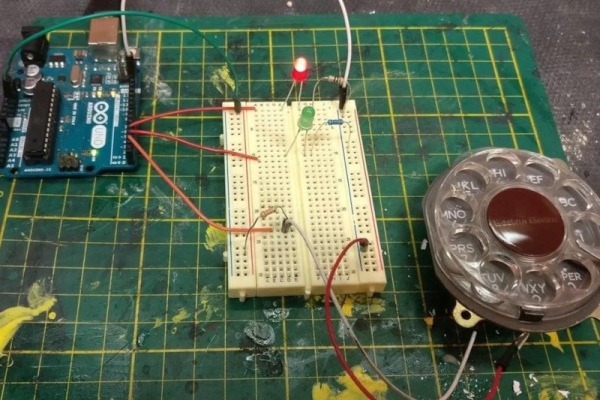
The idea behind a phone dial is actually pretty simple. When you pull the dial back to the stop using one of the numbered holes and release it, it causes a switch to open and close the same number of times as the hole you selected. That is, if you pull back the 5 hole, you should get 5 switch closures. The duration of each switch event and the time between switch events is a function of the speed the dial moves because of its internal spring. The zero hole actually produces ten pulses.
There are standards for how precise the timing has to be, but — honestly — it’s pretty loose since these were not made to be read by precise microcontroller timers. In the United States, for example, the dial was supposed to produce between 9.5 and 10.5 pulses per second, but the equipment on the other end would tolerate anything from 8 to 11.
Even if you don’t want a rotary dial in your next project, the code has some good examples of using ATmega328 timers that you might find useful in another context. However, a dial would add a nice retro touch to any numeric input you might happen to need.
If you need project inspiration, how about a volume control? Or, why not a numeric keypad?
Source: DIAL A FOR ARDUINO
- How does the rotary dial produce pulses?
When released, the dial causes a switch to open and close the same number of times as the selected hole, with zero producing ten pulses. - Can an Arduino read the pulses from a phone dial?
Yes, the Arduino (ATmega328) can count the switch closures and measure their timing. - What timing characteristics do telephone dials have?
Dial timing varies with speed; US standards aimed for about 9.5 to 10.5 pulses per second and tolerated roughly 8 to 11 pulses per second. - Does the project require precise microcontroller timers?
No, the dial timings are loose, but the project uses ATmega328 timers as demonstrated in the code. - What does the zero hole produce?
The zero hole produces ten pulses. - What other projects can use this dial input?
Suggested uses include a volume control or a numeric keypad using the rotary dial as numeric input.
