
Summary of Creating A SoundBox Using Arduino
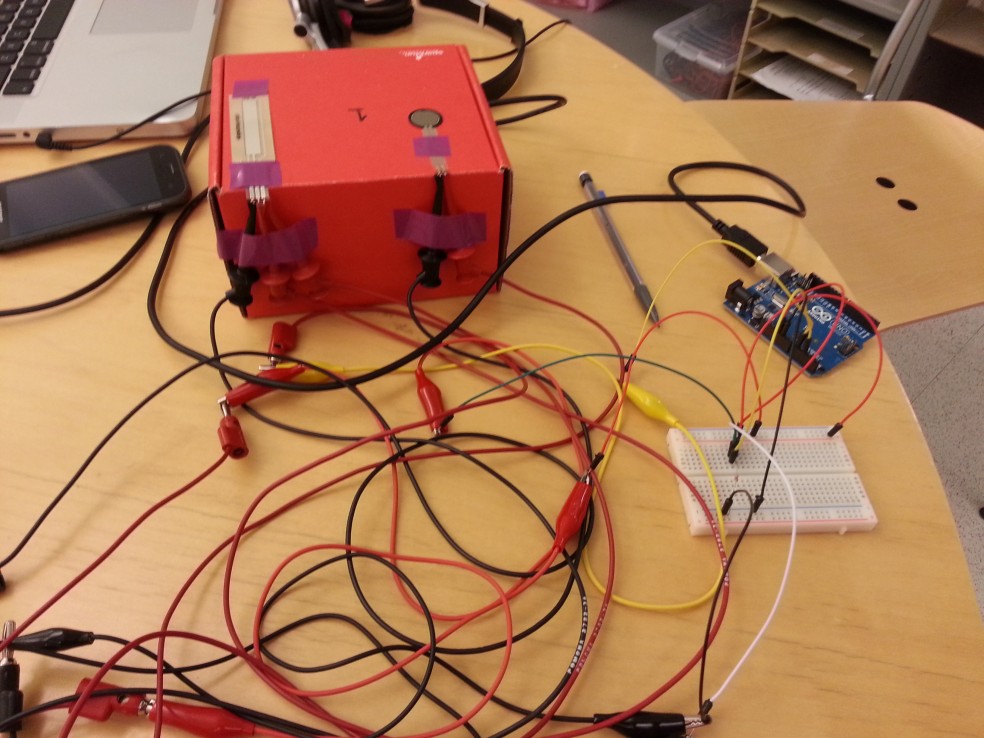
We built a SoundBox, a simple musical instrument that maps pressure from a force sensing resistor to volume and a SoftPot slider to pitch. An Arduino sends signals over USB to a Python program, which forwards them to ChucK to synthesize sound. The interface is intuitive; future improvements include instrument switching, multiple sliders for polyphony, and MIDI output to DAWs.
Parts used in the SoundBox:
- Arduino (microcontroller)
- Force Sensing Resistor (FSR)
- SoftPot Membrane Potentiometer (slider)
- USB cable (Arduino to computer)
- Computer running Python
- ChucK audio programming language (software)
- Python program/script (software to read serial and forward data)
- Wiring and breadboard or connectors
- Optional enclosure or box for the SoundBox
Ideas and Sketches
- Squat Coach – Detects the depth of your squats and assesses your form.
Flex sensor is positioned to run up the back of knee joint - Etch-A-Sketch – Arduino version of Etch-A-Sketch game.
Users control stylus with 2 rotational potentiometers - Adaptive Lighting – LED changes brightness depending on lighting of room.
Photo cells connected to LED vary brightness of light emission based on surrounding light - SoundBox – Musical instrument with a simple interface for intuitive interaction and immediate results.
Users can control amplitude with FSR (force sensing resistor) and pitch with slider
We decided to choose idea #4. While we liked our other ideas, we felt creating a SoundBox would be the most feasible and rewarding endeavor.
Project Description
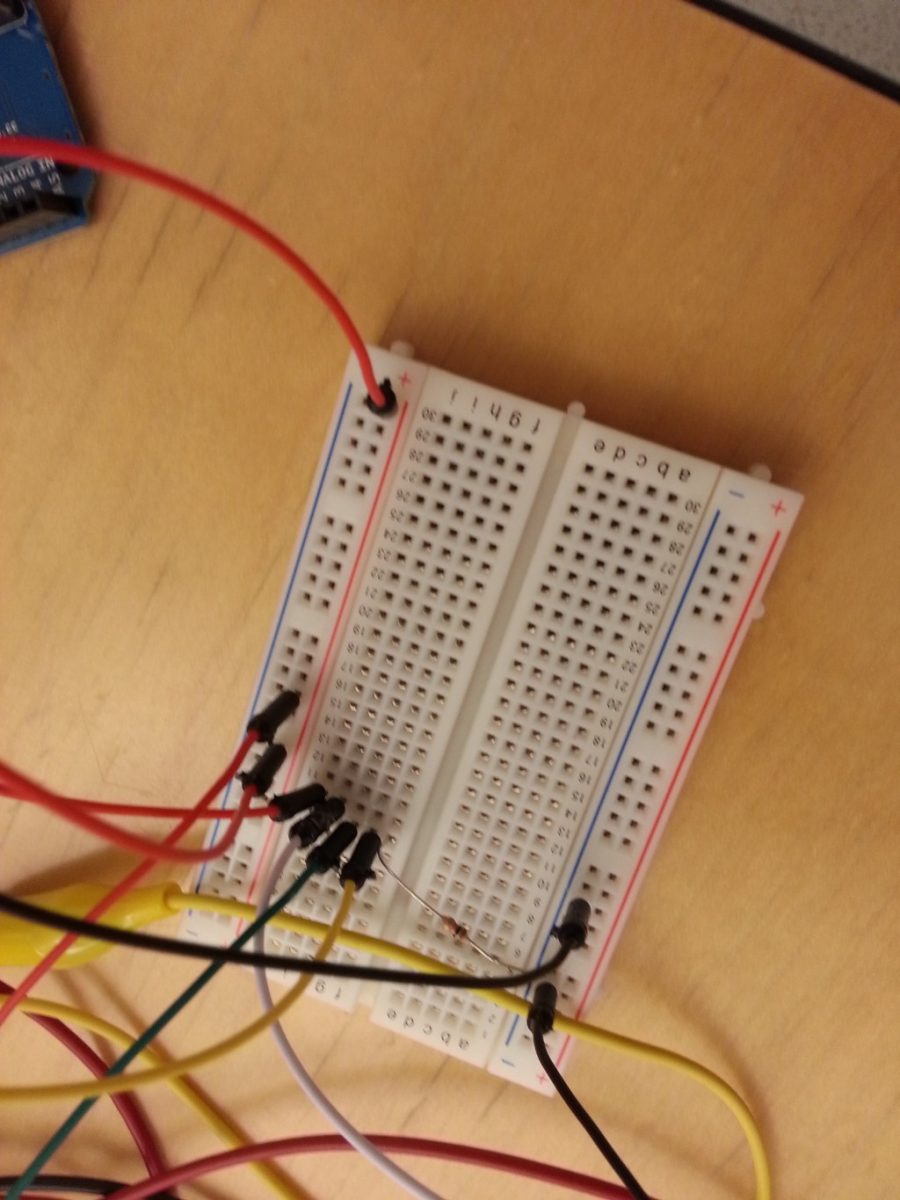
We built a musical instrument, called the “SoundBox”. The “SoundBox” allows users to create notes by applying pressure to a force sensing resistor. The amount of pressure applied determines the volume of the note and users can control the pitch of each note they create with a SoftPot Membrane Potentiometer (slider). When users create notes, a python program reads the incoming signals from the USB port (which the Arduino is speaking to). Our python program then feeds these signals to ChucK, an audio programming language, which then creates the sounds you hear. We are definitely pleased with the result of our project. The intuitive and simple nature of the “SoundBox” interface allows any user to create a variety of sounds and patterns. Thus, in giving the gift of music (albeit limited) to users, we feel that our project is successful. One thing we could certainly improve is the limited functionality of our “SoundBox”. For example, we could add a switch to the Arduino which would enable users to toggle through ChucK instruments (as of now the default instrument is the mandolin). Furthermore, we could add multiple sliders to enable users to play multiple notes at once. What’s more, we could speak to any MIDI receiving Audio Software, such as Ableton Live or Logic (which have extensive sound libraries), to fashion sounds out of user input. As such, there is definitely a lot of room for improvement in our design, which would seriously enhance the functionality of the “SoundBox”.
For more detail: Creating A SoundBox Using Arduino
- How does the SoundBox determine volume?
Volume is determined by the amount of pressure applied to the force sensing resistor. - How is pitch controlled on the SoundBox?
Pitch is controlled by the SoftPot Membrane Potentiometer slider. - What role does the Arduino play in the SoundBox?
The Arduino reads sensor values and sends them over USB to the computer. - How are sounds generated in the SoundBox system?
A Python program reads serial data from the Arduino and feeds the signals to ChucK, which synthesizes the sounds. - Can the SoundBox change instruments in its current design?
No, the current default instrument is the mandolin; instrument switching is a suggested improvement. - Is polyphony supported in the current SoundBox?
No, polyphony is not currently supported; adding multiple sliders is suggested to play multiple notes at once. - Can the SoundBox interface with digital audio workstations like Ableton Live or Logic?
Not currently, but the article suggests speaking to MIDI-receiving audio software as a future enhancement. - What makes the SoundBox interface suitable for users?
The interface is intuitive and simple, allowing users to create a variety of sounds and patterns easily.
