
Summary of Betta Fish Feeder
Concise summary (under 100 words): This project builds a precise automatic betta fish feeder using an Arduino UNO, a 5V stepper motor (28BYJ-48) with a motor driver, and 3D-printed parts: a Turn_Table with 14 wells and a Plate. The Arduino controls the stepper to advance the Turn_Table one well at a time, dumping a measured pellet portion through the Plate into the tank. The design allows twice-daily feedings for a week and uses the Arduino stepper.h library for simple motor control.
Parts used in the Betta Fish Feeder:
- Arduino UNO
- Arduino power adapter or USB adapter
- Motor driver
- Stepper motor 28BYJ-48
- 3D printed Turn_Table (wheel)
- 3D printed housing (Plate)
- Hot glue
- Fish tank
- Betta fish pellets
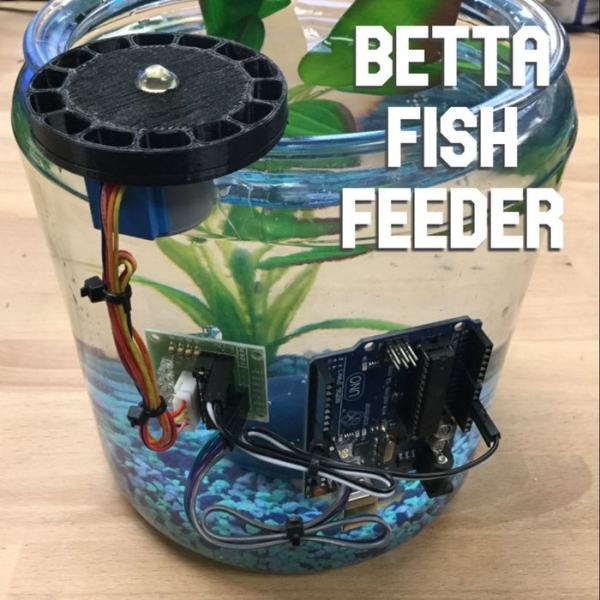
I’m setting up a betta fish tank and wanted to make an automatic fish feeder so he never misses a meal. I’ve seen other DIY fish feeders that just shake a container but I wanted to be able to precisely control how much food he’ll get. Hope the new fishy likes it!
Follow my other projects on Instagram @Trevor_DIY
Purchasing through the following affiliate links supports me as a maker 🙂
Supplies:
- Arduino UNO
- Arduino power adapter (or USB adapter)
- Motor driver and stepper motor (28BYJ-48)
- 3D printed wheel
- 3D printed housing
- Hot glue
- Fish tank
- Betta fish pellets
Step 1: Wire Up the Motor Driver and Stepper Motor
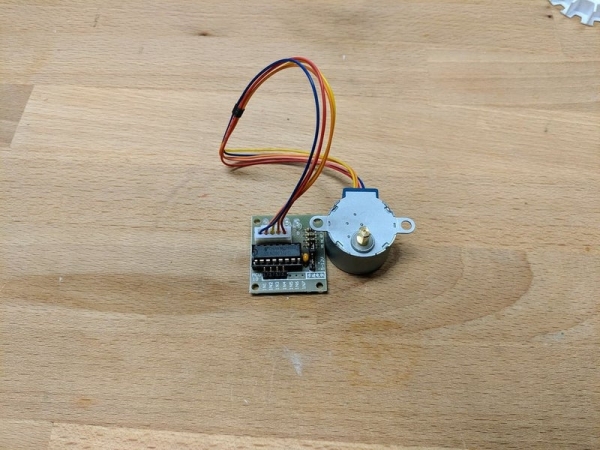
Yes, to run a stepper motor with Arduino, you MUST have a motor driver! There’s heaps of info online about this but the quick and dirty reason is because the Arduino output pins are not able to supply the stepper with enough current (amps) to get the coils in the stepper to engage. I chose this stepper and motor driver because it can work off 5V which the Arduino has an output for.
- Plug the stepper into the motor driver with the white connector.
- Connect the Arduino output pins 8, 9, 10, 11 to the motor driver input pins 1N1, 1N2, 1N3, 1N4 respectively.
- Connect the Arduino power pins GND and 5V to the motor driver power pins – and + respectively.
- Connect the Arduino USB port to your computer and start the Arduino software.
Step 2: Feeding Mechanism
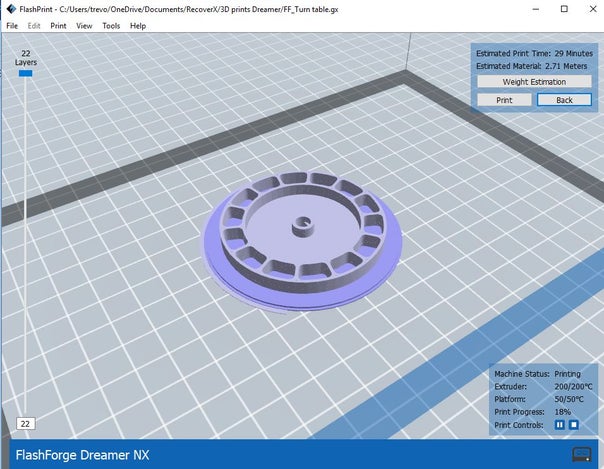
I used Autodesk Inventor to design the 2 parts to be 3D printed. The “Turn_Table” has 14 wells for fish pellets which means I can feed my fish twice a day for a week. The motor rotates the “Turn_Table” over the “Plate” which pushes the pellets forward until one well is dumped through the hole in the “Plate”. It’s pretty similar to how a gumball machine works!
Step 3: Program the Arduino
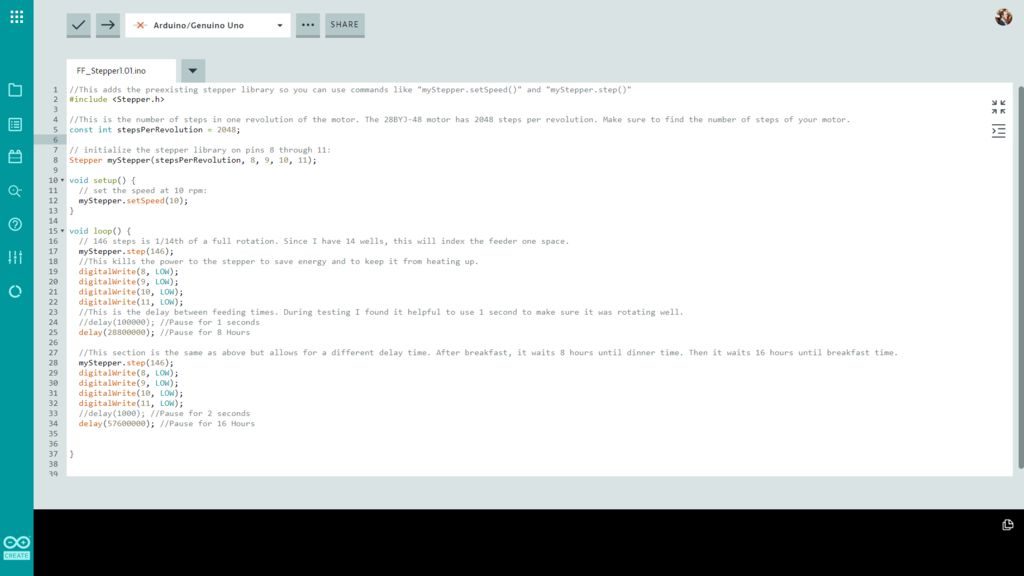
This code is really simple since I am using the Arduino stepper.h library. The goal is to have the stepper rotate the turn table by one well so it dumps the next set of food into the tank. I’ve commented out the code so the details are below.
Read more: Betta Fish Feeder
- Do I need a motor driver to run a stepper motor with an Arduino?
Yes, you must use a motor driver because the Arduino output pins cannot supply enough current to drive the stepper coils. - Which Arduino pins are used to control the motor driver?
The Arduino output pins 8, 9, 10, and 11 are connected to the motor driver input pins 1N1, 1N2, 1N3, and 1N4 respectively. - How is the stepper motor powered?
The motor driver is powered by the Arduino 5V and GND pins connected to the motor driver + and - power pins. - How does the feeding mechanism dispense pellets?
The 3D printed Turn_Table has wells that rotate over the Plate; each rotation aligns a well with a hole in the Plate so pellets dump through like a gumball machine. - How many feedings can the Turn_Table hold?
The Turn_Table has 14 wells, which allows feeding twice a day for a week. - What software library is used to control the stepper?
The Arduino stepper.h library is used to control the stepper motor. - How do I connect the Arduino to program it?
Connect the Arduino USB port to your computer and start the Arduino software. - What 3D printed parts are required?
The design uses a Turn_Table (wheel) and a Plate as the 3D printed parts.
