
Summary of Arduino Voting Machine
This instructable shows how to build a simple Arduino-based voting machine controlled via the Arduino IDE Serial Monitor. It features supervisor-controlled polling, password protection, instant vote tally display, and voter confirmation via an LCD. The design uses push buttons for candidates, a 16x2 LCD in 4-bit mode, and the Arduino Uno; polling and control are done through Serial Monitor commands.
Parts used in the Arduino Voting Machine:
- Arduino Uno - 1
- 16x2 LCD - 1
- Push buttons - As required (for number of candidates)
- Potentiometer 100k - 1
- Breadboard - 1
- Connecting wires - As required
This instructable will teach you to build a simple Arduino based Voting machine using simple components such as push buttons and LCD. The highlighting feature of this system is that Serial Monitor in Arduino IDE is used to perform the polling operation no other external applications needed.
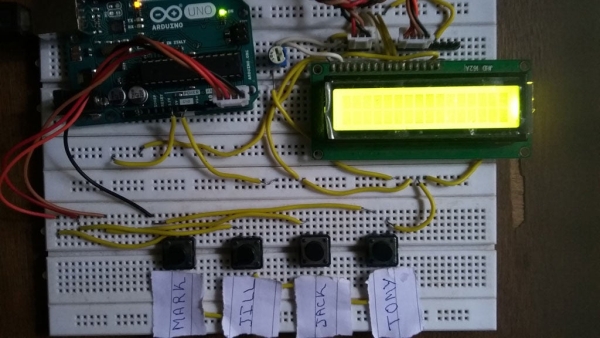
Key Features:
- Every step of polling operation will be under control of the supervisor.
- Password enabled security system.
- Poll results can be obtained instantly.
- Voter will be aware of the candidate he is voting for.
Step 1: PARTS REQUIRED
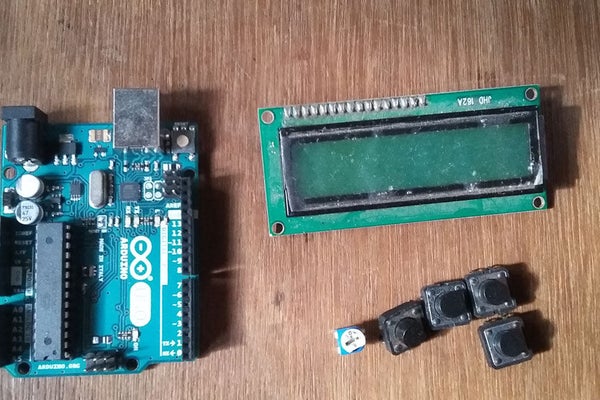
This simple project can be done with minimal components. The parts list are given below
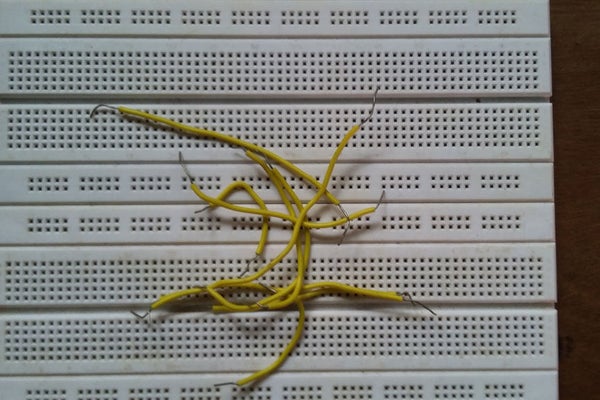
- Arduino Uno – 1
- 16×2 LCD -1
- Push Buttons – As required
- Potentiometer 100k – 1
- Breadboard – 1
- Connecting Wires – As required.
Step 2: DESIGN
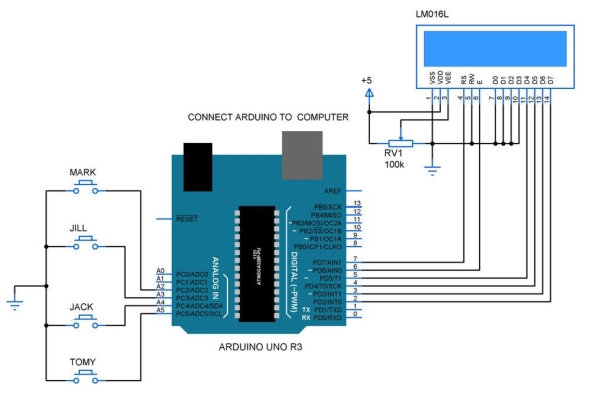
The design of the voting machine was given here. The Arduino reads the keypad input by the process of Polling. A 16×2 LCD was connected to the PORTD in 4 bit mode. This system will be operated by plugging the Arduino to the your PC and controlling using Serial monitor of Arduino IDE.
Step 3: PUT IT TOGETHER
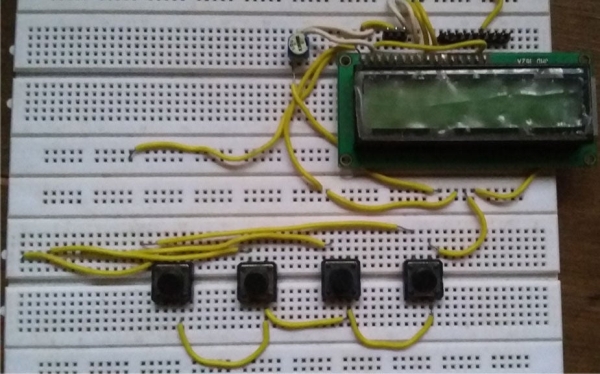
Now connect the buttons to a breadboard as shown in the diagram. You can increase the number of buttons you use based on the number of candidates for the poll. Afix the LCD along with the potentiometer to the board and finish up all the connections as shown in the schematic design.
Step 4: ADD YOUR ARDUINO
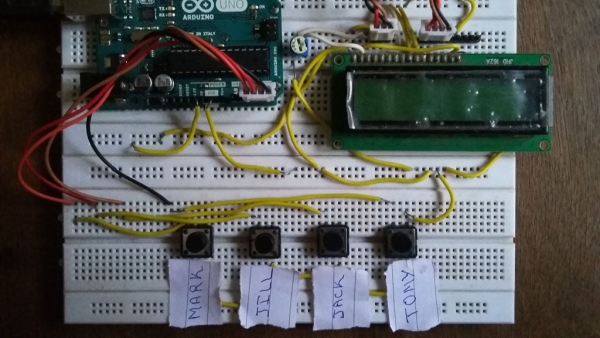
Now connect your Arduino to buttons and LCD in the breadboard. You are now all set with the hardware.
Step 5: CODE AND WORKING OPERATION
You can read the detailed working operation and code in this website http://www.gadgetronicx.com/arduino-based-voting-system/ . Upload the code to your arduino after obtaining it from that site.
Step 6: OPERATING WITH SERIAL MONITOR
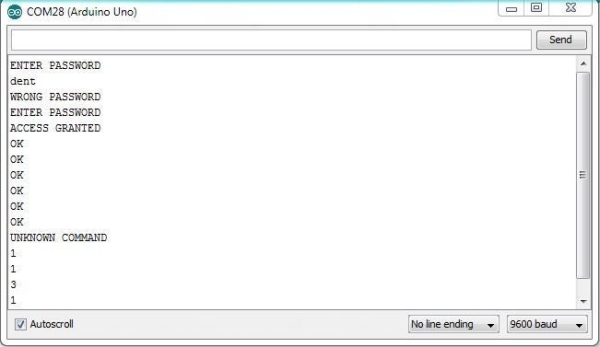
Now you are ready to go and operate your voting machine. Connect your Arduino to the PC using the USB. Now open the Serial monitor to conduct the poll. Enter the password to get access to the system.
V – Allow Voter to caste their vote
D – Display the Vote tally.
Take a look at the snap shot of serial monitor to get understanding of its working.
Step 7: WORKING VIDEO
See the outcome of this system in this video which is uploaded to official channel of Gadgetronicx .
Source: Arduino Voting Machine
- What is the main control interface for the voting machine?
The Serial Monitor in the Arduino IDE is used to perform and control the polling operation. - How is voter input provided to the system?
Voter input is provided via push buttons connected to the Arduino and read by polling. - Does the system provide password protection?
Yes, the system includes a password enabled security system; the Serial Monitor prompts for a password to access the system. - How are poll results displayed?
Poll results can be displayed instantly using the Serial Monitor display command and shown on the 16x2 LCD. - Can the number of candidates be changed?
Yes, you can increase the number of push buttons based on the number of candidates for the poll. - What commands are used in the Serial Monitor to operate the poll?
V allows a voter to cast a vote and D displays the vote tally as described in the article. - What display is used to inform the voter which candidate they are voting for?
A 16x2 LCD connected to the Arduino displays candidate information so the voter is aware of their selection. - Where can I find the code for this project?
The article references detailed code and operation available at http://www.gadgetronicx.com/arduino-based-voting-system/.
