
Summary of Arduino Mega-ISP Shield
This project is a Mega-ISP Arduino shield for reburning AVR bootloaders and acting as an AVRISP (compatible with AVRDUDE). It provides LED indicators (heartbeat, activity, error), maps SPI/reset pins to the target ATmega328P/168, and includes Eagle board files for etching. The project is under development and the author will not provide support until completed.
Parts used in the Mega-ISP Shield:
- Arduino (as host programmer)
- ATmega328P or ATmega168 (target MCU)
- Three LEDs (Heartbeat, Activity/Programming, Error)
- Resistors for LEDs
- Shield PCB (etched from Eagle files)
- Header pins for Arduino shield connections (mapped to pins 1,7,8,9,10,11,12,13, and GND)
- Wires or solder to connect headers and components
Use this shield to re-burn the bootloader for any arduino. You can always make one on a breadboard, but having a shield is great. This is great for people who works with lots of arduinos. You can also use it with AVRDUDE.
I will have a parts list coming soon…
(this instructable will be under development until the project is completed. Please advise thet i will not be giving support for this developing product.)
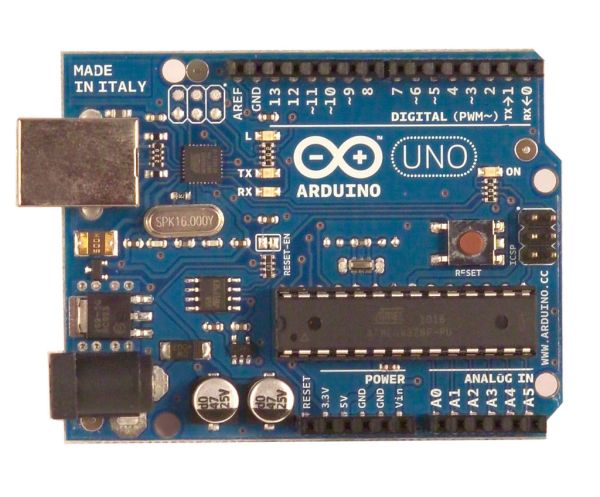
Step 1: V.0.1d (developing)
Here is the current and FIRST model. This model is just a rough sketch. The picture is bellow, tell me what you think and what needs to be improved.
Pins:
L1,2,3 are LEDs for Heartbeat, Activity and Error
Arduino > ATMEGA328P/168
GND > 8-22
13 > 19 { PB5 SCK/PCINT5 }
12 > 18 { PB4 MISO/PCINT4 }
11 > 17 { PB3 MOSI/OC2A/PCINT3 }
10 > 01 { PCINT14/RESET }
09 > L1 { E$7 + }
08 > L2 { E$8 + }
07 > L3 { E$9 + }
Go to the downloads page to get the board file for eagle. Etch it on your own and tell me if it works. I will post a tutorial on etching PCBs.
Step 2: Downloads
Here are the Eagle files…..
Schematics and PNG images are included in the ZIP files…..
d = developing
f = finalizing
RC = Possible Release Candidate
R = Rejected/Moving on to next model
v.0.1d
Notes: Schematic not included in this release…
http://www.denniskupec.com/projects/instructables/Mega-ISP-ArdShield/ARD-MEGAISP-CAD01.zip
v.0.2 coming soon….

Step 3: Sketch for Mega-ISP
// this sketch turns the Arduino into a AVRISP
// using the following pins:
// 10: slave reset
// 11: MOSI
// 12: MISO
// 13: SCK
// Put an LED (with resistor) on the following pins:
// 9: Heartbeat – shows the programmer is running
// 8: Error – Lights up if something goes wrong (use red if that makes sense)
// 7: Programming – In communication with the slave
//
// October 2009 by David A. Mellis
// – Added support for the read signature command
//
// February 2009 by Randall Bohn
// – Added support for writing to EEPROM (what took so long?)
// Windows users should consider WinAVR’s avrdude instead of the
// avrdude included with Arduino software.
//
// January 2008 by Randall Bohn
// – Thanks to Amplificar for helping me with the STK500 protocol
// – The AVRISP/STK500 (mk I) protocol is used in the arduino bootloader
// – The SPI functions herein were developed for the AVR910_ARD programmer
// – More information at http://code.google.com/p/mega-isp
For more detail: Arduino Mega-ISP Shield
- What is the Mega-ISP Shield used for?
Re-burning the bootloader on Arduinos and acting as an AVRISP compatible with AVRDUDE. - Which LEDs are on the shield and what do they indicate?
Three LEDs indicate Heartbeat (pin 9), Programming/Activity (pin 7), and Error (pin 8). - Which Arduino pins are used for SPI and reset on the shield?
Pins 11 MOSI, 12 MISO, 13 SCK, and 10 as slave reset are used. - Can this shield be used with AVRDUDE?
Yes, the shield can be used with AVRDUDE. - Are Eagle files available for the board?
Yes, Eagle board files and PNG images are available for download (v.0.1d provided). - Does the project include a sketch to turn the Arduino into an AVRISP?
Yes, a Mega-ISP sketch is included that maps pins and supports AVRISP/STK500 protocol features. - Will the author provide support for this project?
No, the author states they will not provide support for this developing product. - Is the schematic included in the v.0.1d release?
No, the notes state the schematic is not included in the v.0.1d release.
