
Summary of Arduino CTC UNO Wifi Rev2 Chromebook support arrives
The Arduino team announced that Chromebook users can now program the UNO Wifi Rev2 board included in the CTC Go! kit. This support utilizes the online Web Editor and the Arduino Create Chrome agent to overcome Chrome OS limitations, such as the inability to run the offline IDE or direct USB access, streamlining education and student-educator communication through web-based tools.
Parts used in the Arduino CTC Go! Kit:
- UNO Wifi Rev2 board
- Arduino CTC Go! kit
- Chromebook computers
- Arduino Create Chrome agent
- Online Web Editor
The official Arduino development team has this week announced that it is now possible to program the UNO Wifi Rev2, that comes with the Arduino CTC Go! kit using Chromebook computers. The announcement was made via the official Arduino blog. “So we’re pleased to announce that from today, educators and students who are using CTC GO! can now program the UNO Wifi Rev2, that comes with the kit, with their Chromebooks.”
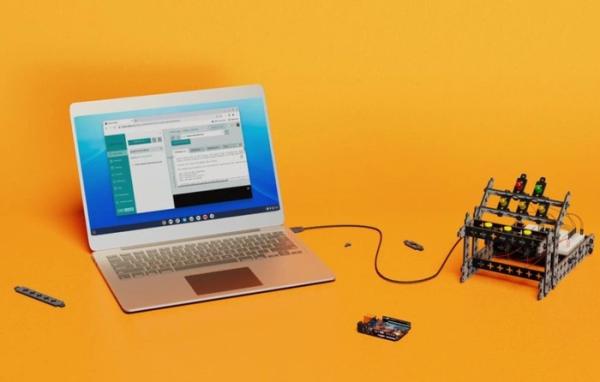
Arduino CTC
“Unlike other personal computers, such as the Windows, Mac, and Linux operating systems, programming an Arduino board in Chrome OS is slightly different. Chrome OS uses the Chrome browser as the primary user interface where users can access their web based applications downloaded directly from the Chrome store. This lean user experience makes the organization of tools, access to information, and communication between educators and students simpler, as compared to other personal computers. “
“This ease of accessibility of tools through web apps, however, brings in some limitations, especially when connecting external devices. One of the limitations is that users aren’t able download the Offline IDE to program their boards. Therefore, accessing and programming the Arduino on a Chromebook can only be done through using the online Web Editor.The second limitation of using web apps is their limited access to external devices. Most computers recognize an Arduino device when connected to the computer as an external device. “
“The communication between the web apps running in most personal computers besides the Chrome OS use ‘agents’ as a middle man to handle communication with external devices over USB. For example, when you use the Create Web Editor, you will also have to download the Create plugin to access your board. In a similar manner, Arduino Create Chrome acts as an agent that communicates between the Chrome browser on Chromebooks and your Arduino board. “
For more information on programming the UNO WiFi Rev2 board on chrome books using the Arduino CTC jump over to the official Arduino website by following the link below.
Source: Arduino CTC UNO Wifi Rev2 Chromebook support arrives
-
Can I program the UNO Wifi Rev2 on a Chromebook?
Yes, educators and students can now program the UNO Wifi Rev2 using Chromebooks. -
Which editor is required for programming on Chrome OS?
Users must use the online Web Editor because the Offline IDE cannot be downloaded on Chrome OS. -
What component handles communication between the browser and the Arduino board?
The Arduino Create Chrome acts as an agent to communicate between the Chrome browser and the Arduino board. -
Why can't I download the Offline IDE on a Chromebook?
One of the limitations of web apps on Chrome OS is that users are not able to download the Offline IDE. -
How does Chrome OS differ from Windows or Mac for this task?
Chrome OS uses the Chrome browser as the primary interface, making tool organization and communication simpler but limiting external device access compared to other systems. -
Does the Arduino Create plugin work on Chromebooks like it does on other computers?
No, while other computers use agents like the Create plugin, Chromebooks specifically use the Arduino Create Chrome agent. -
Where can I find more information about this update?
More information is available on the official Arduino website via the link provided in the announcement.
