
Summary of Arduino Bluetooth Basic Tutorial
This article provides a basic tutorial on interfacing an Arduino with a Bluetooth module to control electronic devices via a smartphone. It outlines the necessary hardware and software, explains the circuit connections between the Arduino and the HC-05/06 module, and includes a link to a video demonstration for visual guidance.
Parts used in the Arduino Bluetooth Control Project:
- Bluetooth Module HC 05/06
- Arduino
- LED
- 220Ω Resistor
- Android device
- Arduino IDE
- Android Studio
Ever thought of controlling any electronic devices with your smart phone ?Controlling your robot or any other devices with your smartphone will be really cool. Here is is a simple and basic tutorial for interfacing Bluetooth with arduino
Step 1: Things You Need
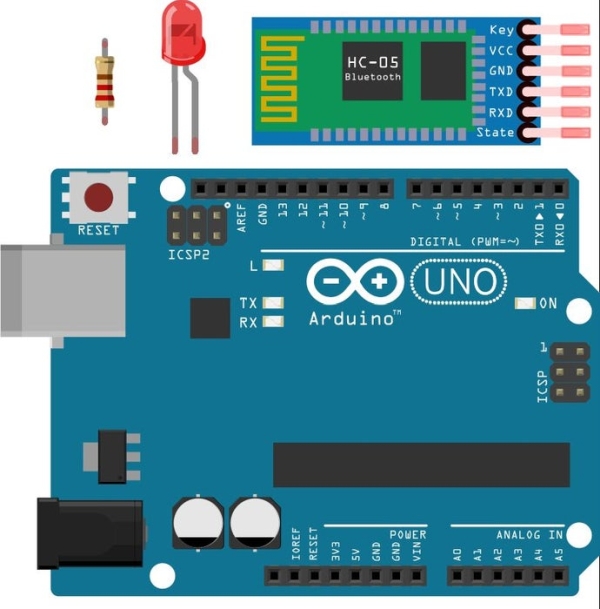
Hardware
- Bluetooth Module HC 05/06
- Arduino
- LED
- 220Ω Resistor
- Android device
Software
- Arduino IDEArduino IDE
- Android Studio (Not Really required I will provide the android application :D)
Step 2: Watch How Does It Works ?
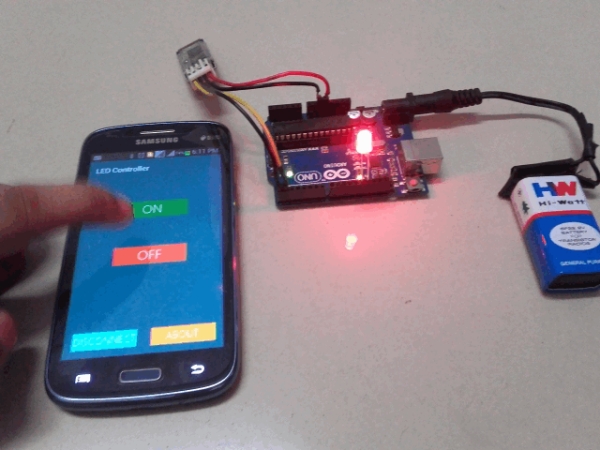
Watch the video tutorial
Step 3: Let’s Start Building
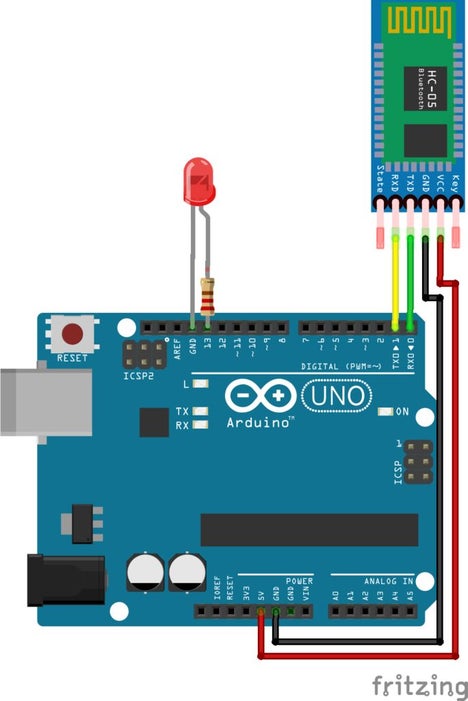
The circuit is so simple and small , there is only few connection to be made
Arduino Pins___________Bluetooth Module Pins
RX (Pin 0)___________________TX
TX (Pin 1)___________________RX
5V_________________________VCC
GND_______________________GND
Connect a LED negative to GND of arduino and positive to pin 13 with a resistance valued between 220Ω – 1KΩ. And your done with the circuit
Note : Don’t Connect RX to RX and TX to TX of Bluetooth to arduinoyou will receive no data , Here TX means Transmit and RX means Receive
Read more: Arduino Bluetooth Basic Tutorial
- What is the main purpose of this project?
The project allows you to control your robot or any other electronic devices with your smartphone. - Which Bluetooth modules are compatible with this setup?
You can use either the Bluetooth Module HC 05 or the HC 06. - How should the RX and TX pins be connected?
Connect the Arduino RX (Pin 0) to the Bluetooth Module TX and the Arduino TX (Pin 1) to the Bluetooth Module RX. - Can I connect RX to RX and TX to TX?
No, connecting RX to RX and TX to TX will result in receiving no data. - What resistor value is recommended for the LED?
A resistance valued between 220Ω and 1KΩ is required. - Is Android Studio strictly required to run this project?
No, it is not really required as the author provides the android application. - Where can I see how the circuit works visually?
You can watch the video tutorial available at the provided YouTube link. - What software is needed to program the Arduino?
You need the Arduino IDE to program the microcontroller.
