
Summary of Paddle for People With Limb Differences and Agenesis to Play Flute
This project creates an accessible flute-playing aid for children and individuals with limb differences using an Arduino-controlled system. Pressing a button triggers servo motors to move wooden paddles, covering the flute's holes like fingers. The build involves 3D printing support units, laser-cutting or jigsaw-cutting paddles, soldering circuits with buttons and servos, and assembling the components onto a flute with a phone holder.
Parts used in Paddle for People With Limb Differences and Agenesis to Play Flute:
- Computer
- Arduino board (Leonardo recommended)
- 3D printer with PLA filaments
- Laser cutting machine or jigsaw
- Arduino proto shield
- Soldering materials
- 4 servo motors
- 4 buttons
- 120cm wires (12 pieces)
- 60cm wires (8 pieces)
- Wood board (minimum 25 cm by 20 cm)
- Sponge or foam
- Sponge rubber
- Double tape
- Phone clip holder
- Strip lock
- Battery or power bank
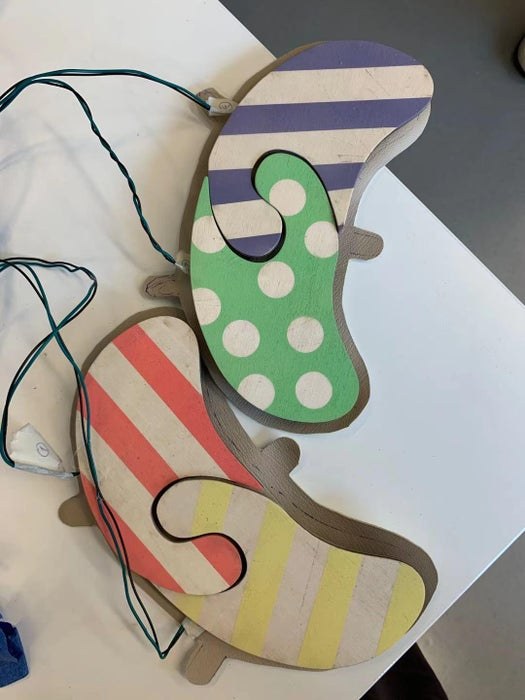
In France and some other countries playing the flute is included in music lessons at school. This project is to share a possible solution for children or music lovers with limb differences and agenesis to play flute.
Basic Idea: Use an Arduino board to make a circuit that if a button is pressed then the corresponding servo motor will rotate to cover the hole on the flute with the help of little sticks which serve as fingers.
Tools and materials:
-A computer An Arduino board ( We used Leonardo, but other types will do as well )
-3D printer with PLA filaments
-Laser cutting machine or jigsaw
-An Arduino proto shield
-Soldering materials
-4 servo motors
-4 buttons
-120cm wires * 12
-60cm wires * 8
-Wood board no smaller than 25 cm * 20 cm
-Sponge or foam
-Sponge rubber
-Double tape
-Phone clip holder
-Strip lock
Step 1: Arduino Programming
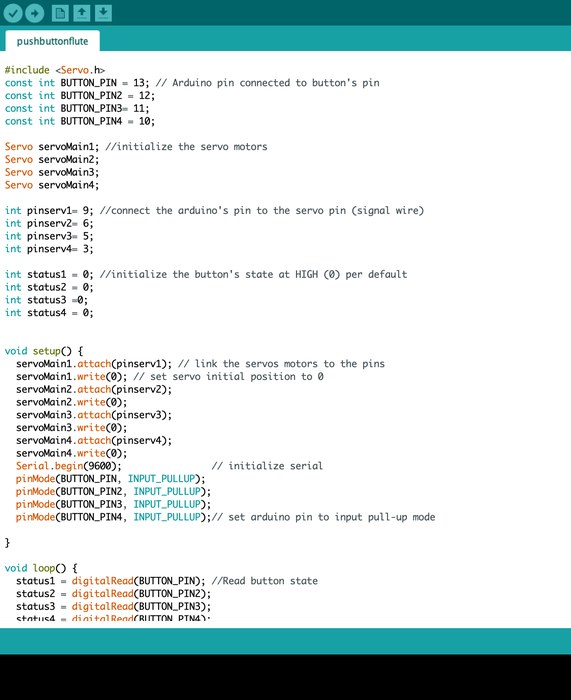
If you made mistakes with the wiring or the motors placements, don’t worry you can still change the code. For example, if you’re button 1 is controlling the first motor but you want it the control the fourth motor for placements purpose, you can go in the if loop of the concerned button, here button 1 (if statut1==…), and change the number of the servo motor.
Step 2: Soldering the Circuit
(1) prepare all the material :
An Arduino shield
Soldering materials
4 servo motors
4 buttons
120cm wires * 12
60cm wires * 8
Step 3: Soldering the Circuit
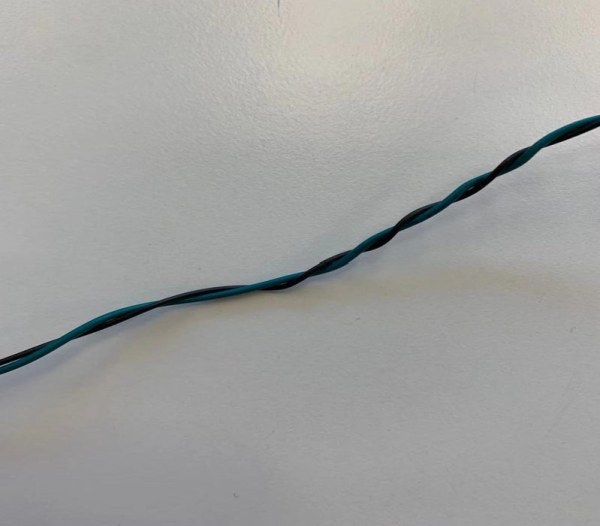
(2) Braid the wires
This step is for better wiring management and for avoiding short circuits.
Braid the 60cm wires as 2 wires in each group. And 4 groups in total. It will be easier for later soldering if you use different colors within each group. We use black wires for representing GND, red for 5V entry, And green ones representing signals.
Braid the 120cm wires as 3 wires in each group. And 4 groups in total. Same with above, It will be easier for later soldering if you use different colors within each group.
Step 4: Soldering the Circuit
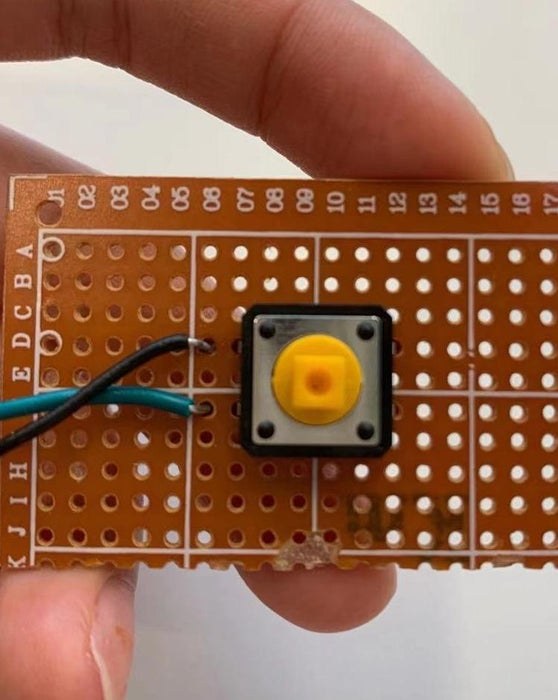
(3) Soldering wires to buttons and motors
3.1 Soldering the 2 wires braid to the button. 4 braids for 4 buttons.
Please always connect the teeth on the same side to the wires ( as the red lines)
3.2 Soldering the 3 wires braid to the motor. 4 braids for 4 motors.
Cut the plastic end of the motors and solder the 3 wires with the braid. It would be easier for later soldering if you separate the color of wire for GND, 5V, and signal.
Step 5: Soldering the Circuit
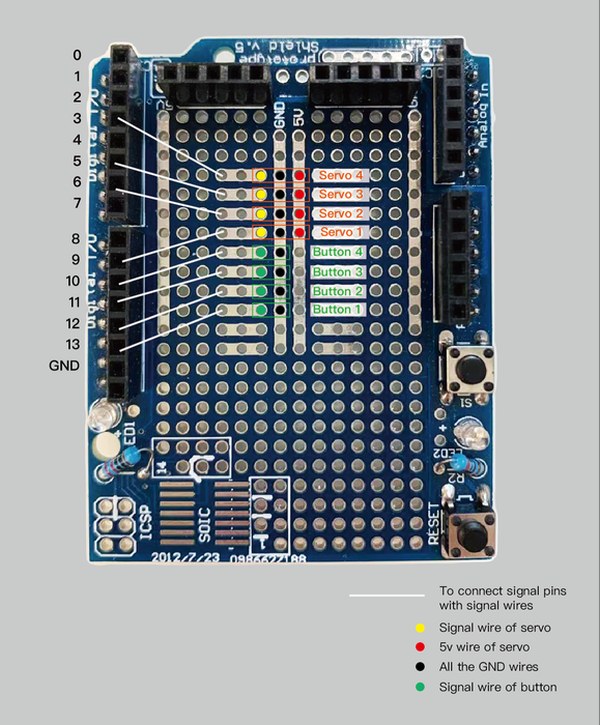
(4) Soldering all the components to the Arduino Shield.
This is just one possible example of connection if you are not so familiar with proto shields. There are also a lot of ways of connection.
Step 6: Soldering the Circuit
(5) Put the Arduino shield onto the Arduino board.
Step 7: Modeling the Support Unit of the Motors and 3D Print
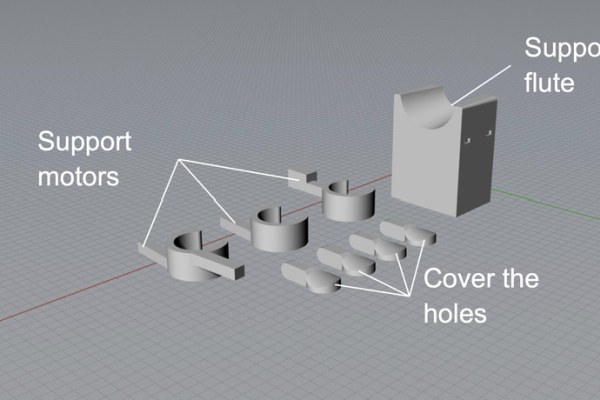
These units are supposed to be connected to the flute
\Stick some sponge rubber inside can make the motor supporters attached more stable to the flute.
Step 8: Laser Cutting the Paddles
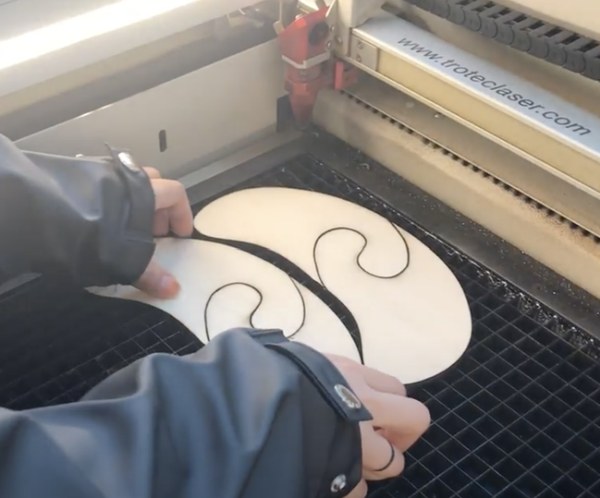
Draw the paddles, And use a laser cutting machine to cut them out
If you don’t have a laser cutter just draw the model on a piece of wood with the size that you want and use a jigsaw.
Step 9: Assemble All the Components
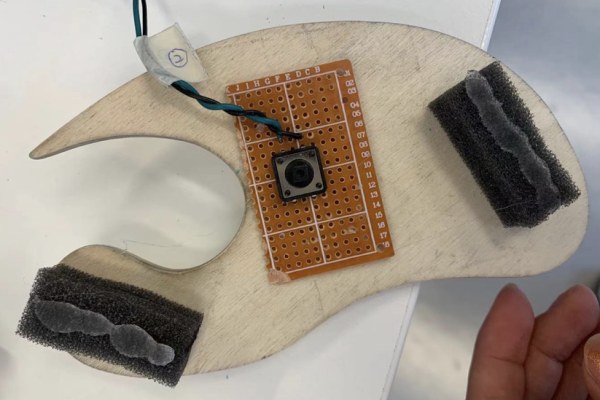
(1) Use double tape to attach the buttons and sponges under each paddle and use a screw to attach motors to the support.
(2) Use screws to attach support components to the motors.
(3) Tight phone holder to the flute with stripe lock
And here it is!
Step 10: Color the Paddle
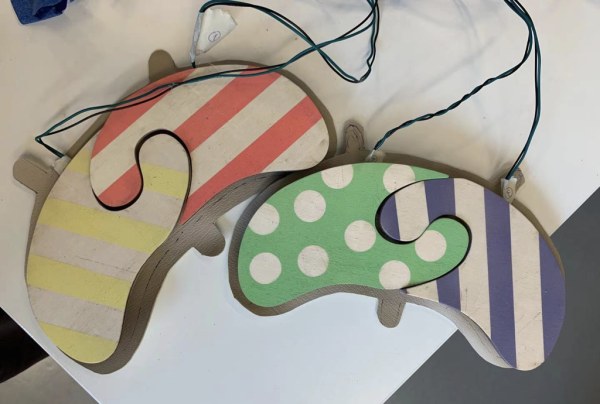
Paint cool colors as you want!
Step 11: Enjoy Music
Finally, connect the Arduino to the battery or power bank and enjoy music!
Our Team:
Jam-ability
Lauren [email protected]
Jing [email protected]
Siyu [email protected]
THIERRY [email protected]
Yidi [email protected]
Please don’t hesitate to contact us if you have any questions or opinions about this project.
Source: Paddle for People With Limb Differences and Agenesis to Play Flute
- How does the circuit work when a button is pressed?
An Arduino circuit rotates a servo motor to cover a flute hole using little sticks that serve as fingers. - Can I change the code if I wire the buttons incorrectly?
Yes, you can modify the code loops to change which motor corresponds to which button. - What colors are used to represent specific wires during braiding?
Black wires represent GND, red represents 5V entry, and green ones represent signals. - How do I make the motor supporters stable on the flute?
You should stick sponge rubber inside the motor supporters to attach them more stably. - What tools can be used if a laser cutter is not available?
You can draw the model on wood and use a jigsaw instead of a laser cutting machine. - How are the buttons attached to the paddles?
Use double tape to attach the buttons and sponges under each paddle before screwing the motors to the support. - How is the device secured to the flute?
A phone clip holder is tightened to the flute with a strip lock. - Where does the project get its power source?
The Arduino connects to a battery or power bank to operate the system.
