
Summary of Versatile Volt, Ampere, and Power Meter
This article guides users in building a compact, low-cost meter capable of measuring voltage, current, and power simultaneously, overcoming the limitations of standard multimeters that typically measure only one value at a time. The project involves assembling a digital display unit within a 3D-printed enclosure, connecting it to banana plugs for input and output, and powering it via a 9V battery with an integrated switch.
Parts used in the Versatile Volt, Ampere, and Power Meter:
- 1x Meter (available in 33V/3A, 33V/10A, or 100V/10A versions)
- 1x 3D printed case
- 5x Banana plugs
- 1x 9V battery with connector
- 1x Switch
- 4x 3mm screws
- Heat-shrink tubes
- Crimping tool
- 20 AWG wire
- Hot glue
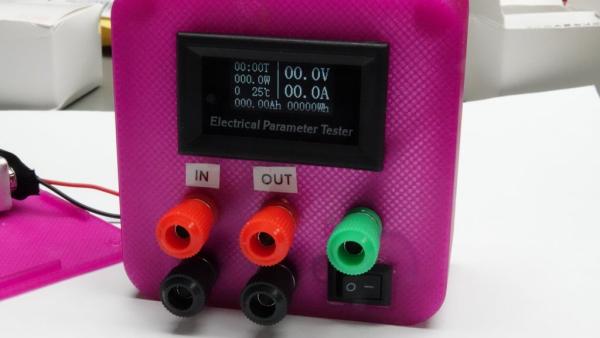
Multimeters are suitable for many purposes. But usually, they only measure one value at a time. If we deal with power measurements, we need two multimeters, one for voltage and the second for Ampere. And if we want to measure efficiency, we need four multimeters. Here we will build small and inexpensive meters to do these measurements.
You can watch my video about building it if you want:
Step 1: Bill of Material
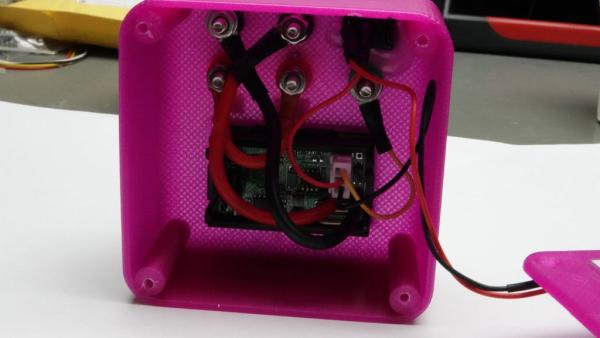
Such a meter is a simple build. It consists of these parts:
– 1x Meter
– 1 x 3D printed case
– 5 x Banana plugs
– 1 x 9V battery incl. connector
– 1 x switch
– 4 x 3mm screws
Step 2: The Meter
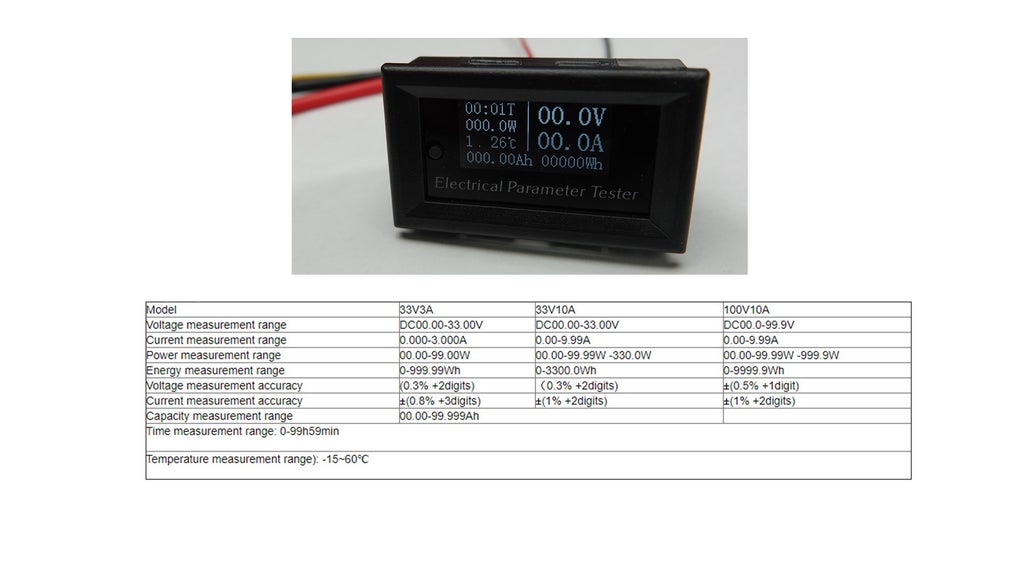
We get them in three versions: For 33 volts and 3 or 10 amperes and for 100 volts and 10 amperes. For small projects, I recommend the smallest version. Because it shows two decimal digits instead of one. The prices for all three versions seem to be the same.
The accuracy of the smallest version is sufficient for most normal hobby measurements. It will not be enough for very low voltages and small currents like deep-sleep measurements. But most Multimeters are also not very good at measuring low currents.
Step 3: The Box
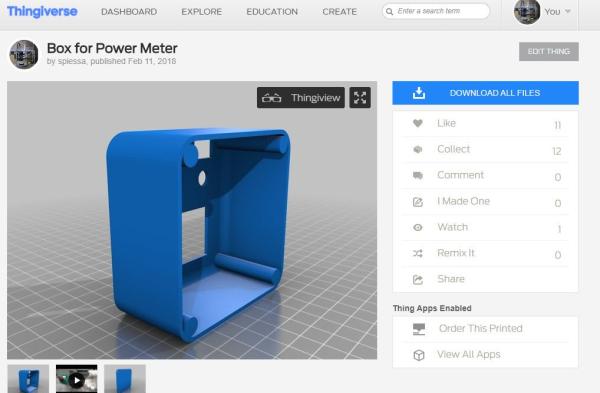
First, you have to download
the STL files and from Thingiverse:
https://www.thingiverse.com/thing:2789890
and print the box on your 3d printer. If you do not have a 3D printer, you can use any other case. You find them cheaply on Bangood or Aliexpress. My boxes measure 8 x 8 cm and are 4 cm high.
Just print them with your 3D printer. If you plan different versions, maybe you select the color accordingly.
Next, you have to connect banana plugs to the cables of the meters.
Step 4: Connect the Wires
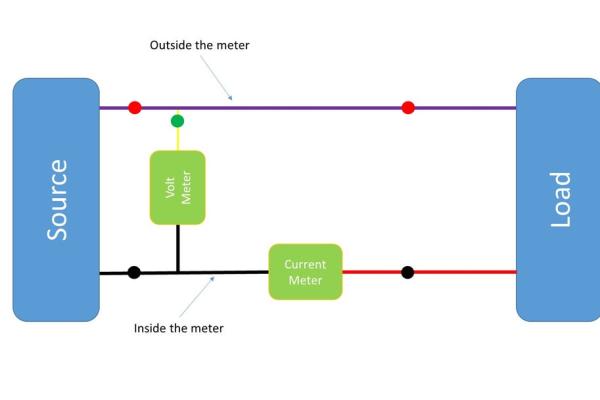
We use Banana Plugs as connectors and connect one black plug to the thick black wire and one to the thick red one. The two red plugs have to be connected internally.
The yellow wire is connected to the green plug.
The thin black and white wires have to be connected to a 9-volt battery connector. Insert a switch into the red wire to switch the device off if you do not need it. The battery will last around 50 hours.
Step 5: Connectors
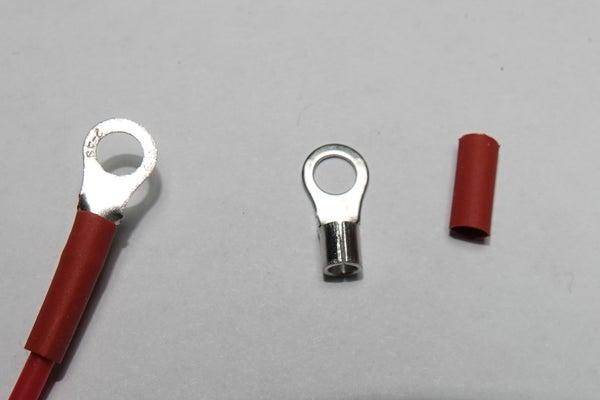
I use connectors without isolators and heat-shrink tubes for isolation. For crimping, I use the tool shown in the picture.
Step 6: Assembly and Test
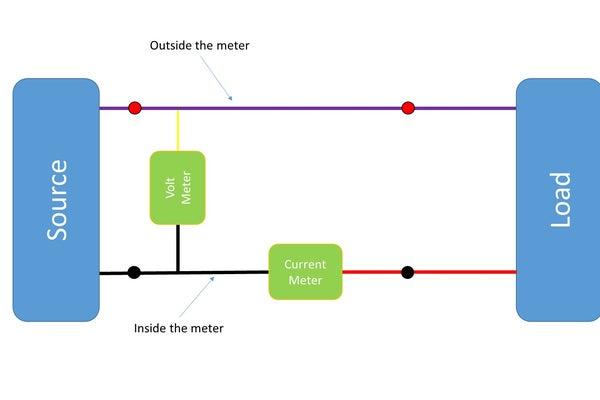
Assemble everything according the diagram. Connect the two red banana plugs with a 20 AWG wire and fix the meter and the switch with hot glue if necessary.
Laber the input and the output pins and connect the input to a power supply or battery. Connect a resistor to the output and check if your meter shows values bigger than zero. If you do not trust the values double check with your multimeter.
Source: Versatile Volt, Ampere, and Power Meter
- Why build this specific meter instead of using standard multimeters?
Standard multimeters usually measure only one value at a time, requiring multiple units for power measurements, whereas this device measures voltage, current, and efficiency simultaneously. - What are the available versions of the meter mentioned in the article?
The meter comes in three versions: 33 volts with 3 amperes, 33 volts with 10 amperes, and 100 volts with 10 amperes. - Which meter version is recommended for small projects?
The smallest version is recommended because it displays two decimal digits instead of just one. - Where can I find the STL files for the 3D printed case?
The STL files are available on Thingiverse under the link provided in Step 3. - How should the banana plugs be connected to the wires?
One black plug connects to the thick black wire, one red plug to the thick red wire, the yellow wire to the green plug, and the two red plugs must be connected internally. - How do I connect the power source to the device?
The thin black and white wires connect to a 9-volt battery connector, with a switch inserted into the red wire to turn the device off. - What tools are required for connecting the wires and connectors?
You need a crimping tool, heat-shrink tubes for isolation, and hot glue for assembly. - How long does the battery last?
The 9-volt battery lasts approximately 50 hours. - How can I verify if my meter is working correctly?
Connect the input to a power supply or battery, attach a resistor to the output, and check if the values are greater than zero, optionally double-checking with another multimeter. - Is the accuracy of the smallest meter version sufficient for all measurements?
No, it is sufficient for most hobby measurements but not accurate enough for very low voltages and small currents like deep-sleep measurements.
