
Summary of Connect A 16×2 LCD Display To An Arduino
This article guides beginners through connecting a 16x2 LCD display to an Arduino. It details necessary tools like soldering irons and cutters, then explains soldering header pins onto the display and cutting a stripboard for connections. The guide emphasizes precision in pin alignment and board trimming using specific techniques to ensure a functional setup without damaging components.
Parts used in the Connect A 16x2 LCD Display To An Arduino:
- Arduino
- LCD Display 16x2
- Jumper Wires
- Breadboard
- Stripboard
- Header Pins
- Electrical Tape
Welcome to my FIRST instructable,
i will show you how to connect a 16×2 lcd display to an arduino,
follow these simple step by step instructions and you will have it done in no time 🙂
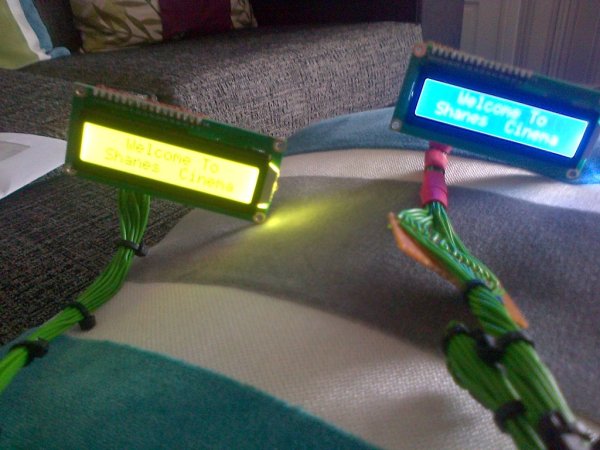
Tools Needed :
Soldering Iron
Wire Strippers
Pliers
Soldering Iron
Flux ( Liquid Or Solid )
Soldering Iron Cleaner
Tape Dispenser ( Makes Life So Much Easier )
Small Side Cutters
Permanent Marker Pen
Step 2: Solder Header Pins To LCD Display
We need to solder the header pins to the LCD display,
the header pins i have are 2.0mm and you need the 2.5mm pins to fit the LCD display,
so mine didn’t fit because the were to close together, so i decided to cut my header pins into groups of 2,
after i cut them into groups of 2, i could put 1 group of 2 in 2 pins,
when you insert them, turn the display over and apply a small amount of solder to each terminal,
ensuring that all the terminals are soldered,
they should all be the same length, not bent, loose or too short.
Step 3: Measure And Cut Stripboard For Display
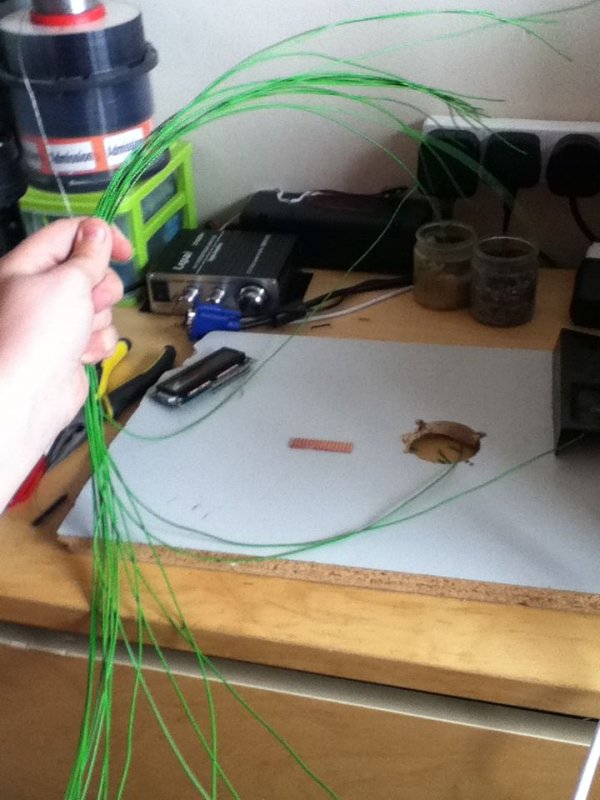
We now need to solder the display to strip board and attach wires to it,
first get the display and the strip board,
insert the display into the end of the strip board, ( Look at image )
When inserted, you then need to decide where you are going to put wires and mark the strip board at that length, ( look at image )
When you have decided where you are going to cut the strip board, you have 3 ways of cutting it,
1 Way :
you can clap the strip board using a vice and cut down the line with a junior hacksaw
2 Way :
you can use small side cutters to snip along the line ( HOWEVER, IT WILL DAMAGE TE BOARD TO THE RIGHT OF THE LINE, E.G IT WILL SHATTER THE OTHER SIDE IN LITTLE PIECES, BUT THE BOARD TO THE LEFT OF THE LINE WILL BE OK )
3 Way :
( THIS IS THE WAY I ALWAYS USE AND I GET A GOOD CUT EVERY TIME ! )
Get a Paper Cutter and insert the board to where the line is,
you then slide the cutting wheel up and down over the board about 8 times,
you will then have a small cut on the line you drawn,
all you have to now do is remove it from the paper cutter and with your pliers, line them up with the line and snap the board whilst applying pressure with pliers,
Gather All The Items You Need 🙂
You Need The Following Items :
Arduino
LCD Display 16×2
Jumper Wires
Breadboard
Stripboard
Header Pins
Electrical Tape ( White If Possible )
For more detail: Connect A 16×2 LCD Display To An Arduino
- What tools are needed for this project?
Soldering Iron, Wire Strippers, Pliers, Flux, Soldering Iron Cleaner, Tape Dispenser, Small Side Cutters, Permanent Marker Pen, Junior Hacksaw, Paper Cutter, and Vice. - How do I fit header pins to the LCD display if they are too close together?
Cut the header pins into groups of two and insert one group of two into two pins on the display. - What is the best way to cut the strip board for the display?
Use a paper cutter to score the line about eight times, then snap the board with pliers while applying pressure. - Can I use small side cutters to cut the strip board?
Yes, but it will damage the board to the right of the line by shattering it into little pieces. - How should I apply solder to the terminals after inserting the pins?
Turn the display over and apply a small amount of solder to each terminal ensuring all are soldered. - What type of electrical tape is recommended?
White electrical tape is possible and suggested in the list of items. - Does the length of the header pins need to be uniform?
Yes, they should all be the same length, not bent, loose or too short. - Where should I insert the display into the strip board?
Insert the display into the end of the strip board.
