Summary of Worlds First Remote Control Human
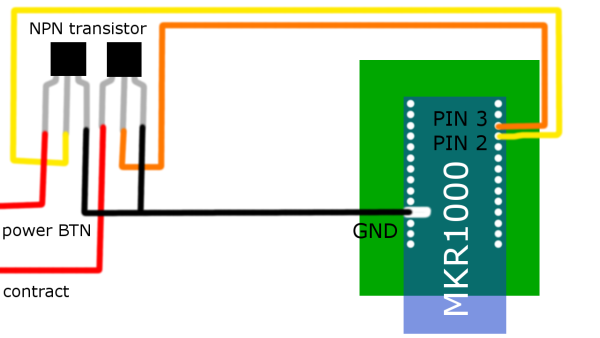
This project uses an Arduino MKR1000 and a consumer TENS/EMS unit to stimulate muscles over the internet by emulating the device's button presses with NPN transistors controlled via WiFi using the Windows Remote Arduino app. The author disassembled a Tens Therapy Smart Relief unit, soldered wires to its button contacts, mounted components on a prototype PCB, powered it with an Adafruit LiPo, and verified remote operation without custom firmware.
Parts used in the MKR1000 EMS Remote Control:
- General Purpose Transistor NPN (×2)
- Arduino MKR1000 (×1)
- Icy Hot Smart Relief Back and Hip Starter Kit (Tens Therapy Smart Relief) (×1)
- Female Pin Headers (×1)
- Adafruit Lipo Battery 1200 mAh (×1)
- Pocket Solder 60/40 Rosin Core 0.031" diameter (×1)
- Double-side Prototype PCB Universal Printed Circuit Board (×1)
- Soldering iron (generic)
- Arduino IDE (software)
- Windows Remote Arduino App (software)
This project will allow you to control someone through the internet using the MKR1000 and Electric Muscle Stimulation also known as EMS.
Things used in this project
Hardware components
|
 |
| General Purpose Transistor NPN |
|
|
× |
2 |
|
 |
|
× |
1 |
|
|
| Icy Hot Smart Relief Back and Hip Starter Kit |
|
|
× |
1 |
|
|
|
× |
1 |
|
|
| Adafruit Lipo Battery 1200 mAh |
|
|
× |
1 |
|
 |
| Pocket Solder- 60/40 Rosin Core 0.031″ diameter |
|
|
× |
1 |
|
|
| Double-side Prototype PCB Universal Printed Circuit Board |
|
|
× |
1 |
|
Software apps and online services
|
 |
|
|
|
|
| Windows Remote Arduino Experience |
|
|
|
|
Hand tools and fabrication machines
|
 |
|
|
|
Story
A few months ago I was researching Electric Muscle Stimulation because I wanted to create a devise that could control the human body. I eventually came across EMS (electric muscle stimulation) which was originally discovered by Luigi Galvani who discovered it by sending an electric current through dead frog legs only to have them twitch and move as if they were still alive. This discovery led to many more experiments and was the inspiration for parts of Mary Shelley’s famous science fiction novel Frankenstein.
I decided to use the Arduino MKR1000 as the microcontroller because it can connect to WiFi without the need for any special shield. I will also used the Windows Remote Arduino App that will allow me to control the board without the need to write any code, enjoy!
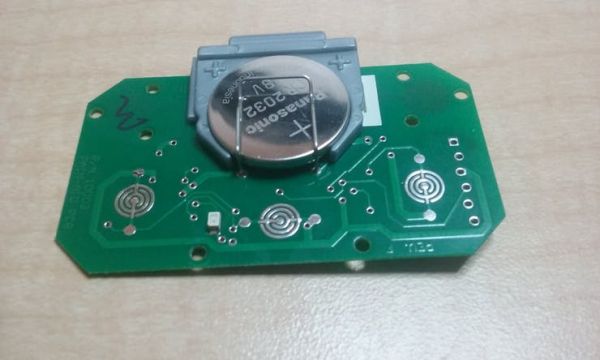
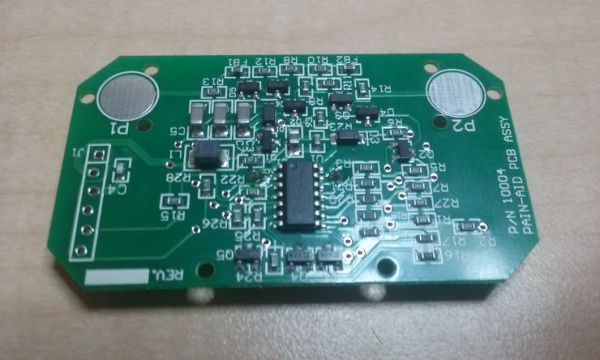
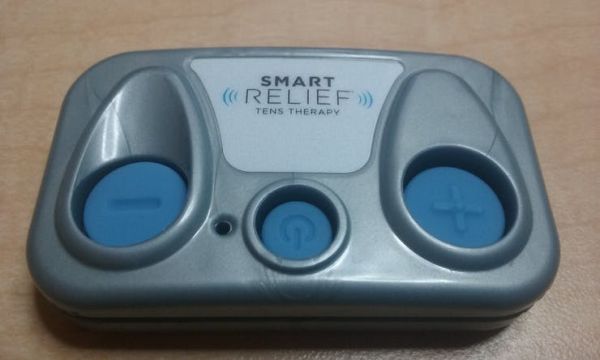
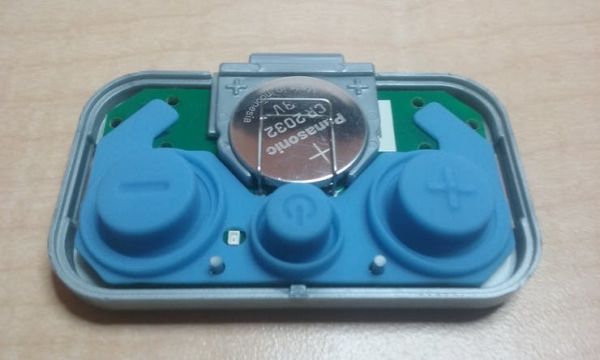
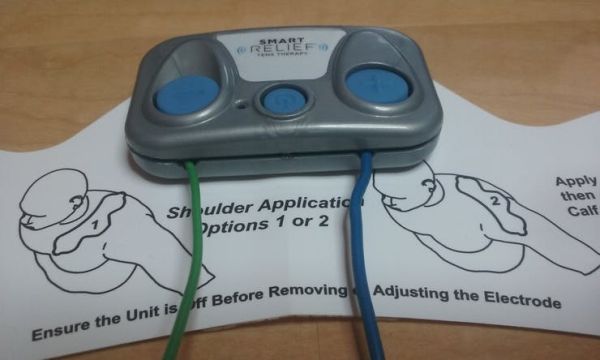
This is the Tens Therapy Smart Relief, it is a cheap muscle relaxer that can be used to contract muscles using electricity. I took it apart and found that the buttons work by having a rubber pad complete the circuit, so all I need to do is connect a couple pins on the Arduino to the power and plus button using two NPN transistors.
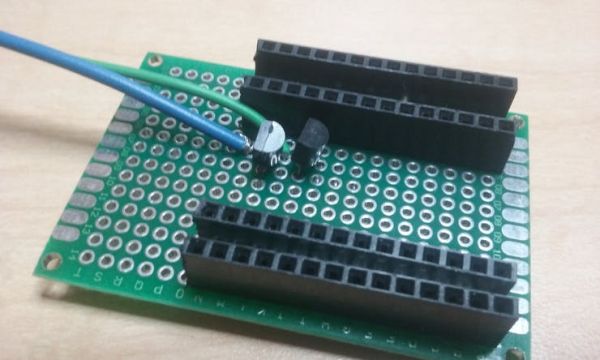
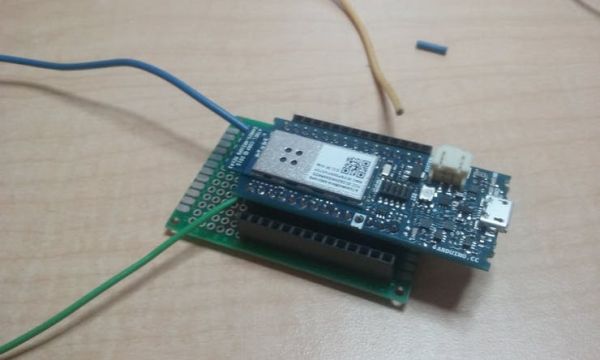
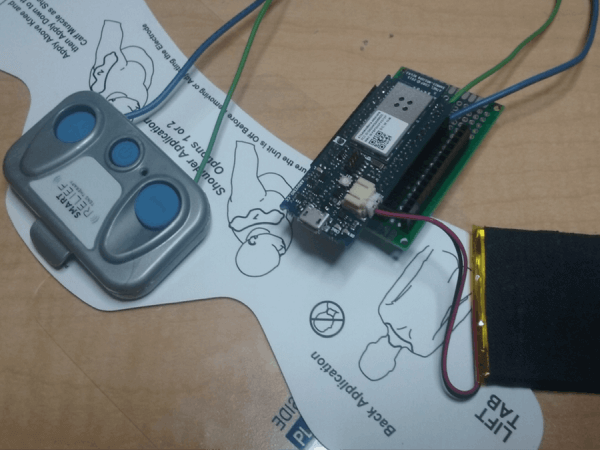
Here is my board soldered up with all necessary components.
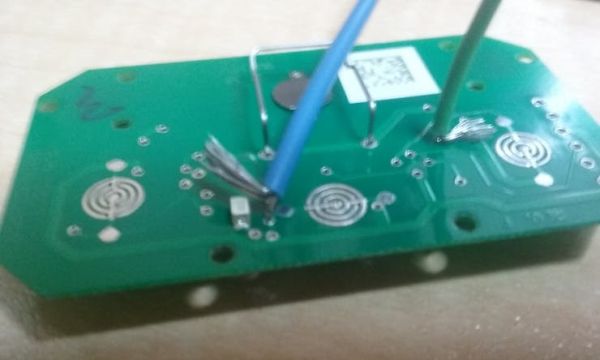
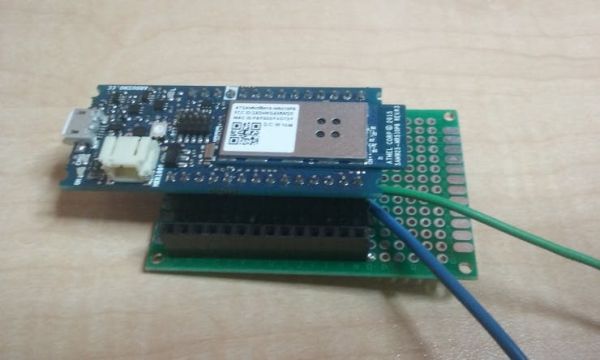
Here Is a picture of the wires soldered to the positive leads on the board as well as the enclosure back on the board.
Once everything was soldered together I followed the guide that comes with the Microsoft Remote Arduino and got it connected to WiFi and the Remote Arduino App.
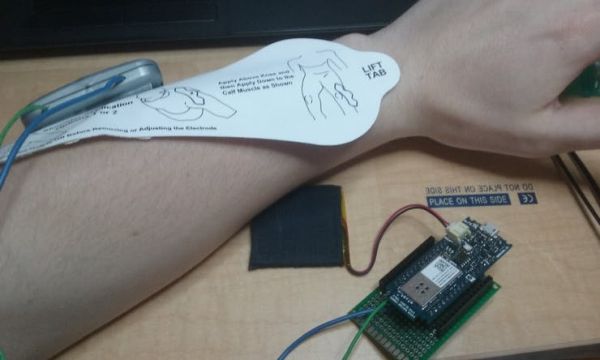
The last thing I did was test it and it worked great!
Quick Solutions to Questions related to MKR1000 EMS Remote Control:
- What microcontroller is used in this project?
The Arduino MKR1000 is used because it can connect to WiFi without a special shield.
- How does the project control the EMS device?
It emulates the device buttons by using two NPN transistors connected to the power and plus button contacts on the EMS unit.
- Can the device be controlled over the internet?
Yes, the MKR1000 connects to WiFi and is controlled using the Windows Remote Arduino app.
- Which EMS unit was used and modified?
The Tens Therapy Smart Relief (Icy Hot Smart Relief Back and Hip Starter Kit) was disassembled and modified.
- Is custom firmware required to operate the project?
No, the creator used the Windows Remote Arduino App to control the board without writing custom code.
- How are the button contacts accessed on the EMS unit?
The device's rubber pad buttons complete circuits, so wires were soldered to the corresponding button contact pads.
- What powers the circuit?
An Adafruit LiPo Battery 1200 mAh is used to power the setup.
- Was a prototype PCB used for assembly?
Yes, components were soldered onto a double-side prototype PCB universal printed circuit board.