
Summary of Turn your Arduino Uno into an USB-HID-Mididevice
This guide explains how to turn an Arduino Uno into a driverless USB HID/MIDI device using the HIDUINO firmware, by reflashing the Uno's 8u2 USB chip via an ISP programmer. It covers required materials, installing the HIDUINO Arduino library, flashing the HIDUINO_MIDI_Uno.hex with avrdude, testing the device, and restoring the original UNO USB firmware if needed.
Parts used in the Arduino Uno based Midi-Controller:
- Arduino Uno (or compatible Arduino with 8u2/AVR-USB chipset)
- AVR-ISP programmer (example: AVRISP mkII)
- Computer with avrdude (AVR crosspack on Mac used)
- HIDUINO firmware package (download from HIDUINO project)
- USB cable for Arduino
- Arduino IDE/Arduino application folder (for restoring firmware)
The only downside is that you loose the ability to upload your sketches over USB while using the custom firmware. Therefore an ISP programmer is helpful!
This is just a short Instructable describing how to set up your Arduino as an HID/Midi device with the help of an ISP programmer.
More informations are avaliable under: http://code.google.com/p/hiduino/w/list
Step 1: Gather your materials
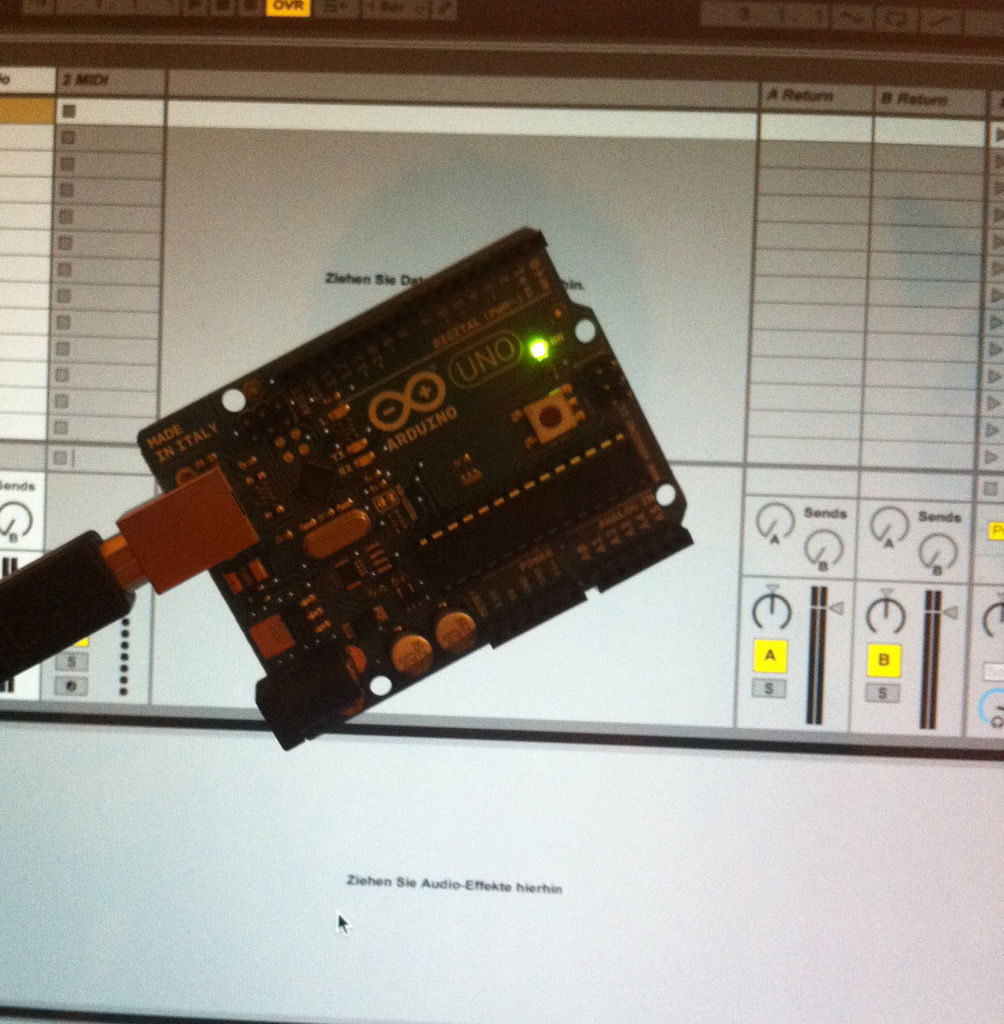
– A compatible Arduino board. I’m using the Arduino Uno here.
– An AVR-ISP programmer. The AVRISP mkII works great and is used here.
– Software to use your ISP programmer; up and running. I’m using the AVR crosspack with avrdude on my MacBook Pro.
– The HIDUINO software from here http://code.google.com/p/hiduino/downloads/list
To get ready for the next steps you have to unpack the HIDUINO archive.
In the unpacked file move to the folder “Arduino Libraries”. Inside you will find another folder called “HIDUINO_MIDI_Lib”.
Move this folder into your Arduino – Libraries folder.
The final result should look like this /Users/phil/Documents/Arduino/Libraries/HIDUINO_MIDI_Lib
We haven’t moddified the original USB firmware yet, so it’s still intact and you can use it to flash an example sketch to your Arduino.
Try the first sample from the HIDUINO archive. It’s located under “Arduino Example Sketches” and really easy to understand.
You don’t have to do this yet, but it allows you to test your device immediately after reflashing the USB firmware.
Step 2: Programming the new USB firmware
Okay, the first thing we want to do is to reflash the Uno’s 8u2 chip.
Therefore we need to do the following:
– Connect your ISP to your Arduino. (Be sure to connect it in the right way! The pinheader should be marked with a little white dot! It marks pin number one! On the ISP cable it’s marked with a little arrow.)
– We want to flash the following file: HIDUINO/CompiledFirmwares/HIDUINO_MIDI_Uno.hex
– I’m using avrdude in a terminal window on my Mac. I used the following command for an Arduino Uno and an AVRISP mkII:
avrdude -p at90usb82 -F -P usb -c avrispmkii -U flash:w:HIDUINO_MIDI_Uno.hex -U lfuse:w:0xFF:m -U hfuse:w:0xD9:m -U efuse:w:0xF4:m -U lock:w:0x0F:m
– after 6-10 seconds the new firmware should be flashed successfully! Your device should show up in your system profiler now! If not just unplug it and replug it back again 🙂 Then you can move on to the next step! 🙂
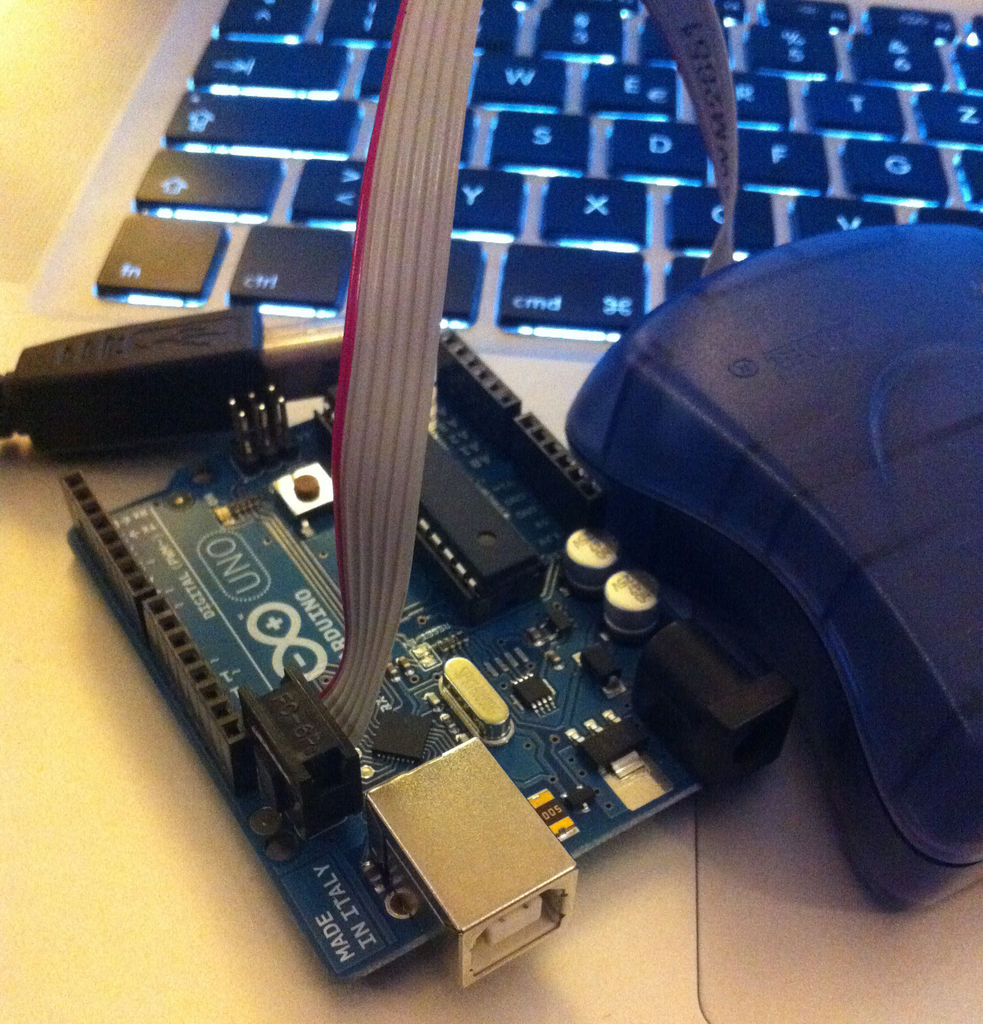
– In case you want to restore the original frimware of the 8u2 you can find it in your Arduino application folder. On a Mac its located under:
/Applications/Arduino.app/Contents/Resources/Java/hardware/arduino/firmwares/UNO-dfu_and_usbserial_combined.hex
– Reflash it using avrdude an this command:
avrdude -p at90usb82 -F -P usb -c avrispmkii -U flash:w:UNO-dfu_and_usbserial_combined.hex -U lfuse:w:0xFF:m -U hfuse:w:0xD9:m -U efuse:w:0xF4:m -U lock:w:0x0F:m
There are tons of instructables and tutorials on how to flash an AVR using avrdude. This is just a short sum up of paths and commands 😉
Forr more detail: Turn your Arduino Uno into an USB-HID-Mididevice
- What does HIDUINO do?
It turns an Arduino Uno or other AVR-USB devices into a driverless HID/MIDI device. - What do I need to reflash the 8u2 USB chip?
An AVR-ISP programmer (for example AVRISP mkII), avrdude or similar ISP software, and the HIDUINO firmware file HIDUINO_MIDI_Uno.hex. - How do I install the HIDUINO Arduino library?
Unpack the HIDUINO archive, move the HIDUINO_MIDI_Lib folder into your Arduino Libraries folder. - What avrdude command is used to flash HIDUINO on an Uno with AVRISP mkII?
avrdude -p at90usb82 -F -P usb -c avrispmkii -U flash:w:HIDUINO_MIDI_Uno.hex -U lfuse:w:0xFF:m -U hfuse:w:0xD9:m -U efuse:w:0xF4:m -U lock:w:0x0F:m - How can I test the device after reflashing?
Try the sample sketch from the HIDUINO Arduino Example Sketches to test the device immediately after reflashing the USB firmware. - Can I restore the original USB firmware?
Yes, the original UNO-dfu_and_usbserial_combined.hex is in the Arduino application folder and can be reflashed with avrdude. - Where is the original UNO firmware located on a Mac?
/Applications/Arduino.app/Contents/Resources/Java/hardware/arduino/firmwares/UNO-dfu_and_usbserial_combined.hex - What should I check if the device does not appear after flashing?
Unplug and replug the device and ensure the ISP is connected with correct orientation (pin one marked).
