
Summary of Make A FOBO Bipedal Walking Robot Using Arduino
FOBO is a free, 3D-printed bipedal robot designed for educational robotics. Featuring 8 degrees of freedom and static balance, it uses an Arduino Uno, eight servo motors, and an ultrasonic sensor to navigate environments and avoid obstacles. Powered by a rechargeable lithium-ion battery, the entire project costs approximately $200 and requires about 18 hours of printing time using standard plastic filament.
Parts used in the FOBO Bipedal Robot:
- Arduino Uno microcontroller
- 8 Servo motors
- Ultrasonic range sensor
- Rechargeable lithium ion battery
- 17 3D printed plastic parts
- Screws (3M 16mm, 12mm, and 8mm)
- Nut (3M)
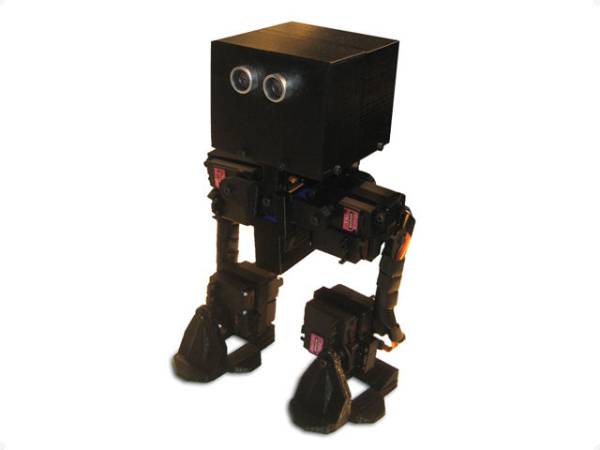
FOBO is the fourth prototype from Project Biped. It is a 3D printed, self-contained, statically balanced, bipedal robot. It has 8 DOF (degrees of freedom) and can walk around its environment and avoid obstacles using an ultrasonic range sensor. All of the designs, instructions, source code, and parts lists are provided for free. FOBO was designed to be easily made by anyone with a low cost 3D printer and an interest in learning about robotics
Step 1: Static walking
FOBO walks statically meaning that at every frame of the animation it is balanced and won’t fall over if it stops. The walking cycle is 10 key frames with 10 frames interpolated in between each frame
Step 2: Get the parts
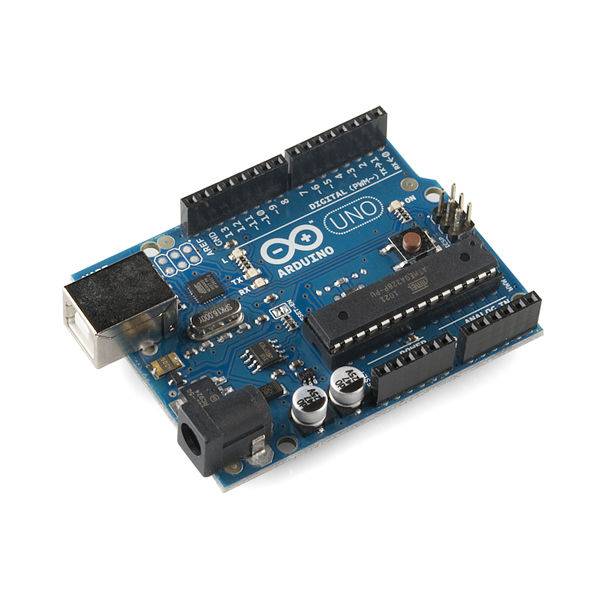
FOBO uses an Arduino Uno microcontroller to actuate 8 servo motors. It also has an ultrasonic range sensor so that it can walk around without bumping into things. FOBO is powered by a rechargeable lithium ion battery that lasts for a couple of hours on a full charge. All of the parts together cost about $200. Here is the full list of the the parts along with links to the vendor, price, and quantity. Note that none of the vendors listed are affiliated with Project Biped … they are just where I bought my parts from. If you find a part cheaper from another website let me know and I’ll update the list
Step 3: Print the robot parts
FOBO is made up of 17 3D printed plastic parts. The full list of diagrams showing where each part goes can be found here and all 3D stl files for each part can be downloaded here. I printed FOBO using an open source Makerbot Thing-O-Matic 3D printer. All of the parts can be printed in about 18 hours (depending on your printer and settings) with about $10 worth of plastic (193 cc is about 1/5th of a standard spool of plastic).
Step 5: Assemble the right leg
FOBO’s right leg has 5 printed parts and the following :
4 servos
2 screws 3M 16mm
2 screws 3M 12mm
4 screws 3M 8mm
1 nut 3M
You can access the presentation with animated instructions here (the image is a screen shot of the presentation).
For more detail: Make A FOBO Bipedal Walking Robot Using Arduino
- How does FOBO walk?
FOBO walks statically, meaning it remains balanced at every frame and will not fall if it stops. - What microcontroller powers the robot?
The robot uses an Arduino Uno microcontroller to actuate its eight servo motors. - Does FOBO have obstacle avoidance?
Yes, it uses an ultrasonic range sensor to walk around without bumping into things. - How long does the battery last?
The rechargeable lithium ion battery lasts for a couple of hours on a full charge. - What is the estimated cost of the project?
All parts together cost about $200. - How many parts are 3D printed?
FOBO is made up of 17 3D printed plastic parts. - How long does it take to print the parts?
All parts can be printed in about 18 hours depending on printer settings. - Can I get the source code for free?
Yes, all designs, instructions, source code, and parts lists are provided for free.
