
Summary of Visualize data from sensors using Arduino + coolterm
This article explains how to visualize Arduino sensor data in real-time using CoolTerm. By connecting a sensor like the XL Max Sonar EZ/AE to an Arduino, users can capture serial output and save it as a text file for graphing. The process involves configuring CoolTerm's baud rate to match the Arduino settings (9600), connecting via USB, and utilizing the "Capture to Text File" feature to record incoming values separated by newlines.
Parts used in the Arduino Sensor Visualization Project:
- Arduino
- XL Max Sonar EZ/AE sonar sensor
- PC with CoolTerm application
- USB cable
- Text editor or spreadsheet software (implied for graphing)
Here’s how in only a few steps!
I made this particular Instructables using a sonar sensor (XL Max Sonar EZ/AE) but you can do it with any data values that are separated in arduino by a carriage return and a line break:
To put it simply, the incoming sensor data should look like this in the Arduino Serial Monitor:
23
23
24
24
25
22
26
Separated by a newLine.
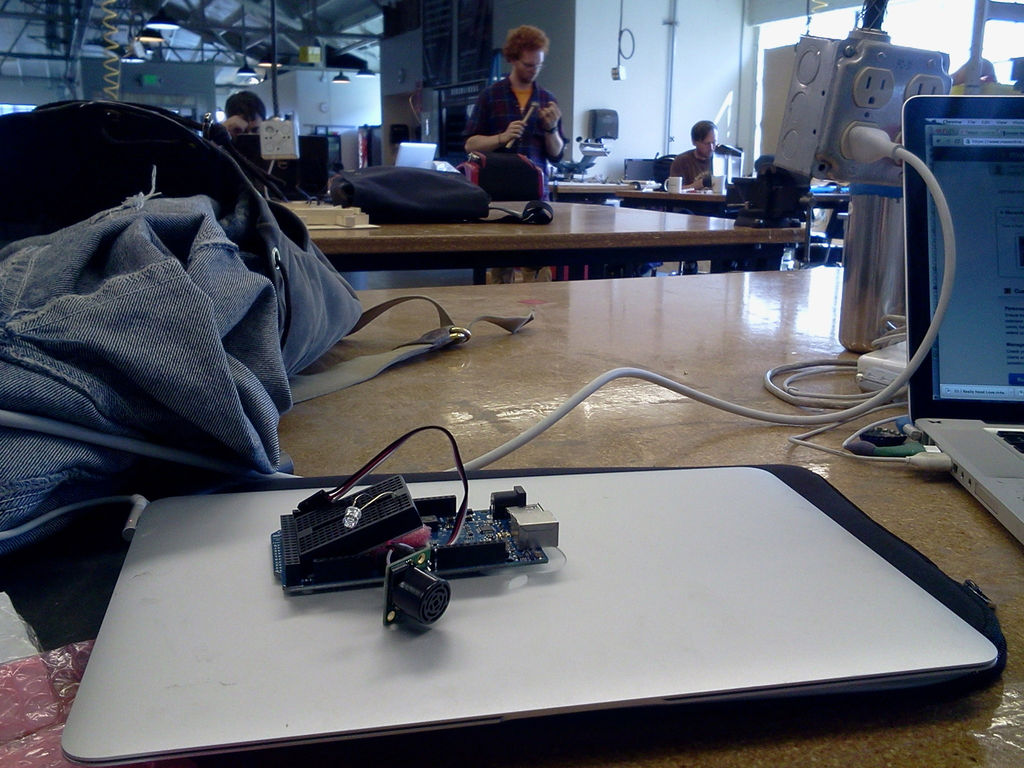
I made it at TechShop. !
www.techshop.ws
Step 1: Get CoolTerm
Download it at : http://www.macupdate.com/app/mac/31352/coolterm.
Open CoolTerm.
Step 2: CoolTerm and the Arduino code
Serial.println(potValue); //print the sensor value to the debugger panel
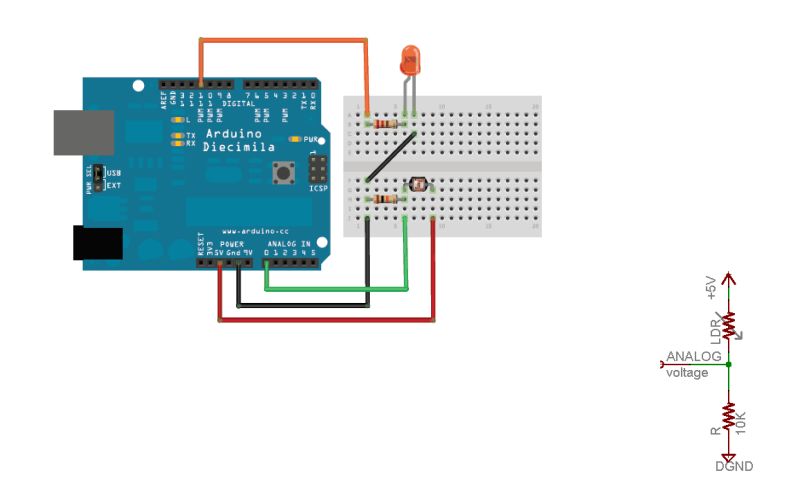
Any code for one sensor would work, for instance the attached circuit and code would work for a photocell to measure light levels.
Instead of the photocell I’m using the Max Sonar Sensor to measure proximity.
Step 3: Connecting to the Serial Port in CoolTerm
Make sure the Baud Rate is set to 9600 (because remember in Arduino, we set it to 9600 using Serial.begin(9600);
NOTE: You cannot have two Serial ports open at the same time, so you cannot view the arduino serial monitor while you are using CoolTerm.
Step 4: Start Recording & Saving
You should see data scrolling through in the serial monitor.
Begin to record the data:
Click Connection –> Capture to Text File –> Start
You can specify where to save the text file.
- What is CoolTerm?
CoolTerm is a serial port terminal application used to view and record sensor data. - How do I set the baud rate in CoolTerm?
You must set the Baud Rate to 9600 in the OPTIONS menu to match the Serial.begin(9600) setting in Arduino. - Can I use the Arduino Serial Monitor while using CoolTerm?
No, you cannot have two Serial ports open at the same time. - How do I start recording data in CoolTerm?
Click Connection, then select Capture to Text File, and finally click Start. - What format should the incoming sensor data be in?
The data must be separated by a carriage return and a line break, appearing as individual numbers on new lines. - Can this method work with sensors other than the sonar sensor?
Yes, any sensor that inputs analog voltages or sends values separated by a newline will work. - Where can I download CoolTerm?
You can download it from http://www.macupdate.com/app/mac/31352/coolterm. - What example code is recommended for reading serial data?
AnalogInOutSerial example from the Arduino Examples is suggested as a starting point.
