
Summary of System for detecting objects using Arduino
Summary: This project builds an Arduino-based object detection system using an SRF10 ultrasonic sensor on a micro servo for sweeping, a PIR sensor to trigger scanning, SpeakJet for voice alerts, and XBee modules to wirelessly send range data to a Processing sketch for visualization. Libraries were written for PIR, servo, sonar, and SpeakJet control; power, timing, and sensor-beam limitations were addressed during testing.
Parts used in the Object Detection System:
- Arduino Duemilanove
- ProtoShield Kit
- Libelium XBee Shield
- XBee Series 1 Pro (x2)
- XBee Explorer USB
- Devantech SRF10 Tiny Ultrasonic Ranger
- Devantech SRF10 Mounting Kit
- Sub Micro Servo - GWS (Grand Wing Servo) / NARO HP BB
- Parallax PIR Sensor Module
- VoiceBox Shield (SpeakJet and amplifier)
- Small speaker
- 9V Switched Battery Case with Barrel Jack
- Mini Breadboard
- Jumper Wire Kit / Assorted wires
- Break Away Headers (straight and right angle)
- Arduino Stackable Headers (6 pin and 8 pin)
- Loktite Mounting Putty
- Nylon Wire Ties
- Coat hanger (for improvised servo mount)
Project Abstract
I’ve been exploring the idea of creating a robot using Arduino technology for a while now. This project marks the initial phase of this ongoing hobby endeavor. The aim is to construct an object detection system that can be integrated into a semi-autonomous robot in the future.
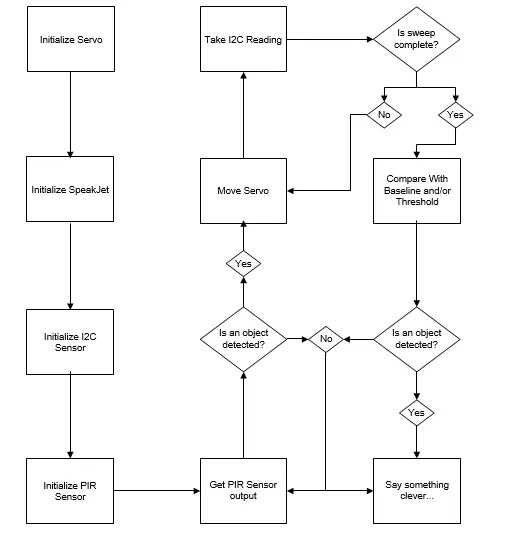
The system employs an ultrasonic range finder to identify obstacles in close proximity to the device. To provide a sweeping view, the ultrasonic sensor is affixed to a sub micro servo. Additionally, a Passive Infrared (PIR) sensor is utilized to activate the SONAR when motion is detected.
Sensor readings and distance measurements are transmitted wirelessly via 802.15.4 to a computer for visual representation. Furthermore, the microcontroller’s code triggers audible alerts using a serial-driven voice synthesizer chip connected to a small speaker.
Status
The project has reached its successful completion, achieving my objective of seamlessly integrating all underlying technologies. The device can effectively capture SONAR readings at designated servo angles and wirelessly transmit them to a Processing sketch, where they are presented for straightforward analysis. Furthermore, the device is equipped to vocalize and announce essential status updates and object detection occurrences.
In the subsequent sections, I will elaborate on several aspects that could benefit from further enhancement. Among these are XBee wireless programming and the exploration of a sturdier power supply solution.
Specification
Hardware
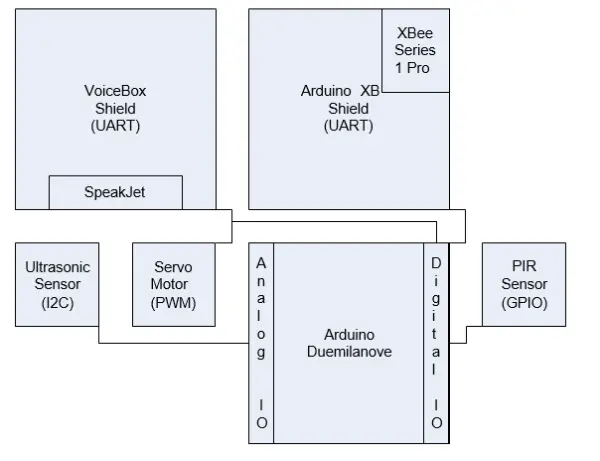
I constructed this device using the Arduino Duemilanove microcontroller, primarily because I already owned one and had prior experience interfacing with it, aiming to deepen my understanding. Arduino, an open microcontroller platform, employs an AVR-C derivative known as Wiring. Its compatibility with shields for prototyping, SpeakJet, and XBee made it a suitable choice for this project.
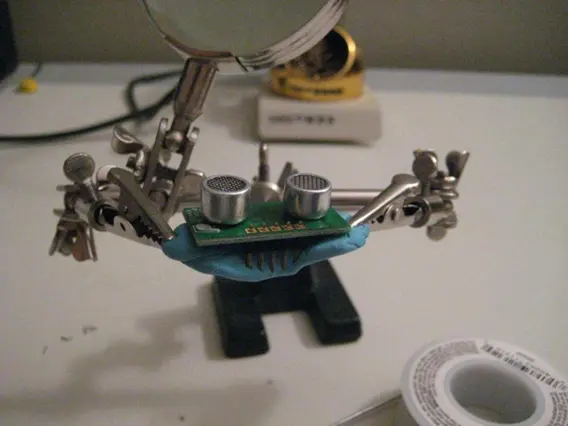
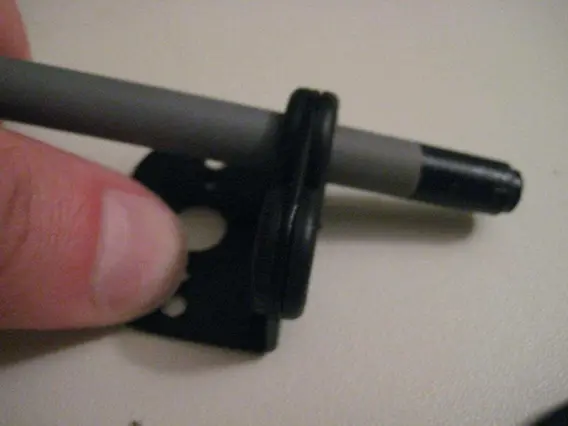
For the SONAR component, I opted for a Devantech SRF10 ultrasonic sensor mounted on a Grand Wing Servo (GWS) sub micro servo. Mounting the SRF10 involved using two screws and the SRF10 mounting kit. Since each servo shipped with only one screw of the correct size for mounting the servo horn, ordering two servos proved beneficial. Aligning the circular horn with the mounting kit required some patience due to the small size of the parts and screws.
The SRF10 utilizes an I2C interface, utilizing analog pins 4 and 5 in alternate function I2C mode for communication. Connecting it this way enables the Wire library to communicate with the sensor via the Arduino’s I2C bus.
Digital output capabilities of the Arduino are employed for controlling the servo to which the ultrasonic sensor is attached. The Servo library effectively abstracts Pulse Width Modulation (PWM), which governs the servo’s movement.
A digital input is utilized for detecting motion within range using a Parallax Passive Infrared Sensor (PIR). This straightforward device sets the pin high upon sensing motion.
To enable speech functionality, my Arduino code communicates with a Magnevation SpeakJet via a software serial connection. I opted for the NewSoftwareSerial library instead of the built-in SoftwareSerial library due to its efficiency and higher speed capabilities.
For interfacing with the computer, the XBee serves as a serial port replacement for transmitting sensor data from the microcontroller. Two Digi XBee Series 1 Pro chips were employed for this task.
Wiring Code
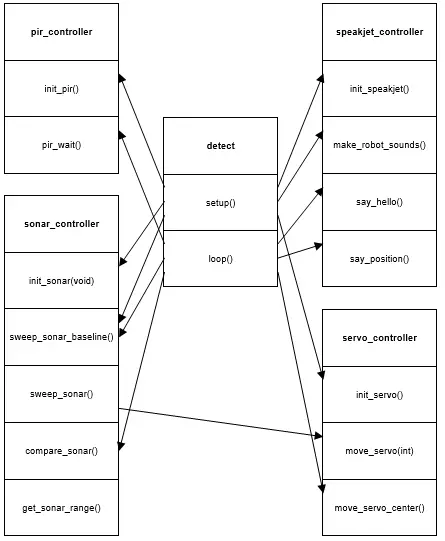
To ensure seamless integration of all hardware components, I developed four libraries. The Wiring code for each library is provided in the attachment accompanying this paper. To enhance reusability, each library includes #define statements for configuring different elements. Below are the names of the libraries along with their respective configuration elements:
The pir_controller initializes the Passive Infrared Sensor (PIR) and waits for a motion detection event:
- #define PIR_PIN specifies the digital pin number assigned to the PIR.
- #define PIR_CALIBRATION_TIME determines the duration for PIR calibration.
The servo_controller initializes the servo and controls its movement.
- #define SERVO_PIN specifies the digital pin number assigned to the servo.
- #define MIN_DEGREE defines the minimum degree to which the servo can be moved.
- #define MAX_DEGREE defines the maximum degree to which the servo can be moved.
- #define DEGREE_STEP defines the increment by which the servo moves during panning.
- #define MID_DEGREE specifies the midpoint degree position of the servo during a sweep.
- #define SWEEP_RESOLUTION determines the total number of steps in a full sweep.
The sonar_controller initializes the SRF10, retrieves range values, and manages sweep rotation by calling the servo_controller.
#define SRF_ADDRESS stores the address of the SRF10.
The speakjet_controller initializes the SpeakJet and articulates various pre-stored messages stored within the library.
Processing Code
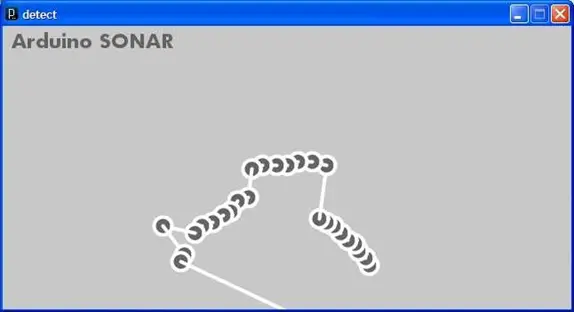
I created a straightforward processing sketch that plots the Cartesian coordinates of the sensor data and links these points with lines. The code was quickly assembled by combining an example I stumbled upon (http://www.uchobby.com/index.php/2009/03/08/visualizing-sensor-with-arduino-and-processing) with snippets of J2ME code borrowed from a LIDAR plotting routine I developed last semester. You can find the processing code in the attachment accompanying this document.
| Supply List | Price | SKU: | Supplier |
| Ardino IDE | $0.00 | N/A | http://www.arduino.cc |
| Processing IDE | $0.00 | N/A | http://processing.org |
| X-CTU Configuration Software | $0.00 | N/A | http://www.digi.com |
| Libelium Xbee Shield | $24.95 | SKU#
51835 |
www.hvwtech.com |
| Devantech SRF10 Tiny Ultrasonic
Ranger |
$59.95 | SKU#
40326 |
www.hvwtech.com |
| Devantech SRF10 Mounting Kit | $8.95 | SKU#
40360 |
www.hvwtech.com |
| Sub Micro Servo – NARO HP BB | $15.95 | SKU#
22150 |
www.hvwtech.com |
| XBee Series 1 Pro (x2) | $75.90 | WRL-
08690 |
www.sparkfun.com |
| XBee Exporer USB | $24.95 | WRL-
08687 |
www.sparkfun.com |
| 9V Switched Battery Case with Barrel
Jack |
$5.00 | N/A | www.sparkfun.com |
| VoiceBox Shield | $39.95 | DEV-
09624 |
www.sparkfun.com |
| Arduino Duemilanove | $29.99 | DEV-
00666 |
www.sparkfun.com |
| ProtoShield Kit | $16.95 | DEV-
07914 |
www.sparkfun.com |
| Mini Breadboard | $3.95 | PRT-
08800 |
www.sparkfun.com |
| Jumper Wire Kit | $6.95 | PRT-
00124 |
www.sparkfun.com |
| Jumper Wires Premium 6″ M/F Pack
of 100 |
$24.95 | PRT-
09139 |
www.sparkfun.com |
| Break Away Headers – Straight | $2.50 | PRT-
00116 |
www.sparkfun.com |
| Break Away Headers – Right Angle | $1.95 | PRT-
00553 |
www.sparkfun.com |
| Arduino Stackable Header – 8 Pin (x2) | $1.00 | PRT-
09279 |
www.sparkfun.com |
| Arduino Stackable Header – 6 Pin (x2) | $1.00 | PRT-
09280 |
www.sparkfun.com |
| Loktite Mounting Putty | $1.88 | N/A | Wal-Mart |
| Parallax PIR Sensor Module | $9.99 | 276-033 | Radio Shack |
| Nylon Wire Ties | $2.49 | 278-1632 | Radio Shack |
| Coat Hanger | $0.00 | N/A | N/A |
| Assorted Wire Bundles | $0.00 | N/A | Junk computer |
| Small Speaker | $0.00 | N/A | Junk computer |
Table 1: Parts List
Implementation & Construction
Ultrasonic Sensor Assembly
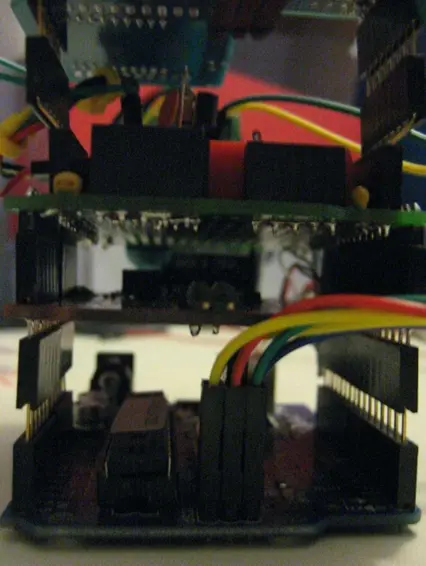
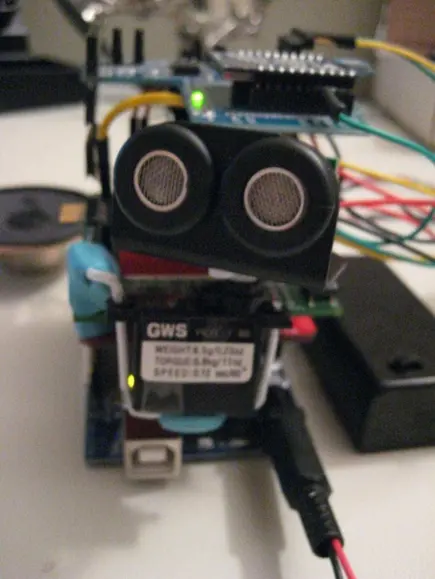
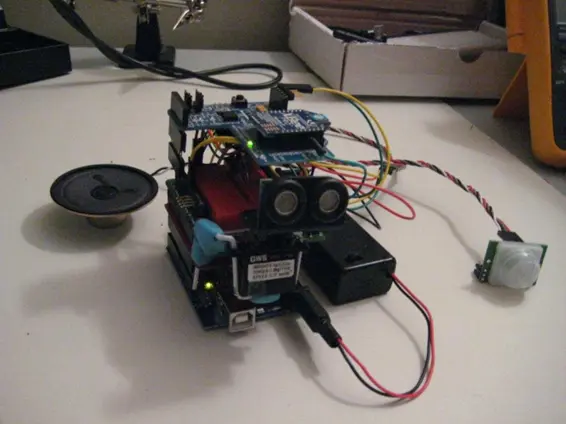
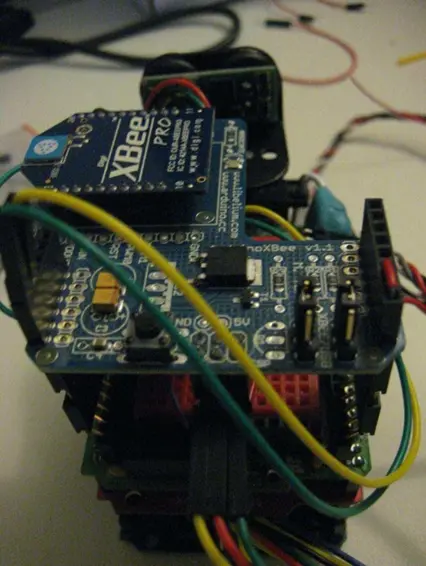
- What sensors are used to detect motion and distance?
A Parallax PIR sensor detects motion and a Devantech SRF10 ultrasonic ranger measures distance. - How is the ultrasonic sensor swept to cover an area?
The SRF10 is mounted on a sub micro servo (GWS) and the Arduino Servo library controls panning across set degree steps. - How are sensor readings transmitted to a computer?
Sensor readings and distances are sent wirelessly via XBee Series 1 Pro modules using 802.15.4 to a computer for Processing visualization. - How does the system produce audible alerts?
The Arduino communicates with a SpeakJet on the VoiceBox shield via software serial to vocalize status updates and detections through a small speaker. - What libraries were created for the project code?
Four libraries were written: pir_controller, servo_controller, sonar_controller, and speakjet_controller. - What power issues were encountered during testing?
USB power proved inconsistent causing speaker gibberish and SRF10 crashes; a separate AC transformer resolved these issues and 9V batteries were found insufficient. - How was unreliable sonar accuracy improved?
By increasing delays to allow servo movement, adding delays at sweep ends, and reducing analog gain sensitivity to reduce anomalous readings. - How were SpeakJet random-speech issues resolved?
Adding a SpeakJet command that inserts a 0 ms pause (string terminator) at the end of each transmitted character array prevented overlapping commands. - Can the project be programmed wirelessly with XBee?
The author attempted wireless uploading but had issues; Series 1 XBee chips are preferred for wireless Arduino programming and this remains to be achieved. - What visualization tool displays the sensor data?
A Processing sketch plots Cartesian coordinates of sensor readings and connects points with lines for analysis.
