
Summary of Spinning Tardis with blinking LED (Powered by littleBits) using Arduino
This article guides users in building a spinning and blinking TARDIS model using littleBits components within 30 minutes. The project involves constructing the TARDIS from paper, assembling LED and motor circuits with separate power supplies, and programming an Arduino board to create a blinking effect.
Parts used in the Spinning TARDIS:
- (2) Wires
- (2) Power supplies
- (2) 9v Batteries and Connectors
- (1) littleBits Arduino Board
- (1) LED
- (1) DC Motor with the Motormate
- Scissors
- Tape
- Glue
- Tardis template
- Construction Paper
- Dome or clear push pin
- Box Cutter
Construct a Tardis that spins and blinks!
Total Build Time:
30 mins
· Coding: 5 mins
· Construction of the Tardis: 20 mins
· littleBits LED and motor assembly: 5 mins
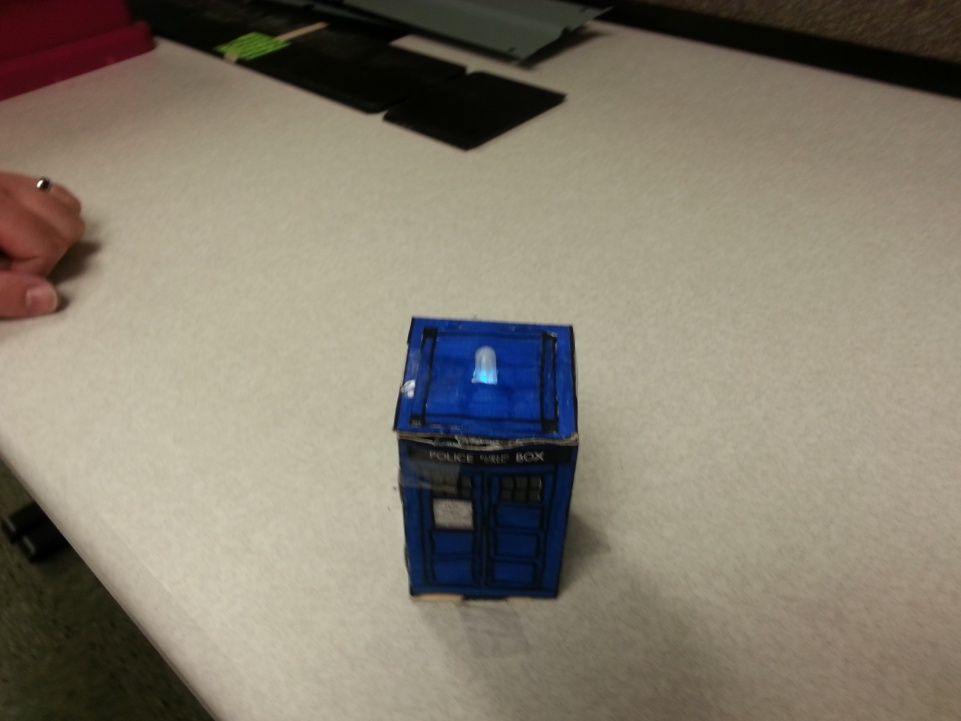
Step 1: Gather all needed parts.
LittleBits:
· (2) Wires
· (2) Power supplies
· (2) 9v Batteries and Connectors
· (1) littleBits Arduino Board
· (1) LED
· (1) DC Motor with the Motormate
Equipment:
· Scissors
· Tape
· Glue
· Construction Paper
· Dome (to diffuse the light at the top) – designed and 3D printed specifically for this project (file attached). You can also use a clear push pin if you’re not able to print the dome.
· Box Cutter
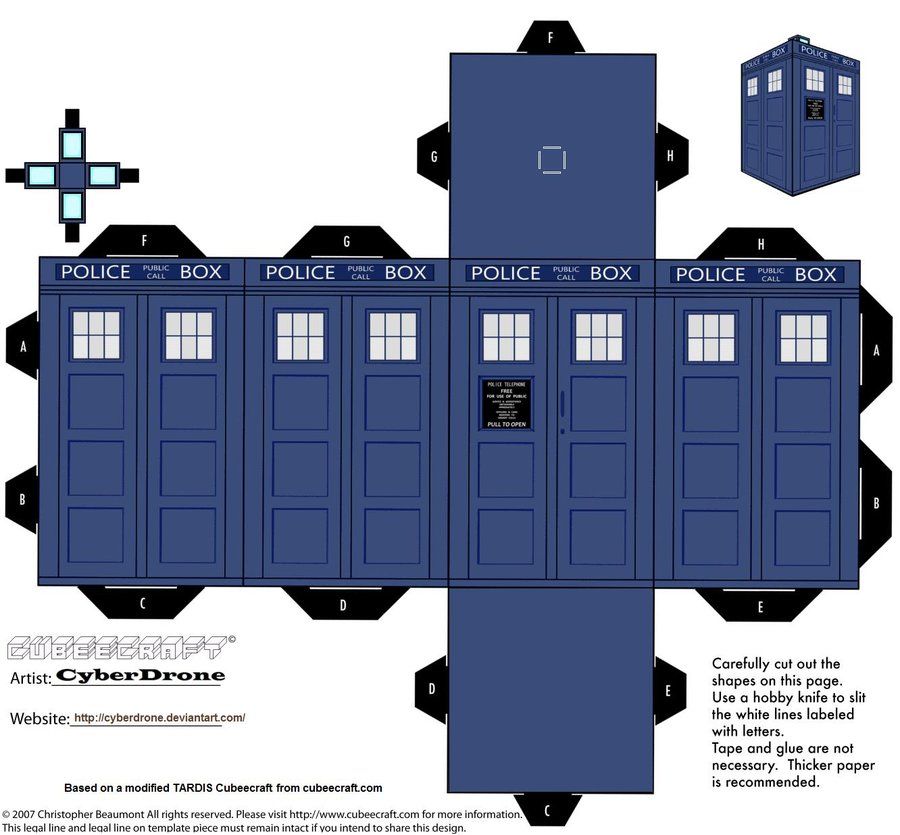
Step 2: Print the Tardis template
We recommend that you enlarge the template before printing; this will give more room for the component for fit together in the box. Glue the printed template to the construction paper. Use the box cutter to cut lines in the template where white lines occur over the black tabs; these are notches where the labeled tabs will enter. After the notches have been cut, cut out the outline of the template pieces.
Step 3: Connect the littleBits
Connect the littleBits parts as seen in the image. The motor and the LED should each have separate power supplies.
Step 4: Program the Arduino board
Program the Arduino board using the blink sketch. Code below
for reference:
int led = 1; // Define the pin the LED is plugged into
void setup() // Initialize setup
{
pinMode(led, OUTPUT); // Define the LED as an output source
}
void loop() // Loops through the sketch
{
digitalWrite(led, LOW); // Turn off the LED
delay(1000); // Delay for 1 seconds
digitalWrite(led, HIGH); // Turn on the LED
For more detail: Spinning Tardis with blinking LED (Powered by littleBits) using Arduino
- How long does it take to build the TARDIS?
The total build time is 30 minutes. - Can I use a clear push pin instead of a printed dome?
Yes, you can use a clear push pin if you are not able to print the dome. - What code is required for the Arduino board?
You must program the Arduino board using the blink sketch provided in the text. - Does the motor and LED share the same power supply?
No, the motor and the LED should each have separate power supplies. - What tools are needed to cut the template?
You need scissors and a box cutter to cut lines and outlines on the template. - How should the template be prepared before cutting?
You should glue the printed template to construction paper after enlarging it. - What happens during the delay in the code?
The delay function pauses the code for 1 second between turning the LED off and on. - Where do the tabs enter the template pieces?
The labeled tabs enter where notches are cut over white lines occurring on black tabs.
