
Summary of Siduri – An Arduino Control Smart Coaster
Siduri is a smart coaster for bars that uses an Arduino and FSR sensor to detect low drink levels, glowing yellow to signal waiters. It features a tactile button for calibration and is constructed from laser-cut wood and acrylic with surface-mount LEDs.
Parts used in Siduri:
- Arduino Florabaord
- Adafruit Square Force-Sensitive Resistor (FSR)
- LED surface mount display RGB pixels
- Coin cell battery holder - 6V output with on/off switch
- Tactile Button Switch
- Resistor 2.7 KOhm
- Wood
- White acrylic
- Wires
- Insulating tape
- Adhesive backed vinyl
- Laser printer
- Hot melt glue gun
- Solder iron
Designed specifically for lounge and club settings, Siduri helps nightlife revelers politely draw the attention of barmaids and helps bartenders to keep the drinks flowing.
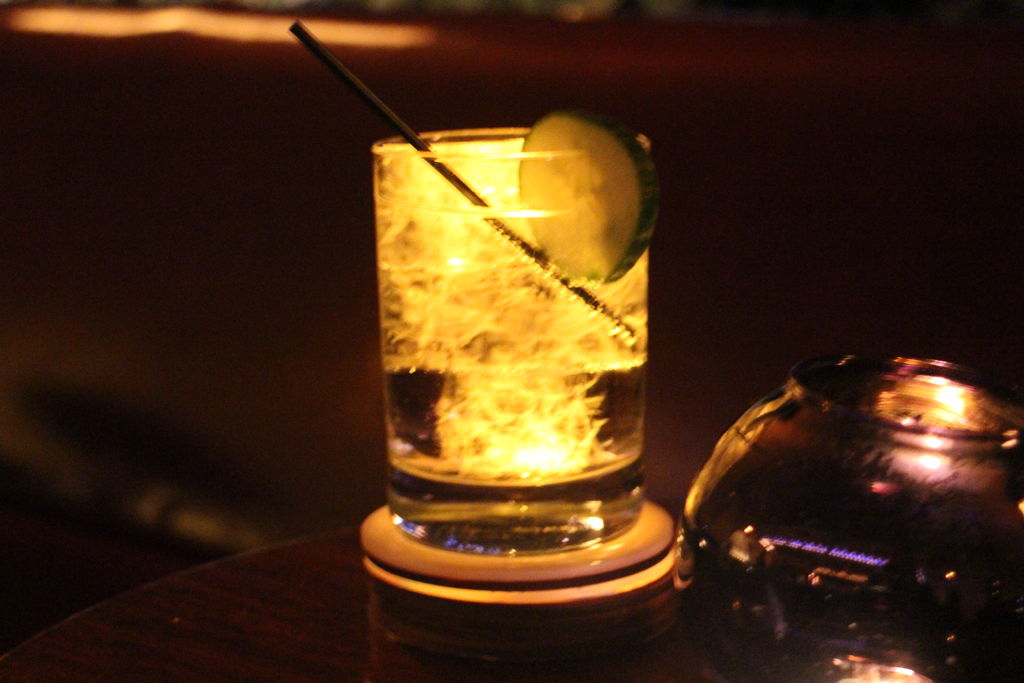
The coaster is powered by Ardunio and uses an FSR sensor that recognizes the difference in the weight of a drinking glass. A button located near the base of the coaster allows bar staff to calibrate the coaster to an unlimited amount of drinking glass types into the coaster’s memory. Hidden under the white acrylic top are three surface mount LED’s that breath a soft yellow light when the FSR sensor recognizes when a glass is 3/4 empty. The remaining materials were laser cut out of 1/8” wood to give the coaster a manly, yet classy aged feel.
If you would like to make your own smart coaster, here is how I did it:
Step 1: Materials
Electronics:
1 x Arduino Florabaord
1 x Adafruit Square Force-Sensitive Resistor (FSR)
3 x LED surface mount display RGB pixels
1 x Coin cell battery holder – 6V output with on/off switch
1 x Tactile Button Switch
1 x Resistor 2.7 KOhm
Materials:
6 x wood
2 x white acrylic
6 x wires
1 x insulating tape
Adhesive backed vinyl
Tools and devices:
1 x laser printer
1 x hot melt glue gun
1 x solder iron
Step 2: Draw and sketch out the parts
First I created a diagram of how I wanted to house and layer of the electronic parts inside of the coaster. I did this using the below illustrator file. Each of the parts are sized to scale.
Then I created a storyboard outlining step-by-step how I want a user to interact with it. In each instance I discovered that I would have to make adjustments to my original diagram like including a space for a button, a USB port and external access to the battery power. Edit the file for own purposes. Once you feel like you have all the necessary parts, print them out.
*Note: in the final version the FSR sensor is located on the bottom of the coaster and the battery and flora board are housed on the same level
- How does Siduri alert staff when a drink is low?
The coaster glows yellow when the FSR sensor recognizes a glass is 3/4 empty. - What components power the Siduri project?
An Arduino Florabaord powers the device along with a coin cell battery holder providing 6V output. - Can users calibrate the coaster for different glasses?
Yes, a tactile button allows bar staff to calibrate the coaster to an unlimited amount of drinking glass types. - Where is the FSR sensor located on the final version?
In the final version, the FSR sensor is located on the bottom of the coaster. - What materials give the coaster its aged feel?
Materials were laser cut out of 1/8 inch wood to provide a manly yet classy aged feel. - Does the coaster use external power or batteries?
The coaster uses a coin cell battery holder with an on/off switch for power. - What tool is needed to create the wooden parts?
A laser printer and laser cutting capabilities are used to shape the wood parts. - How many LED pixels are hidden under the top?
Three surface mount LED's are hidden under the white acrylic top.
