
Summary of ROTARY DIAL BECOMES USB KEYBOARD
Max repurposed an old telephone rotary dial into a USB keyboard using an Arduino Leonardo. The project leverages the board's native USB host capabilities to emulate keyboard input. Understanding the mechanical switching logic of the original phone system was essential for interfacing the device, which involves handling two specific contacts: one that closes during rotation and another that pulses when rewinding past digit positions. Software debouncing is required to manage the mechanical nature of these inputs.
Parts used in the Rotary Dial USB Keyboard:
- Old telephone rotary dial
- Arduino Leonardo
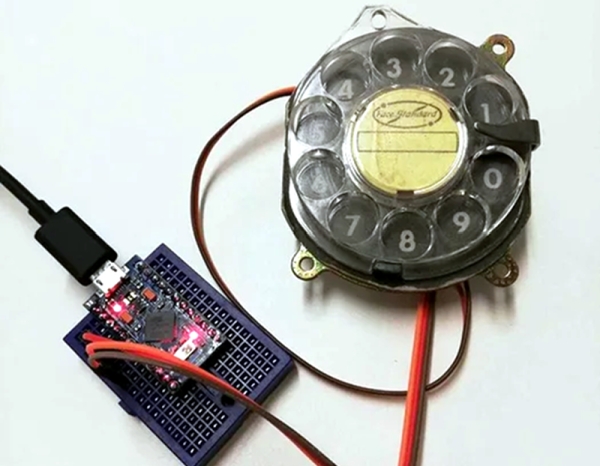
[Max] had a rotary dial from an old telephone and — unsurprisingly — had nothing in particular to do with it. The simple answer? Use an Arduino Leonardo to turn it into a USB keyboard device.
Of course, the Leonardo can easily impersonate a USB keyboard, so that’s the easy part of the project. Interfacing to the dial requires an understanding of how the phone system works.
While today, TouchTone phones are most common, they were quite uncommon for many years. Early phones required you to have an operator connect your circuit to another person’s circuit. Unfortunately for the operators, the system was inherently unscalable and also cost prohibitive.
There were a variety of schemes tried and — supposedly — an undertaker who was angry that the operator was connecting his customers to her husband’s competing mortuary invented the dial telephone.
The details are pretty simple. A typical dial has two contacts. There’s a normally open contact that closes when you spin the dial to any position. It says closed until the spring returns the dial to the home position.
The other contact is normally closed and makes or breaks the phone line. Each time the dial rewinds past a position, the contact opens briefly. Of course, this is a mechanical system, so the software has to debounce the inputs, but that’s easy enough.
If you don’t have access to a dial, you could always print one. Sort of.
Source: ROTARY DIAL BECOMES USB KEYBOARD
- How can an old telephone rotary dial be repurposed?
It can be turned into a USB keyboard device using an Arduino Leonardo. - Why did the undertaker invent the dial telephone?
An angry undertaker invented it because the operator was connecting his customers to her husband’s competing mortuary. - What are the two contacts found on a typical dial?
A typical dial has a normally open contact that closes when spun and a normally closed contact that makes or breaks the line. - When does the normally closed contact pulse?
The contact opens briefly each time the dial rewinds past a position. - Is software debouncing necessary for this project?
Yes, debouncing is required because the system is mechanical. - Can you create a dial if you do not have access to one?
You could print one, though the text notes this with uncertainty. - Why were early manual phone systems considered problematic?
They were inherently unscalable and cost prohibitive due to reliance on operators. - Does the Arduino Leonardo act as a USB host or device?
The Leonardo impersonates a USB keyboard device.
