
Summary of Create an internet controlled robot using Livebots
This article explains how to build an internet-controlled robot using the Livebots platform. It demonstrates a setup connecting an Arduino UNO and LED to a Raspberry Pi via serial communication. The process involves programming the Arduino to respond to "HIGH" or "LOW" commands, registering the device on the Livebots website, and installing the PySerial library on the computer to facilitate Python-Arduino communication.
Parts used in the Internet Controlled Robot Project:
- Arduino UNO
- LED
- Raspberry Pi
- Livebots website
- PySerial library
Here you will learn how to create an internet controlled robot or other installation using Livebots.
Livebots is a project I’m working on which consists of an easy to use website for all the robots that people can interact with through the internet.
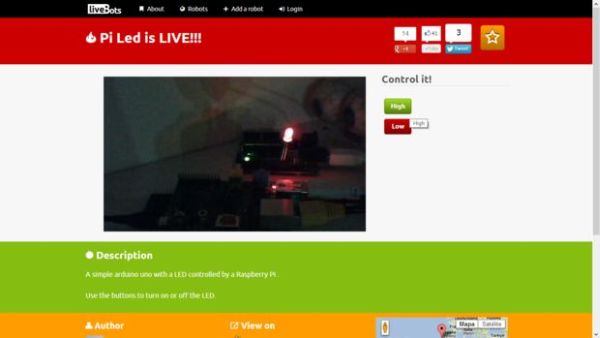
As an example I will be using a simple Arduino UNO with a LED connected to an Raspberry Pi to show you the concept, but of course you can use anything that can be receive messages by the serial port and any computer you would like.
Here is it:
And here is another example:
Step 1: Program the arduino
Attached is a simple arduino program that reads the messages form the serial port and lights the LED when they contain “HIGH” and turns it off when “LOW”.
Feel free to adapt it to your own needs.
 livebotDemo.zip462 bytes
Step 2: Add the robot to the Livebots website
Start by creating an account (http://livebots.cc/Account/Register).
Click Add a Robot and upload your bot’s picture (http://livebots.cc/Upload/1).
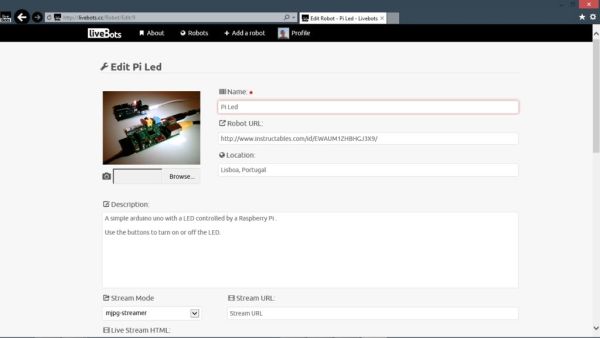
Then you can add your robot information that will appear on the robot’s page.
Step 3: Install PySerial
1. Download and click open: http://sourceforge.net/projects/pyserial/
2. Unzip and untar the files
3. Install pySerial. On a terminal window, navigate to the folder where you have the files and run the following command:
cd pyserial-2.5
sudo python setup.py install
For more info on how to do this on raspberry pi go here:
http://www.doctormonk.com/2012/04/raspberry-pi-and-arduino.html
PS: If you’re on Windows make sure you have python installed: http://www.python.org/getit/windows/ (Thanks msandersmay10 for pointing this out!)
For more detail: Create an internet controlled robot using Livebots
- What is Livebots?
It is a project consisting of an easy-to-use website for all robots that people can interact with through the internet. - Can I use devices other than Arduino UNO?
Yes, you can use anything that can receive messages by the serial port and any computer you would like. - How do I program the Arduino for this project?
You must write a program that reads messages from the serial port and lights the LED when they contain HIGH and turns it off when LOW. - What are the steps to add a robot to the Livebots website?
Create an account, click Add a Robot, upload your bot's picture, and add your robot information. - Why is PySerial needed?
It is required to let Python communicate with the Arduino. - How do I install PySerial on a terminal window?
Navigate to the folder where the files are located and run the command sudo python setup.py install. - Does Windows require specific software for this?
Yes, if you are on Windows, you must make sure you have Python installed.
