
Summary of How to Create an Arduino Compatible Bluetooth 4.0 Module
This project documents building a low-cost Arduino-compatible Bluetooth 4.0 module using the HM-10 BLE module, custom PCBs, and simple passives to create either an XBee-footprint or breadboard breakout. The author details parts, costs, soldering tips for SMD assembly, and notes limited testing with mobile/PC stacks but successful use with the iOS LightBlue app.
Parts used in the Arduino BT 4.0 Module:
- HM-10 Bluetooth Low Energy module
- BS1138 (voltage divider or level shifter component)
- 0603 LEDs x 3 (assorted colors recommended)
- 0805 Resistors 10k x 4
- 0805 Resistors 220 ohm x 3
- Optional SOT-23-5 LDO voltage regulator
- Custom PCB (XBee footprint or breadboard breakout)
- Soldering tools: fine-tip iron, precision tweezers, thin solder (≈0.022"), wet sponge or brass wool
I had been looking for a cheap alternative to some of the Arduino Bluetooth devices I’d seen, which in my opinion are overpriced.
Redbear’s Mini: $39.95 (Note: This is a uC and BLE combo).
Redbear’s Uno Shield: $29.95
BLEDuino: $19.95 (if part of Kickstarter)
Bluegiga Shield: $69.95
After seeing these, I thought I’d try to make one; this is my bumbling process for making an Arduino Bluetooth 4.0 device at home:
Updated efforts: http://letsmakerobots.com/node/39795
GitHub: https://github.com/Ladvien/HM-10
Step 1: How to Create an Arduino Compatible Bluetooth 4.0 Module
This guide is intended to show how to interface one of these HM-10 Bluetooth Low Energy modules to an Arduino.
I started working with these little Bluetooth modules in attempt to add Bluetooth 4.0 to my robot projects.
Step 2: Arduino BT 4.0 Module — Overview
There are a few bits of information I’d like to offer upfront. First, I’m a homeless outreach worker; I’m not an engineer of any sort. So, there will be mistakes in my design.
Second, although I was able to interface these BT 4.0 modules with an Arduino, I’ve not fully interfaced them with a PC or mobile device. This is due to the BT 4.0 software stacks being very different than earlier versions of Bluetooth (<3.0).
Still, I’ve shown that is possible to make this bridge using the Lightblue app for iOS.
It’s also one reason I write. I’m too cheap to pay to develop an iOS app to interface with these modules and I don’t own an Android device with BT 4.0. So, I’m hoping someone in the crowd will let me know when they’ve finished the software needed. 🙂
I will state that Jellybean 4.3 offers a Bluetooth 4.0 API.
Now, price is a big concern with me, so I’ll givet the breakdown up front:
The bill-of-materials (BOM):
1.HM-10 x 1
2.BS1138 x 1
3.0603 LEDs x 3 (best if assorted colors)
4.0805 Resistors 10k x 4
5.0805 Resistors 220 x 3
6.(OPTIONAL) SOT-23-5 LDO Voltage Regulator (it doesn’t make sense to use this, but I put the option on the board just in case. I’ll explain).
This should bring your total just under $10 USD. And the boards I purchased from OSHPark, which come out to be less than $2 a piece. Therefore, I figure around $12 for a BT 4.0 module.
I felt this price was better than some of the options available:
Redbear’s Mini: $39.95 (Note: This is a uC and BLE combo).
Redbear’s Uno Shield: $29.95
BLEDuino: $19.95 (if part of Kickstarter)
Bluegiga Shield: $69.95
Step 3: Arduino BT 4.0 Module — Order the Parts
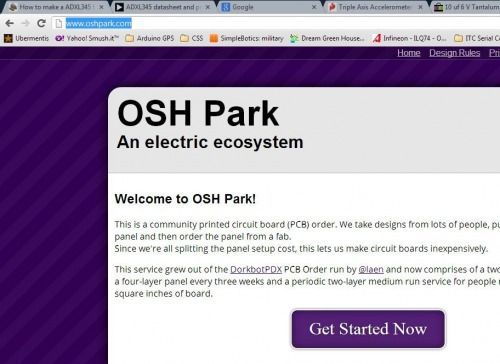
Alright, if I’ve not scared you away then the first thing to do is select a layout.
I designed two different layouts, a Xbee footprint and a full breakout, which will fit nicely into a breadboard.
Xbee ($5.15) for 3 boards.
Breadboard breakout ($6.35) for 3 boards.
Order the components listed
The bill-of-materials (BOM):
1. HM-10 x 1
2. BS1138 x 1
3. 0603 LEDs x 3 (best if assorted colors)
4. 0805 Resistors 10k x 4
5. 0805 Resistors 220 x 3
6. (OPTIONAL) SOT-23-5 LDO Voltage Regulator (it doesn’t make sense to use this, but I put the option on the board just in case. I’ll explain).
The total time on the boards is ~16 days.
Step 4: Arduino BT 4.0 Module — Soldering
A few notes on soldering the SMD pieces:
DON’T BE SCARED. It’s really not that hard.
1. There are three musts to SMD, at least from my perspective: a small iron tip,precision tweezers, thread-like solder (at least .022″ solder wire).
2. Other important soldering tools: A wet sponge and brass-ball will keep your fine soldering tip fine. Sponge the solder tip, then run it through the brass-ball after each component to prevent build-up.
3. To speak blasphemy: Flux is ok, but I find the tweezers often take place of the flux.
4. Practice using both hands during soldering. Tweezers in one and solder-iron in the other.
5. The drag-to-solder method will be what you use on this board.
6. Patience.
7. Have a cup of wine. Alcohol reduces performance on most skills, except, skills that involve fine motor control, there is a marked 20% improvement. Though, this relationship is curve-linear. One glass is good, two glasses and you’ll smoke something.
8. Honor the age old tradition: Don’t solder in your boxers.
Here is a video of me soldering the first iteration of the breakout board.
For more detail: How to Create an Arduino Compatible Bluetooth 4.0 Module
- What is the main Bluetooth module used in the project?
The project uses the HM-10 Bluetooth Low Energy module. - Can this module be made for under $12?
The author estimates around $12 total including OSHPark PCBs and parts. - What PCB footprints are provided?
Two layouts were designed: an XBee footprint and a breadboard breakout. - Does the project require an LDO regulator?
An SOT-23-5 LDO regulator is optional and included on the board as an option. - What resistors and LEDs are needed?
The BOM calls for 0805 resistors: four 10k and three 220 ohm, plus three 0603 LEDs. - Is the module fully tested with mobile devices and PCs?
The author interfaced the module with Arduino and used the iOS LightBlue app, but has not fully interfaced it with PC or mobile stacks. - How long does PCB fabrication take?
The total time on the boards was about 16 days. - What soldering equipment is recommended?
Recommended tools include a small iron tip, precision tweezers, thin solder wire (~0.022"), and a wet sponge or brass-ball for tip maintenance.
