
Summary of BLU-BOARD, control your home with blue tooth!
This article details the DIY construction of the "BLU-BOARD," a Bluetooth-enabled home automation device that controls appliances like thermostats and lights. The project involves sourcing specific electronic components, designing and etching a custom PCB using Inkscape, soldering parts onto the board, modifying a relay module by replacing control pins, constructing header connections, and finally uploading firmware via an Arduino IDE to activate the device.
Parts used in the BLU-BOARD:
- Bareduino kit
- 2 channel relay
- Bluetooth module
- Header pins and sockets
- Small piece of PCB
- Programmer (optional)
- Enclosure (optional)
- LED
Big thanks to the fine people at Hack-A-Day for sharing this with the world!
if you’d like to donate to the project: https://www.suprmasv.com/projects/167/blu-board
This project has been in the works for along time, three months if I reckon Correctly, but anyways, this device will allow you to control devices in your home, whether it be your homes thermostat or your lights it all can now be done over blue tooth with ease. so lets begin.
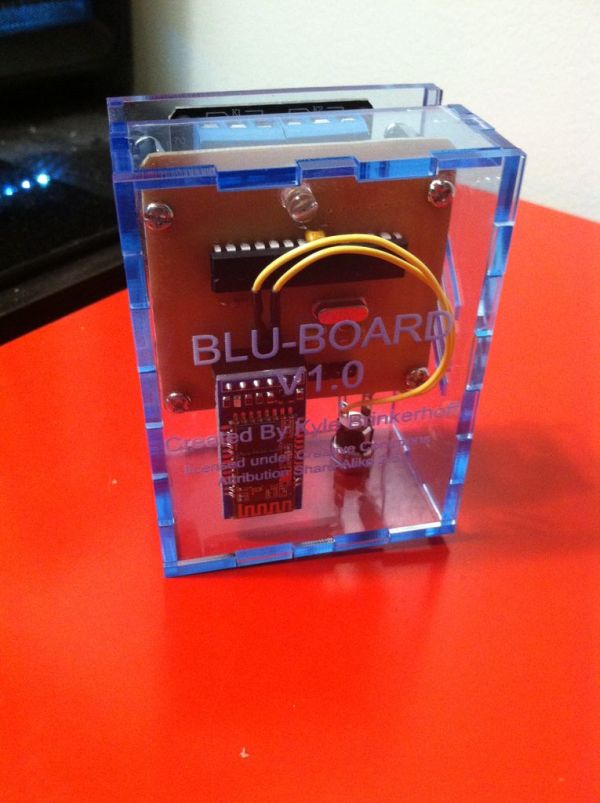
Step 1: Step 1: sourcing parts
you will need the following parts :
bareduino kit : $8.95
2 channel relay : $5.85
bluetooth module : $8.52
random header pins and sockets~$2.00
small piece of pcb~$2.00
programmer (optional) $9.00
enclosure (optional) $19.51
a led ~10 cents
Step 2: Step 2: producing main board
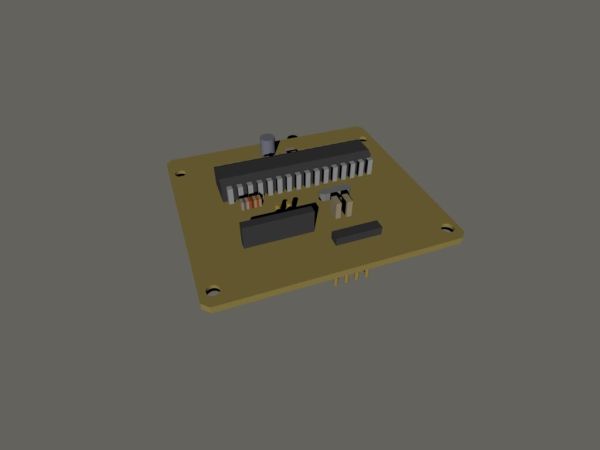
first we must produce the pcb for this device, in this instructable im not going to go over how to etch a pcb, if you dont know, just google it, anyways i designed the pcb in inkscape and it is available for download here in a zip file.
EDIT: peter__s created a gcode file as well if you wish to mill the board. thanks peter!
Step 3: Populate the pcb
solder up your components as the image shows, this should be relatively self explanatory at this point, just make sure that the chip has its notch pointing to the left and that the led has its long leg going to the a0 pin on the chip.
Step 4: Relay controller modifications
this next step is going to require you to use a header socket to replace the control pins on the relay module, this will require some de-soldering which can be tricky if youve never done it before . basically it should look like this when your done
Step 5: Header construction
on the main board we have to use some extra long header pins to create a connection to the relay module, to do this cut a segment of header pins that is 4 pins long and push the little plastic piece to the end of the pins like shown in the photos and then push it through the board and solder it in place like so.
Step 6: Finish populating the board
now add the last two header connections to the board like so, and plug your new main board into the modified relay module.
Step 7: Upload firmware
this step requires the arduino ide and the included firmware to make this thing operate, i designed this to work with the cp10102 uart tool for programming so you may need to make a special adapter to use a different programmer, but its fairly simple. when the board has its firmware the led should blink once when it turns on to let you know its alive and running.
For more detail: BLU-BOARD, control your home with blue tooth!
- What is the purpose of the BLU-BOARD?
The device allows you to control home devices such as thermostats or lights over Bluetooth with ease. - How much does the bareduino kit cost?
The bareduino kit costs $8.95. - Can I use a different programmer for this project?
You may need to make a special adapter if you do not use the CP10102 UART tool designed for programming. - How do I know the board is running correctly?
When the board has its firmware, the LED should blink once when it turns on to indicate it is alive and running. - Is the enclosure mandatory for the project?
No, the enclosure is listed as an optional part for the project. - How was the main circuit board designed?
The PCB was designed in Inkscape and is available for download in a zip file. - What modification is required for the relay controller?
You must use a header socket to replace the control pins on the relay module, which requires de-soldering. - Which software is needed to upload the firmware?
The Arduino IDE is required along with the included firmware to make the device operate.
