
Summary of WAVEbuoy using Arduino
The WAVEbuoy is an Arduino-based internet-connected lamp displaying real-time wave heights from National Data Buoy Centre or Magicseaweed locations. It uses color coding: red for high surf, green for medium swell, and blue for low swell. Currently monitoring the Sevenstones Lightship buoy to indicate swells approaching Cornwall, UK, this project offers a visual weather alert system for surfers.
Parts used in the WAVEbuoy:
- Arduino UNO & Ethernet shield
- Light bulb
- 3 Colour RGB SMD LED Module
- Breadboard
- Jumper wires
The WAVEbuoy is a arduino lamp connected to the internet that displays the current wave height of any of the National Data Buoy Centre’s wave buoys.
This lamp is currently connected to the Sevenstones Lightship buoy that gives an indication of swell approaching Cornwall in the UK. The lamp can also be connected to any surfing location covered by magicseaweed.com
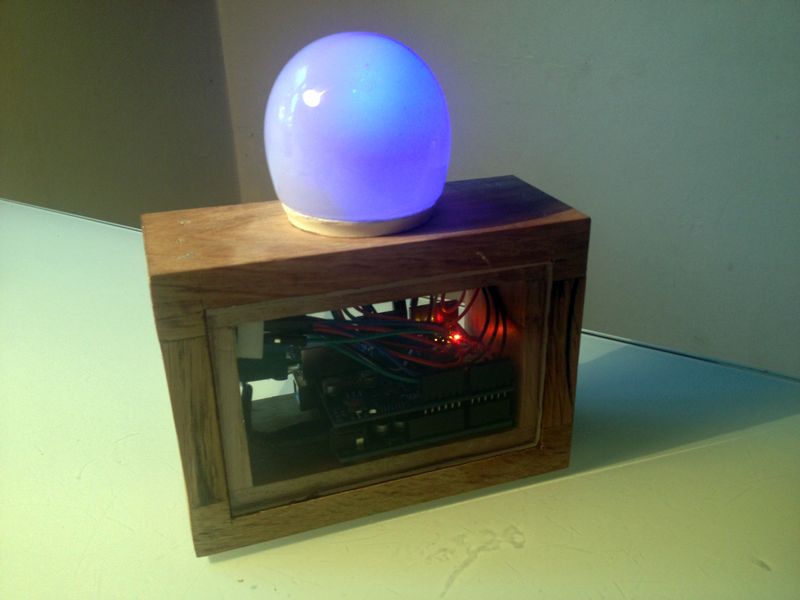
RED – High surf alert
GREEN – Medium swell
BLUE – Low swell
Parts needed:
- Arduino UNO & Ethernet shield
- Light bulb like this one Link
- 3 Colour RGB SMD LED Module Link
- Breadboard
- Jumper wires
The case….its up to you how you encase it. Im a carpenter by trade and i had the ability to use some scrap pieces of oak. You could house it in all sorts of ready made boxes or lamps. The white dome on top is a lightbulb that i have cut in half.
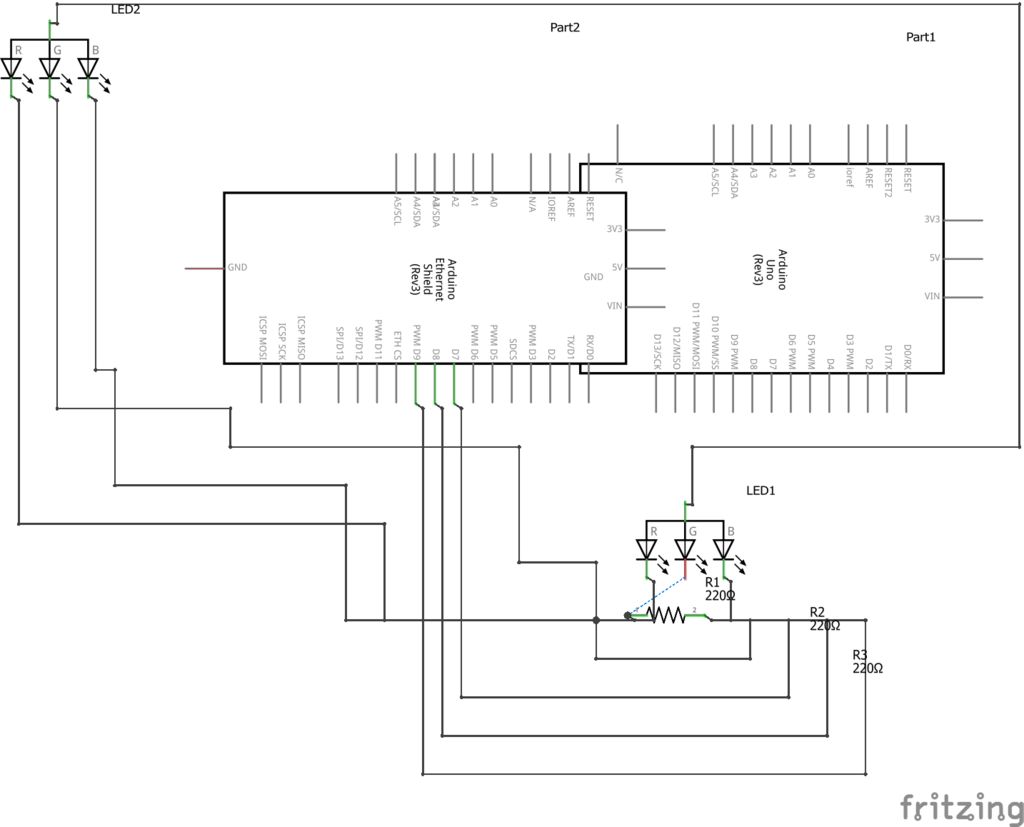
Step 1: Build the circuit
Its a very simple circuit using 2 RGB modules and 3 resistors. Just follow the diagrams. If you need the fritzing file let me know.
I know i could improve this by using a PCB, but i just sawed off a small section of the breadboard and stuck it in the oak case.
For more detail: WAVEbuoy using Arduino
- What does the red light indicate?
Red indicates a high surf alert. - Can the lamp connect to surfing locations on magicseaweed.com?
Yes, the lamp can be connected to any surfing location covered by magicseaweed.com. - Which buoy is currently monitored by this lamp?
The lamp is currently connected to the Sevenstones Lightship buoy. - How many RGB modules are used in the circuit?
The circuit uses 2 RGB modules. - What material was used to encase the project?
Scrap pieces of oak were used to house the device. - What is the function of the white dome on top?
The white dome is a lightbulb that has been cut in half. - Are resistors required for the circuit?
Yes, 3 resistors are needed for the simple circuit. - Is a PCB mandatory for building this project?
No, a breadboard section can be used instead of a PCB.
